Unlock the Developer Tab in Excel! #ExcelTips #developer
"Need access to Excel’s Developer tab? Here’s a quick guide! The Developer tab unlocks advanced tools like macros, checkboxes, and more. Follow these steps t...

Easy Click Learning
77.2K views • Nov 2, 2024
About this video
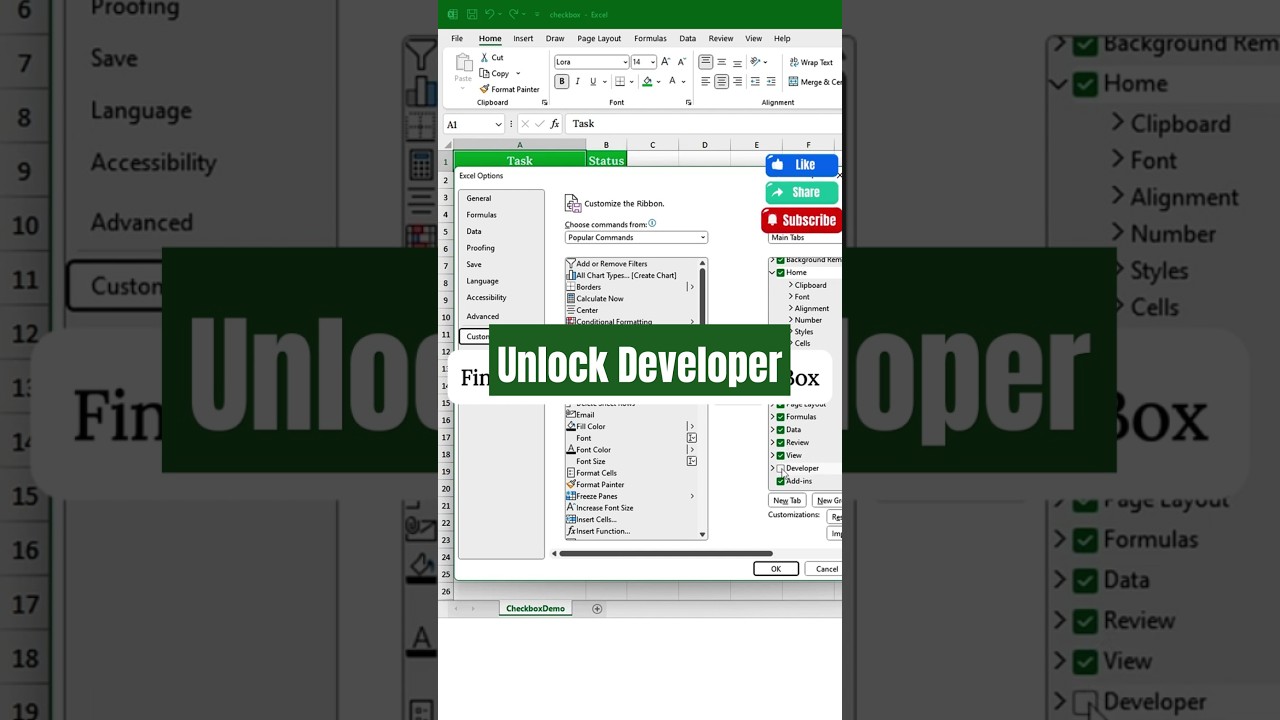
"Need access to Excel’s Developer tab? Here’s a quick guide! The Developer tab unlocks advanced tools like macros, checkboxes, and more. Follow these steps to activate it:
1️⃣ Click on the Ribbon blank space
2️⃣ Select Customize the Ribbon
3️⃣ Check the box for Developer
4️⃣ Hit OK — and you’re set!
Now you’re ready to level up with Excel’s hidden features! Subscribe for more quick Excel tips!
#DeveloperTab #ExcelShorts #EasyClickLearning #ExcelTutorials #microsoftexcel
1️⃣ Click on the Ribbon blank space
2️⃣ Select Customize the Ribbon
3️⃣ Check the box for Developer
4️⃣ Hit OK — and you’re set!
Now you’re ready to level up with Excel’s hidden features! Subscribe for more quick Excel tips!
#DeveloperTab #ExcelShorts #EasyClickLearning #ExcelTutorials #microsoftexcel
Tags and Topics
Browse our collection to discover more content in these categories.
Video Information
Views
77.2K
Likes
594
Duration
0:15
Published
Nov 2, 2024
User Reviews
4.3
(15) Related Trending Topics
LIVE TRENDSRelated trending topics. Click any trend to explore more videos.