Trade Smarter with Recurring Volume Profile in EasyLanguage 📊 | Tradestation Program 86
Discover how to implement a customizable recurring volume profile in TradeStation EasyLanguage with Program 86. Enhance your trading strategy by analyzing volume over user-defined time periods. Learn more now!
Markplex
227 views • Jul 4, 2023
About this video
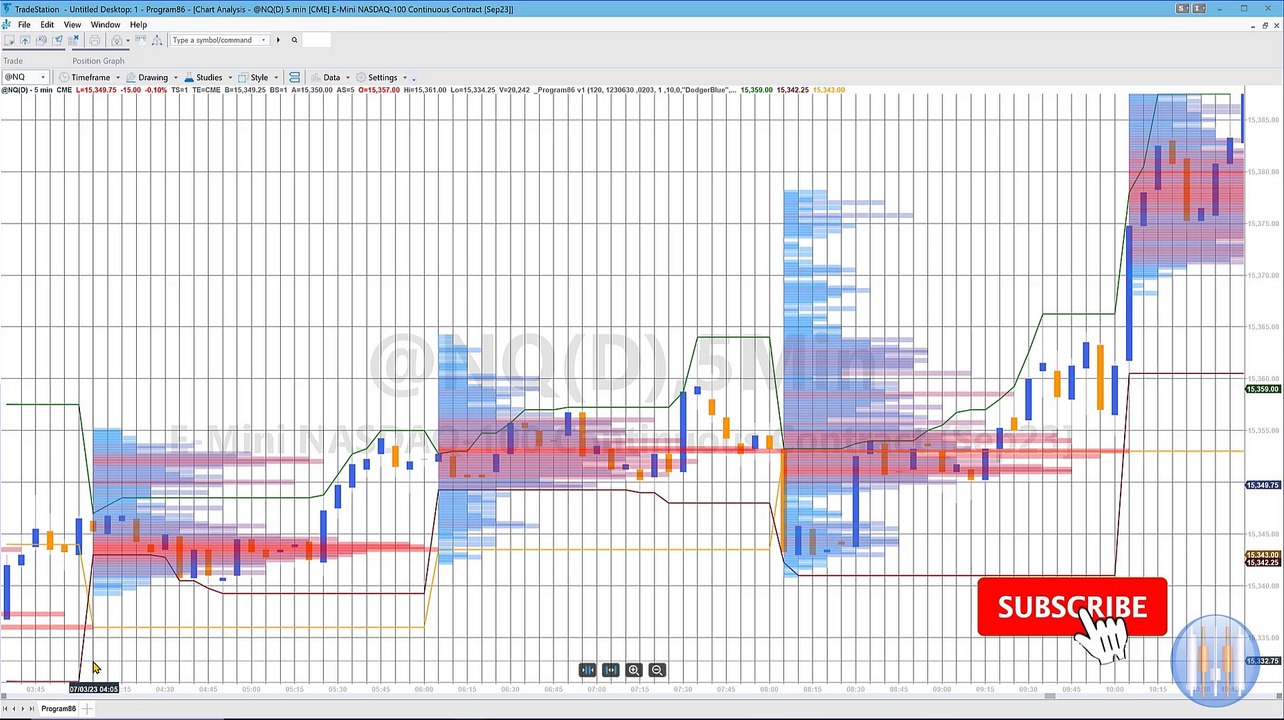
https://markplex.com/easylanguage-programs/program-86-recurring-volume-profile-for-a-user-specified-time-period/<br /><br />Program 86 uses the Price Series Provider class to create a volume profile for specified periods during the day. The length of this period is determined by a user input: RepeatTime. When this time elapses the volume profile is calculated and drawn. Data collection then starts for the next recurring period. This is repeated throughout the day. The profile is color coded between two user specified colors: HistColor1 and HistColor2. <br /><br />Having calculated the volume profile, Program 86 then calculates at which price level most volume occurred during the period being analyzed.<br /><br />It also plots three horizontal lines at the following levels:<br /><br />The price high of the period being analyzed<br />The price low of the period being analyzed<br />The price at which the highest volume occurred during the PREVIOUS period analyzed<br />Program 86 was designed and tested with TradeStation 10. It works on intraday minute bars. <br /><br />The RepeatTime input determines both the time period over which the analysis takes place and when the analysis is repeated. For example, if 5 minute bars were used and the StartTime set to 1000, and RepeatTime set to 60 then the initial period analyzed would be the first tick after 1000 to 1100. The analysis would then be automatically repeated for the first tick after 1100 to 1200, first tick after 1200 to 1300 etc.<br /><br />This program will not work in MultiCharts because it uses the TradeStation collections and other functionality that is not available in the MultiCharts environment.
Video Information
Views
227
Duration
10:01
Published
Jul 4, 2023
Related Trending Topics
LIVE TRENDSRelated trending topics. Click any trend to explore more videos.
No specific trending topics match this video yet.
Explore All Trends