Top 22+ Samsung Galaxy S22 Series Tips & Tricks 📱
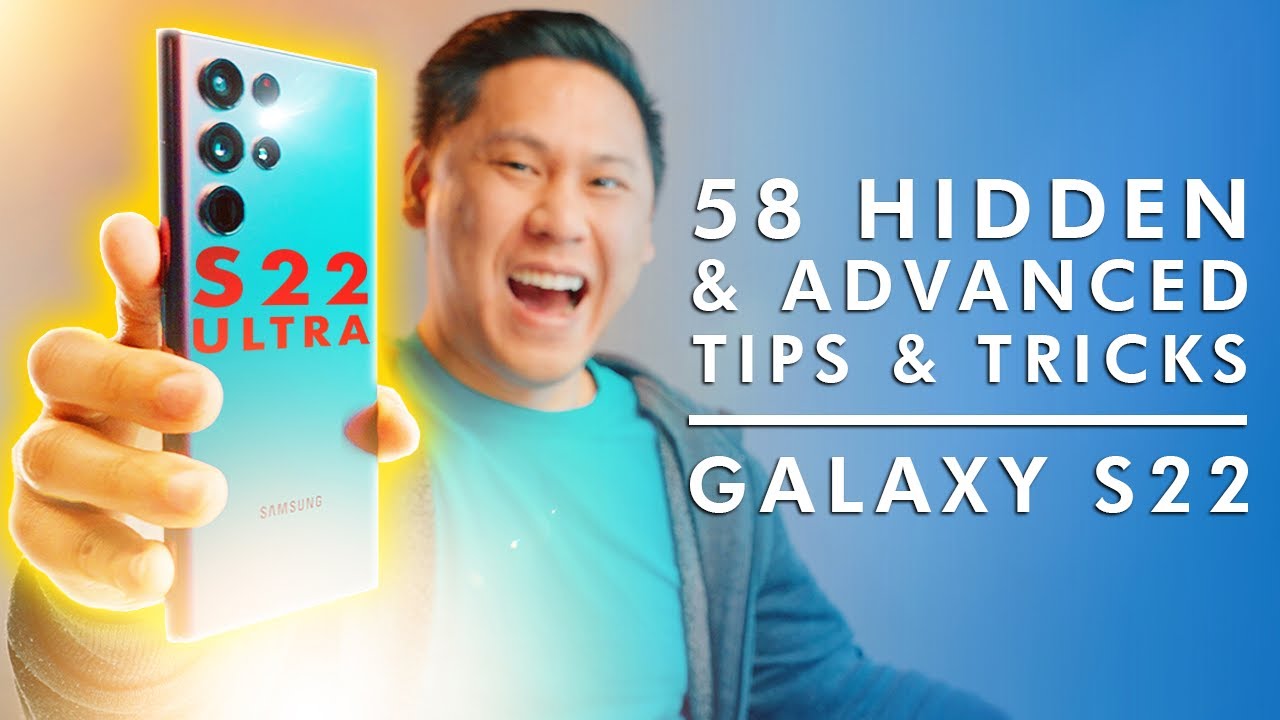
Discover 22+ hidden and advanced features for Galaxy S22, S22 Plus, and S22 Ultra to enhance your experience.

This is Tech Today
1.3M views • Feb 27, 2022
About this video
Have a Samsung Galaxy S22, S22 Plus or S22 Ultra? Here are my top 22+ tips & tricks for unlocking & utilizing the hidden & "advanced" features in your Galaxy S22+ 🖼I Invest in blue-chip art for the very first time by signing up for Masterworks: https://masterworks.art/thisistechtoday Purchase shares in great masterpieces from artists like Pablo Picasso, Banksy, Andy Warhol, and more (AD) 🤖 dbrand skins and cases: https://myte.ch/dbrand
🖼How Masterworks works:
-Create your account with your traditional bank account
-Pick major works of art to invest in or our new blue-chip art fund
-Identify investment amount. There is no minimum investment
-Hold shares in works by Picasso or trade them in our secondary marketplace
See important Masterworks disclosures: https://www.masterworks.io/about/disclaimer
-- LINKS TO BUY--
🤖 dbrand skins and cases: https://myte.ch/dbrand
📲 Purchase the Samsung Galaxy S22, S22+, or S22 Ultra: https://shop-links.co/cgIzVvivTOf
📺 Purchase the Samsung Galaxy Tab S8: https://shop-links.co/cgIzWKWOUZX
🔘 NFC Sticker: https://geni.us/zIVl
🪞 Whitestone Dome Glass Screen Protector (S22 Ultra): https://geni.us/48foe
🪞 Whitestone Dome Glass Screen Protector (S22+): https://geni.us/hFnY5El
🪞 Whitestone Dome Glass Screen Protector (S22): https://geni.us/CjC5y5
-- LINKS TO MORE VIDEOS --
🎥 My Samsung Galaxy Accessory Video: https://youtu.be/3N0gvyHPLl0
🔊 Comparing every Samsung Galaxy Bud (Binaural Audio Review): https://youtu.be/xAnxYpyaQTE
BECOME A CHANNEL MEMBER FOR EXCLUSIVE CONTENT: https://www.youtube.com/channel/UCEAMLkMKtq6YhmaZdUT1ywA/join
--- FOLLOW ME and BE IN COMMUNITY ---
🐦Twitter, Instagram, TikTok, and Facebook @thisistechtoday
👨👩👧👦Community DISCORD CHAT: https://myte.ch/discord
🌎MY WEBSITE http://www.thisistechtoday.com
--- MY TECH ---
🟨 My Amazon Storefront of My Favorite Products (follow me!): https://myte.ch/amazon
📸 The GEAR I use to make my videos! https://myte.ch/kit
🪑 My Desks, Chairs, and Furniture are by Fully! https://bit.ly/32dAiOL
- Jarvis Laminate Standing Desk - https://bit.ly/3iWHbuv
🎶Where I get my MUSIC: https://myte.ch/musicbed
▶️YOUTUBERS you have to use TubeBuddy. It's what I use (affiliate): https://www.tubebuddy.com/thisistechtoday
🔥BUSINESS INQUIRIES & SPONSORSHIPS: brandon -at- ricebowlmedia.com
📬Want to send me something?
15068 Rosecrans Ave # 260
La Mirada CA 90638
0:00 Intro
0:27 Deals on the Samsung Galaxy S22 Lineup
0:38 Supercharge Speed
1:51 Display Speed & Increased Battery Life
2:35 Dark Mode & Increased Battery Life
2:57 Unlock Extra Dim & Extra Bright Display Modes
3:59 Extend the LIFESPAN of Your Battery
4:46 Powershare
5:18 Universal Search
5:31 Fixing Samsung's Weird Homescreen Behavior
6:01 Customize Notifications
6:35 Notification History
7:10 Custom Media Output Controls & Music Share
7:56 Always on Display & Music Detection
8:37 Custom Text & Zoom Levels
9:16 Pinch to Zoom in Messages!
9:34 Google Duo Advanced Features
10:24 Google Duo Watch Parties
10:56 Picture in Picture Customizations
11:23 FREE Live TV & On Demand TV
12:00 How to Gain Exclusive Access to Masterworks
13:34 Easy Manual Rotations
14:12 Fast App Switcher
14:37 Customize the Navigation Bar
15:02 Stop Apps from Auto-Closing (RAM Management)
15:51 Get more RAM for FREE!
16:26 Two-Finger Swipe Gesture
16:48 Google Assistant with Gestures
17:06 One-Handed Mode
17:42 Split-Screen Multitasking
18:21 Smart Pop-Up View Multitasking
19:11 Prevent Someone from Snooping on Your Phone
20:06 Lock Your Homescreen
20:30 Custom Color Palette
20:57 What I'm using to Customize My Phone
21:14 Dual Messenger for Social Media
21:44 WiFi QR Code Trick
22:10 "AirDrop" on Android
22:51 Built-In Document Scanner
23:03 Encrypted Secure Folder
23:53 Global Autocorrect (for some reason It's not on by default)
24:20 A Clever Screenshot Gesture
24:40 Insane Tricks using NFC
25:25 Hide Apps You Don't Want to See Anymore
25:59 Customize the "Power Button"
26:32 Emergency SOS Message Mode
27:32 Lockdown Mode
28:12 OFFLINE Find My Mobile
28:46 Video Mode From Photo Mode
29:04 Director Mode (Great for Vlogging and Commentary Content)
29:24 Auto-Framing
29:47 Object Eraser
29:57 Control the Camera with the Volume Keys
30:18 Take a Photo with Your Palm
30:55 Take a Photo with the S-Pen
31:09 Control the Camera with Air Gestures
31:31 How to prevent yourself from losing the S-Pen
31:52 Unlock your phone with the S-Pen
32:18 Magnify with the S-Pen
32:52 Glance with the S-Pen
33:24 Convert Writing to Text
33:51 Annotate Screenshots
34:14 Easily create GIFs
34:53 How I Record my Screen
35:22 Outro
Disclosure: As an Amazon Associate I earn from qualifying purchases. I utilize affiliate links and may receive a commission from them, and at times may receive items for review from various brands. Despite that, I promise to always provide an honest & an unbiased as possible review because you deserve the best. All sponsorships will be clearly stated because transparency & trust are important to me!
🖼How Masterworks works:
-Create your account with your traditional bank account
-Pick major works of art to invest in or our new blue-chip art fund
-Identify investment amount. There is no minimum investment
-Hold shares in works by Picasso or trade them in our secondary marketplace
See important Masterworks disclosures: https://www.masterworks.io/about/disclaimer
-- LINKS TO BUY--
🤖 dbrand skins and cases: https://myte.ch/dbrand
📲 Purchase the Samsung Galaxy S22, S22+, or S22 Ultra: https://shop-links.co/cgIzVvivTOf
📺 Purchase the Samsung Galaxy Tab S8: https://shop-links.co/cgIzWKWOUZX
🔘 NFC Sticker: https://geni.us/zIVl
🪞 Whitestone Dome Glass Screen Protector (S22 Ultra): https://geni.us/48foe
🪞 Whitestone Dome Glass Screen Protector (S22+): https://geni.us/hFnY5El
🪞 Whitestone Dome Glass Screen Protector (S22): https://geni.us/CjC5y5
-- LINKS TO MORE VIDEOS --
🎥 My Samsung Galaxy Accessory Video: https://youtu.be/3N0gvyHPLl0
🔊 Comparing every Samsung Galaxy Bud (Binaural Audio Review): https://youtu.be/xAnxYpyaQTE
BECOME A CHANNEL MEMBER FOR EXCLUSIVE CONTENT: https://www.youtube.com/channel/UCEAMLkMKtq6YhmaZdUT1ywA/join
--- FOLLOW ME and BE IN COMMUNITY ---
🐦Twitter, Instagram, TikTok, and Facebook @thisistechtoday
👨👩👧👦Community DISCORD CHAT: https://myte.ch/discord
🌎MY WEBSITE http://www.thisistechtoday.com
--- MY TECH ---
🟨 My Amazon Storefront of My Favorite Products (follow me!): https://myte.ch/amazon
📸 The GEAR I use to make my videos! https://myte.ch/kit
🪑 My Desks, Chairs, and Furniture are by Fully! https://bit.ly/32dAiOL
- Jarvis Laminate Standing Desk - https://bit.ly/3iWHbuv
🎶Where I get my MUSIC: https://myte.ch/musicbed
▶️YOUTUBERS you have to use TubeBuddy. It's what I use (affiliate): https://www.tubebuddy.com/thisistechtoday
🔥BUSINESS INQUIRIES & SPONSORSHIPS: brandon -at- ricebowlmedia.com
📬Want to send me something?
15068 Rosecrans Ave # 260
La Mirada CA 90638
0:00 Intro
0:27 Deals on the Samsung Galaxy S22 Lineup
0:38 Supercharge Speed
1:51 Display Speed & Increased Battery Life
2:35 Dark Mode & Increased Battery Life
2:57 Unlock Extra Dim & Extra Bright Display Modes
3:59 Extend the LIFESPAN of Your Battery
4:46 Powershare
5:18 Universal Search
5:31 Fixing Samsung's Weird Homescreen Behavior
6:01 Customize Notifications
6:35 Notification History
7:10 Custom Media Output Controls & Music Share
7:56 Always on Display & Music Detection
8:37 Custom Text & Zoom Levels
9:16 Pinch to Zoom in Messages!
9:34 Google Duo Advanced Features
10:24 Google Duo Watch Parties
10:56 Picture in Picture Customizations
11:23 FREE Live TV & On Demand TV
12:00 How to Gain Exclusive Access to Masterworks
13:34 Easy Manual Rotations
14:12 Fast App Switcher
14:37 Customize the Navigation Bar
15:02 Stop Apps from Auto-Closing (RAM Management)
15:51 Get more RAM for FREE!
16:26 Two-Finger Swipe Gesture
16:48 Google Assistant with Gestures
17:06 One-Handed Mode
17:42 Split-Screen Multitasking
18:21 Smart Pop-Up View Multitasking
19:11 Prevent Someone from Snooping on Your Phone
20:06 Lock Your Homescreen
20:30 Custom Color Palette
20:57 What I'm using to Customize My Phone
21:14 Dual Messenger for Social Media
21:44 WiFi QR Code Trick
22:10 "AirDrop" on Android
22:51 Built-In Document Scanner
23:03 Encrypted Secure Folder
23:53 Global Autocorrect (for some reason It's not on by default)
24:20 A Clever Screenshot Gesture
24:40 Insane Tricks using NFC
25:25 Hide Apps You Don't Want to See Anymore
25:59 Customize the "Power Button"
26:32 Emergency SOS Message Mode
27:32 Lockdown Mode
28:12 OFFLINE Find My Mobile
28:46 Video Mode From Photo Mode
29:04 Director Mode (Great for Vlogging and Commentary Content)
29:24 Auto-Framing
29:47 Object Eraser
29:57 Control the Camera with the Volume Keys
30:18 Take a Photo with Your Palm
30:55 Take a Photo with the S-Pen
31:09 Control the Camera with Air Gestures
31:31 How to prevent yourself from losing the S-Pen
31:52 Unlock your phone with the S-Pen
32:18 Magnify with the S-Pen
32:52 Glance with the S-Pen
33:24 Convert Writing to Text
33:51 Annotate Screenshots
34:14 Easily create GIFs
34:53 How I Record my Screen
35:22 Outro
Disclosure: As an Amazon Associate I earn from qualifying purchases. I utilize affiliate links and may receive a commission from them, and at times may receive items for review from various brands. Despite that, I promise to always provide an honest & an unbiased as possible review because you deserve the best. All sponsorships will be clearly stated because transparency & trust are important to me!
Tags and Topics
Browse our collection to discover more content in these categories.
Video Information
Views
1.3M
Likes
29.1K
Duration
36:02
Published
Feb 27, 2022
User Reviews
4.8
(268) Related Trending Topics
LIVE TRENDSRelated trending topics. Click any trend to explore more videos.
No specific trending topics match this video yet.
Explore All Trends