AI Tool Revolutionizes Video Creation 🎥
Create cinematic videos from one prompt with this 7-step AI workflow. Try Invideo AI for free now! ➡️ https://ai.invideo.io/thinkmedia

Think Media
96.5K views • Nov 5, 2025
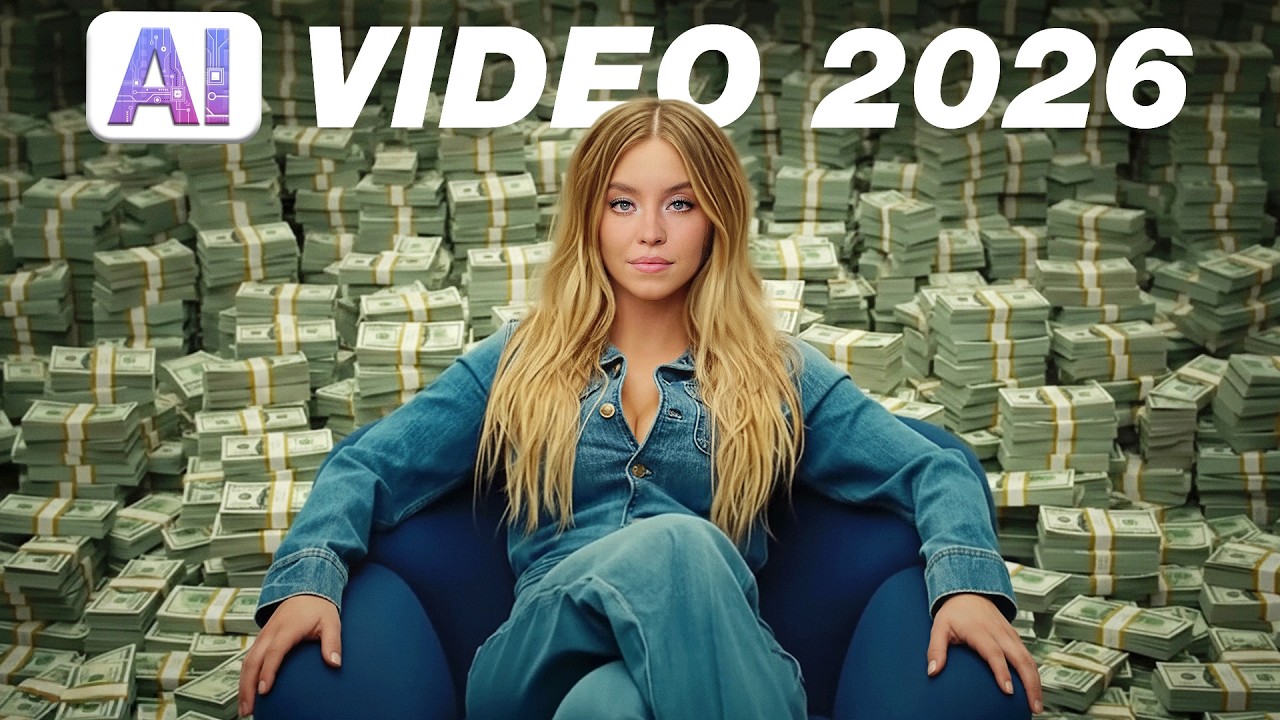
About this video
Create cinematic videos from a single prompt—here is the 7-step workflow.🔥 Try out invideo AI for FREE here! ➡️ https://ai.invideo.io/thinkmedia
📈 Want to break through on YouTube? Join our FREE 3-Day YouTube Growth Sprint for the ultimate plan to start getting views and grow your channel fast! ➡️ http://YTSprint.com/
⭐️ Our free YouTube growth class reveals 3 essential secrets we're using in 2026 to get more views, subscribers, and income—watch here 👉 http://ThinkMasterclass.com
This video is sponsored by @InVideoOfficial. Some product links are affiliate links which means if you buy something we'll receive a small commission.
=============================
All Products and Gear Mentioned in this video
=============================
🔥 Try out invideo AI for FREE here! ➡️ https://ai.invideo.io/thinkmedia
===========================
Connect with us!
=============================
Tik Tok: ➡︎ https://www.tiktok.com/@thinkmediaofficial/
IG: ➡︎ https://www.instagram.com/officialthinkmedia/
===========================
Subscribe and Listen to the Think Media Podcast HERE:📱
===========================
➡︎YT: @ThinkMediaPodcast
➡︎Apple: https://apple.co/2F3tmIS
➡︎Spotify: https://spoti.fi/36qevE8
⏰ Timecodes ⏰
0:00 Create Videos from a Single Line of Text?
0:48 The Best AI Video Generators in ONE Tool
1:12 The 7-Step AI Video Creation Process
1:56 Step 1: Start With a Clear Prompt
2:34 Step 2: Add Your Brand Assets (Logos & Photos)
3:01 Step 3: Select Ultra Quality (Sora 2 & Vio 3.1)
3:14 Step 4: Hit Generate & Preview
3:32 Step 5: Edit with Simple Text Prompts
5:01 Step 6: Manually Edit Media & Script
6:33 Step 7: Export Your Final Video
8:04 Advanced Workflow: Using All AI Models
9:37 "Creators Club" AI Commercial
10:57 AI Car Commercial
12:08 AI Car Commercial (with Voiceover)
===========================
Here are the ways to work with us here at Think Media:
===========================
⚡️FREE CLASS: Watch our FREE YouTube class here: ➡︎ http://ThinkMasterclass.com
⚡️BOOK: Check out the #1 best-selling book YouTube Secrets here: ➡︎ https://ytsecrets.com/
⚡️For Support inquires, or Business inquiries, please go to ➡︎ http://ThinkMediaSupport.com
⚡️Join our YouTube Course & Community TODAY with this special limited-time bundle at: http://joinvra.com
===========================
Connect with Sean Cannell on Social Media:
===========================
➡︎https://www.linkedin.com/in/seancannell/
➡︎https://twitter.com/seancannell
➡︎https://instagram.com/seancannell
===========================
What We Use For Music:
===========================
🔥 Get a 7-day free trial for new personal and commercial plan here! ➡️ http://thinkmediasounds.com
===========================
In-Depth Channel Analytics and Ideas
===========================
Get a 30-Day trial of vidIQ's Boost plan for just $1 here: 👉 http://vidiq.com/think
===========================
#thinkmedia #seancannell #youtubetips
What if you could create cinematic videos from a single line of text? AI video creation has hit a new level. This video is a 7-step guide to a new AI platform that combines all the world's best AI video generators, like OpenAI's Sora 2 and Google's Vio 3.1, into one easy-to-use tool.
In this tutorial, we give you a behind-the-scenes look at how we use InVideo AI, to create professional, full-length videos for our brand. We test its "AI Twin" feature to clone ourselves, create a faceless YouTube channel that got 11,000 views overnight, and break down the 4-step checklist for creating "AI Craft" instead of "AI Slop."
This is the complete workflow for text-to-video AI content creation in 2026.
In this InVideo AI tutorial, you will learn:
The 7-step process for creating a full video from a single prompt.
How to use AI to create a full commercial (Creators Club case study).
How to create a monetized, faceless YouTube channel (Heroes of the Bible case study).
How to use "AI Twins" to clone yourself and your voice.
The 4-ingredient checklist for making AI videos that get views.
How to use AI to create UGC ads for products.
Our mission here at Think Media is to help purpose-driven entrepreneurs go full-time doing what they love and making an impact through the power of video.
Disclaimer: Please see the link for our disclaimer policy for all of our videos on the Think Media and Think Media Podcast YouTube channels. https://go.thinkmedia.com/youtube-disclaimer
📈 Want to break through on YouTube? Join our FREE 3-Day YouTube Growth Sprint for the ultimate plan to start getting views and grow your channel fast! ➡️ http://YTSprint.com/
⭐️ Our free YouTube growth class reveals 3 essential secrets we're using in 2026 to get more views, subscribers, and income—watch here 👉 http://ThinkMasterclass.com
This video is sponsored by @InVideoOfficial. Some product links are affiliate links which means if you buy something we'll receive a small commission.
=============================
All Products and Gear Mentioned in this video
=============================
🔥 Try out invideo AI for FREE here! ➡️ https://ai.invideo.io/thinkmedia
===========================
Connect with us!
=============================
Tik Tok: ➡︎ https://www.tiktok.com/@thinkmediaofficial/
IG: ➡︎ https://www.instagram.com/officialthinkmedia/
===========================
Subscribe and Listen to the Think Media Podcast HERE:📱
===========================
➡︎YT: @ThinkMediaPodcast
➡︎Apple: https://apple.co/2F3tmIS
➡︎Spotify: https://spoti.fi/36qevE8
⏰ Timecodes ⏰
0:00 Create Videos from a Single Line of Text?
0:48 The Best AI Video Generators in ONE Tool
1:12 The 7-Step AI Video Creation Process
1:56 Step 1: Start With a Clear Prompt
2:34 Step 2: Add Your Brand Assets (Logos & Photos)
3:01 Step 3: Select Ultra Quality (Sora 2 & Vio 3.1)
3:14 Step 4: Hit Generate & Preview
3:32 Step 5: Edit with Simple Text Prompts
5:01 Step 6: Manually Edit Media & Script
6:33 Step 7: Export Your Final Video
8:04 Advanced Workflow: Using All AI Models
9:37 "Creators Club" AI Commercial
10:57 AI Car Commercial
12:08 AI Car Commercial (with Voiceover)
===========================
Here are the ways to work with us here at Think Media:
===========================
⚡️FREE CLASS: Watch our FREE YouTube class here: ➡︎ http://ThinkMasterclass.com
⚡️BOOK: Check out the #1 best-selling book YouTube Secrets here: ➡︎ https://ytsecrets.com/
⚡️For Support inquires, or Business inquiries, please go to ➡︎ http://ThinkMediaSupport.com
⚡️Join our YouTube Course & Community TODAY with this special limited-time bundle at: http://joinvra.com
===========================
Connect with Sean Cannell on Social Media:
===========================
➡︎https://www.linkedin.com/in/seancannell/
➡︎https://twitter.com/seancannell
➡︎https://instagram.com/seancannell
===========================
What We Use For Music:
===========================
🔥 Get a 7-day free trial for new personal and commercial plan here! ➡️ http://thinkmediasounds.com
===========================
In-Depth Channel Analytics and Ideas
===========================
Get a 30-Day trial of vidIQ's Boost plan for just $1 here: 👉 http://vidiq.com/think
===========================
#thinkmedia #seancannell #youtubetips
What if you could create cinematic videos from a single line of text? AI video creation has hit a new level. This video is a 7-step guide to a new AI platform that combines all the world's best AI video generators, like OpenAI's Sora 2 and Google's Vio 3.1, into one easy-to-use tool.
In this tutorial, we give you a behind-the-scenes look at how we use InVideo AI, to create professional, full-length videos for our brand. We test its "AI Twin" feature to clone ourselves, create a faceless YouTube channel that got 11,000 views overnight, and break down the 4-step checklist for creating "AI Craft" instead of "AI Slop."
This is the complete workflow for text-to-video AI content creation in 2026.
In this InVideo AI tutorial, you will learn:
The 7-step process for creating a full video from a single prompt.
How to use AI to create a full commercial (Creators Club case study).
How to create a monetized, faceless YouTube channel (Heroes of the Bible case study).
How to use "AI Twins" to clone yourself and your voice.
The 4-ingredient checklist for making AI videos that get views.
How to use AI to create UGC ads for products.
Our mission here at Think Media is to help purpose-driven entrepreneurs go full-time doing what they love and making an impact through the power of video.
Disclaimer: Please see the link for our disclaimer policy for all of our videos on the Think Media and Think Media Podcast YouTube channels. https://go.thinkmedia.com/youtube-disclaimer
Tags and Topics
Browse our collection to discover more content in these categories.
Video Information
Views
96.5K
Likes
1.9K
Duration
13:43
Published
Nov 5, 2025
User Reviews
4.7
(19) Related Trending Topics
LIVE TRENDSRelated trending topics. Click any trend to explore more videos.
No specific trending topics match this video yet.
Explore All Trends