Let Microsoft Read Your Word Docs Aloud 📄
Stop reading Word documents manually. Learn how Microsoft Word can read your documents out loud for you effortlessly.

Data Playground
37 views • Jan 4, 2026
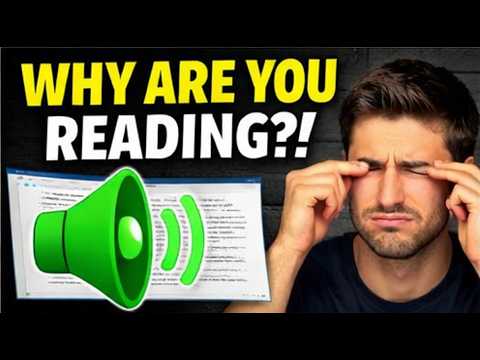
About this video
STOP reading Word documents the hard way 😳
Did you know Microsoft Word can actually read your documents out loud for you?
In this video, I’ll show you how to use Read Aloud in Microsoft Word so Microsoft does the reading while you listen. This is one of the most underrated Word features—and once you see it, you’ll wonder why you didn’t start using it sooner.
Whether you’re reviewing reports, editing essays, proofreading resumes, or just trying to give your eyes a break, this simple feature can save you time, reduce eye strain, and help you catch mistakes faster.
In this video, you’ll learn:
How to make Microsoft Word read your document out loud
Where to find the Read Aloud feature
How to control playback, speed, and voice
When and why this feature is actually useful (not just a gimmick)
This works great for:
✔️ Professionals reviewing long documents
✔️ Students editing papers or studying
✔️ Anyone tired of staring at their screen all day
If you like learning hidden tech features, productivity tips, and simple tools that make work easier, you’re in the right place.
👉 Subscribe to Data Playground for more quick lessons like this.
👉 Like the video if this saved you time.
👉 Comment below if you already knew about this feature—or if this is brand new to you 👀
Helping you master data, one lesson at a time.
Did you know Microsoft Word can actually read your documents out loud for you?
In this video, I’ll show you how to use Read Aloud in Microsoft Word so Microsoft does the reading while you listen. This is one of the most underrated Word features—and once you see it, you’ll wonder why you didn’t start using it sooner.
Whether you’re reviewing reports, editing essays, proofreading resumes, or just trying to give your eyes a break, this simple feature can save you time, reduce eye strain, and help you catch mistakes faster.
In this video, you’ll learn:
How to make Microsoft Word read your document out loud
Where to find the Read Aloud feature
How to control playback, speed, and voice
When and why this feature is actually useful (not just a gimmick)
This works great for:
✔️ Professionals reviewing long documents
✔️ Students editing papers or studying
✔️ Anyone tired of staring at their screen all day
If you like learning hidden tech features, productivity tips, and simple tools that make work easier, you’re in the right place.
👉 Subscribe to Data Playground for more quick lessons like this.
👉 Like the video if this saved you time.
👉 Comment below if you already knew about this feature—or if this is brand new to you 👀
Helping you master data, one lesson at a time.
Tags and Topics
Browse our collection to discover more content in these categories.
Video Information
Views
37
Likes
5
Duration
2:53
Published
Jan 4, 2026
Related Trending Topics
LIVE TRENDSRelated trending topics. Click any trend to explore more videos.
No specific trending topics match this video yet.
Explore All Trends