Step-by-Step Guide to Installing Kali Linux on a PC or Laptop
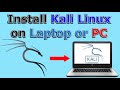
Learn how to install Kali Linux on your PC or laptop with this detailed step-by-step tutorial. Watch the update video for additional guidance: https://youtu.be/56VTPxJ0QEc
Knowledge Sharing Tech
266.1K views • Jun 30, 2020

About this video
👉Checkout the update video on this link: https://youtu.be/56VTPxJ0QEc
Install Kali Linux on a Laptop or a PC using the instructions in my video that also includes a workaround for the WIFI firmware missing that you are likely to encounter.
Recommended USB key: https://amzn.to/3eJWFAv
Amazon tech deals: https://amzn.to/3VgqUU8
Amazon links are affiliate links. I gain a small percentage at no cost to you if you make a purchase.
✅ Subscribe to my channel: https://www.youtube.com/knowledgesharingtech?sub_confirmation=1
To change the root password: sudo passwd root
To update Kali: sudo apt update
To upgrade Kali: sudo apt upgrade
Default root password toor
Chapters
00:00 Intro
00:12 Requirements
00:48 Download Kali image installer
01:40 Download Rufus and flash the Kali image to the USB key
03:34 Start the Laptop from the USB key and install Kali
04:59 Wifi firmware workaround
09:49 Restart after install and login
10:25 First configurations
12:08 Thanks and Subscribe
Laptops boot hot keys
Dell: Tap F12 when the Dell logo is displayed.
HP: Tap F9 when the HP logo is displayed.
Lenovo: Tap F12 when the Lenovo logo is displayed.
Toshiba: Tap F12 or F2 when the Toshiba logo appears.
Acer: Tap F12 as the Acer logo appears.
Other: Try tapping Esc, F1-12, or Enter during bootup.
Follow me on:
My websites:
https://knowledgesharingtech.com/
https://tripleewebdesigns.com
Facebook: https://www.facebook.com/knowledgesharingtech
Twitter: https://twitter.com/KnowledgeShari6
Disclaimer
Use the instructions in this video at your own risk. We are not responsible for any data loss or other damages that may occur.
The instructions in this video will completely wipe the USB Key and the Laptop/PC Hard Drive so make sure they don't have data you need.
Install Kali Linux on a Laptop or a PC using the instructions in my video that also includes a workaround for the WIFI firmware missing that you are likely to encounter.
Recommended USB key: https://amzn.to/3eJWFAv
Amazon tech deals: https://amzn.to/3VgqUU8
Amazon links are affiliate links. I gain a small percentage at no cost to you if you make a purchase.
✅ Subscribe to my channel: https://www.youtube.com/knowledgesharingtech?sub_confirmation=1
To change the root password: sudo passwd root
To update Kali: sudo apt update
To upgrade Kali: sudo apt upgrade
Default root password toor
Chapters
00:00 Intro
00:12 Requirements
00:48 Download Kali image installer
01:40 Download Rufus and flash the Kali image to the USB key
03:34 Start the Laptop from the USB key and install Kali
04:59 Wifi firmware workaround
09:49 Restart after install and login
10:25 First configurations
12:08 Thanks and Subscribe
Laptops boot hot keys
Dell: Tap F12 when the Dell logo is displayed.
HP: Tap F9 when the HP logo is displayed.
Lenovo: Tap F12 when the Lenovo logo is displayed.
Toshiba: Tap F12 or F2 when the Toshiba logo appears.
Acer: Tap F12 as the Acer logo appears.
Other: Try tapping Esc, F1-12, or Enter during bootup.
Follow me on:
My websites:
https://knowledgesharingtech.com/
https://tripleewebdesigns.com
Facebook: https://www.facebook.com/knowledgesharingtech
Twitter: https://twitter.com/KnowledgeShari6
Disclaimer
Use the instructions in this video at your own risk. We are not responsible for any data loss or other damages that may occur.
The instructions in this video will completely wipe the USB Key and the Laptop/PC Hard Drive so make sure they don't have data you need.
Tags and Topics
Browse our collection to discover more content in these categories.
Video Information
Views
266.1K
Likes
3.1K
Duration
12:17
Published
Jun 30, 2020
User Reviews
4.5
(53) Related Trending Topics
LIVE TRENDSRelated trending topics. Click any trend to explore more videos.
No specific trending topics match this video yet.
Explore All Trends