Step-by-Step Guide to Creating Polygons in QGIS 🗺️
Learn how to easily create polygon layers in QGIS with this simple tutorial. Perfect for beginners looking to enhance their GIS skills!
KINDO 113
211 views • Dec 24, 2023
About this video
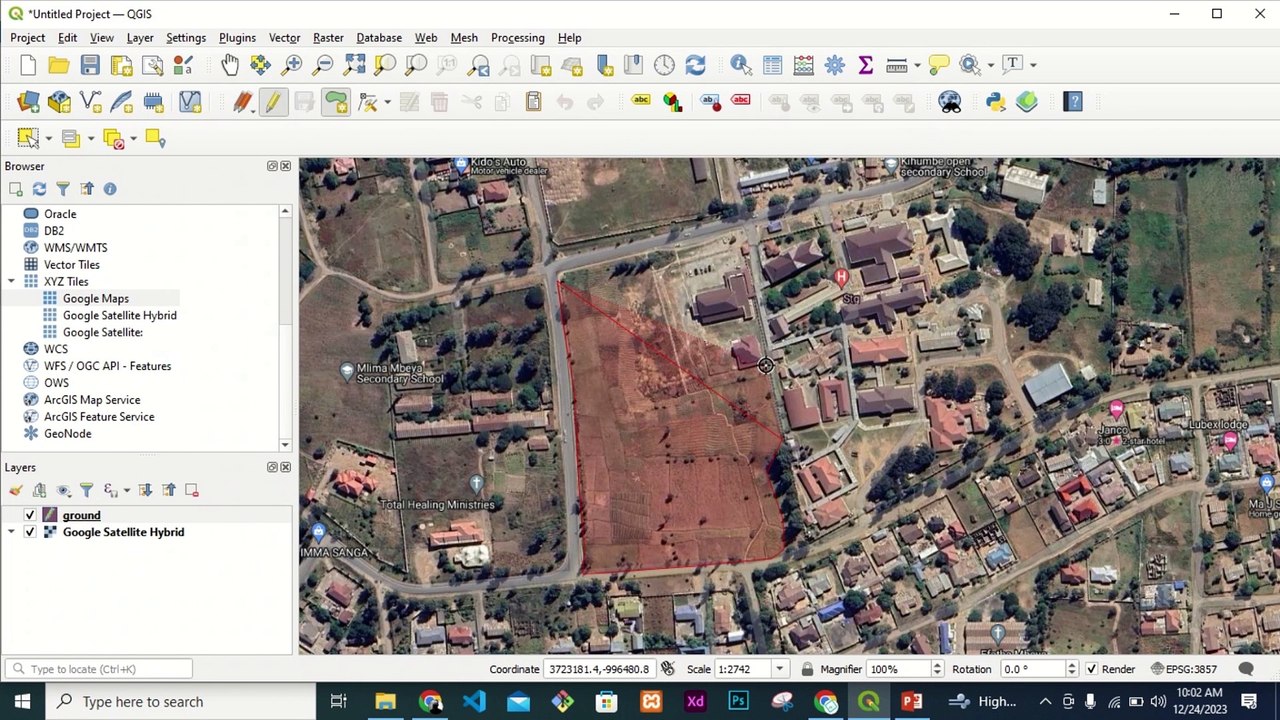
Open QGIS software and add a vector layer to the map canvas.<br />Select the “Create a New Layer” option from the Layer menu, or use the keyboard shortcut “Ctrl + Shift + N”.<br />Choose the Polygon layer type, name the layer, and select the appropriate CRS (Coordinate Reference System).<br />In the Layer panel, right-click on the newly created polygon layer and select “Toggle Editing.”<br />Use the “Add Feature” button to start creating your polygon.<br />Select the “Add Ring” button to create a hole in the polygon, if needed.<br />Continue drawing the polygon by clicking on the map canvas to set vertices.<br />Double-click to finish drawing the polygon, and save the changes by clicking on “Save Changes”.<br />Turn off the editing mode by right-clicking on the polygon layer and selecting “Toggle Editing.”
Video Information
Views
211
Duration
9:14
Published
Dec 24, 2023
Related Trending Topics
LIVE TRENDSRelated trending topics. Click any trend to explore more videos.
Trending Now