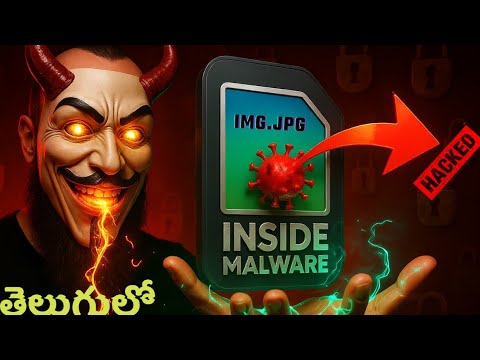
Steganography in Telugu: How Hackers Use Images to Conceal Data 🔍
Learn how cybercriminals hide information within images using steganography. This educational video explains the techniques in Telugu to raise awareness about cybersecurity and prevent hacking.

CyberGuardians-T
1.4K views • Aug 24, 2025
About this video
⚠️ Disclaimer
This video is for educational purposes only.
We do not promote hacking or illegal activities.
Our goal is to teach cyber security awareness so you can protect yourself from online threats.
Use this knowledge ethically.
What is Steganography?
Steganography is the practice of concealing a message within another message or physical object, so its presence is not apparent to an observer. It's a method of hiding information, making it a form of covert communication. Unlike cryptography, which scrambles the message, steganography aims to hide the very existence of the message itself
How hackers use it to hide viruses, trojans, and malware.
Real-world cyber security risks.
Why every beginner in hacking/bug bounty must know this.
This is part of our Cyber Security & Ethical Hacking series in Telugu, designed for beginners and enthusiasts.
---
“What is LSB (Least Significant Bit)?”
"One of the simplest ways to hide data in an image is called LSB, or Least Significant Bit steganography."
"Every image is made up of pixels — and each pixel has 3 values: Red, Green, and Blue. Each color value is a number between 0 and 255, stored in 8 bits."
"Changing the last bit of that 8-bit value doesn’t noticeably change the color — but we can use it to store secret information."
#Steganography #HackingInTelugu #MalwareHiding #CyberSecurityTelugu #EthicalHacking #BugBountyTelugu #HackersTricks
Pixel Color Binary Last Bit New Bit
Red = 10110100 Ends in 0 → Change to 1 10110101
(R, G, B) → (180, 100, 200) Looks the same to the eye Hidden bit inside
"So by changing the last bits of many pixels, we can hide entire files — even though the image still looks the same."
sudo apt install steghide
steghide embed -cf cover.jpg -ef secret.txt -sf stego.jpg -p pass
steghide extract -sf stego.jpg -p pass -xf output.txt
echo "This is my hidden message for YouTube demo" secret.txt
# Embed the secret message into the image
steghide embed -cf bg.jpg -ef secret.txt -sf stego.jpg -p mypass
# Extract the message from the stego image
steghide extract -sf stego.jpg -p mypass -xf extracted.txt
cat extracted.txt
ONLINE TOOLS: https://iicsf.com/steganography-online/ and https://stego.js.org/
chapters:
00:00 Start
00:09 Intro to Steganography
00:43 How Hackers Use It
01:20 What Is Steganography
02:02 Definition
02:44 Hidden Information Concept
03:22 Pixels and Binary Basics
03:56 Hiding Data in Pixels
04:40 Normal Image vs Hidden Data
05:14 Attacks Using Steganography
05:53 LSB Overview
06:30 LSB Method
07:06 RGB and Binary Values
07:44 LSB Science
08:25 Storing Data in Last Bit
09:03 Real Life Analogy
09:33 Decoding Overview
10:10 Encoding Demo
10:46 StegHide Tool Intro
11:23 How StegHide Works
11:58 Embedding Demo
13:03 Create Secret Text
13:39 Encoding Commands
14:18 Password Protection
15:00 Extracting Messages
15:39 Real Attack Use
16:14 Online Tools
17:06 Online Decode Demo
17:51 JavaScript Library Tool
18:30 Password Decode Demo
19:10 StegHide Install and Use
19:47 Download and Result
20:26 Recap
21:08 How LSB Hides Data
21:46 Tools List and Wrap Up
This video is for educational purposes only.
We do not promote hacking or illegal activities.
Our goal is to teach cyber security awareness so you can protect yourself from online threats.
Use this knowledge ethically.
What is Steganography?
Steganography is the practice of concealing a message within another message or physical object, so its presence is not apparent to an observer. It's a method of hiding information, making it a form of covert communication. Unlike cryptography, which scrambles the message, steganography aims to hide the very existence of the message itself
How hackers use it to hide viruses, trojans, and malware.
Real-world cyber security risks.
Why every beginner in hacking/bug bounty must know this.
This is part of our Cyber Security & Ethical Hacking series in Telugu, designed for beginners and enthusiasts.
---
“What is LSB (Least Significant Bit)?”
"One of the simplest ways to hide data in an image is called LSB, or Least Significant Bit steganography."
"Every image is made up of pixels — and each pixel has 3 values: Red, Green, and Blue. Each color value is a number between 0 and 255, stored in 8 bits."
"Changing the last bit of that 8-bit value doesn’t noticeably change the color — but we can use it to store secret information."
#Steganography #HackingInTelugu #MalwareHiding #CyberSecurityTelugu #EthicalHacking #BugBountyTelugu #HackersTricks
Pixel Color Binary Last Bit New Bit
Red = 10110100 Ends in 0 → Change to 1 10110101
(R, G, B) → (180, 100, 200) Looks the same to the eye Hidden bit inside
"So by changing the last bits of many pixels, we can hide entire files — even though the image still looks the same."
sudo apt install steghide
steghide embed -cf cover.jpg -ef secret.txt -sf stego.jpg -p pass
steghide extract -sf stego.jpg -p pass -xf output.txt
echo "This is my hidden message for YouTube demo" secret.txt
# Embed the secret message into the image
steghide embed -cf bg.jpg -ef secret.txt -sf stego.jpg -p mypass
# Extract the message from the stego image
steghide extract -sf stego.jpg -p mypass -xf extracted.txt
cat extracted.txt
ONLINE TOOLS: https://iicsf.com/steganography-online/ and https://stego.js.org/
chapters:
00:00 Start
00:09 Intro to Steganography
00:43 How Hackers Use It
01:20 What Is Steganography
02:02 Definition
02:44 Hidden Information Concept
03:22 Pixels and Binary Basics
03:56 Hiding Data in Pixels
04:40 Normal Image vs Hidden Data
05:14 Attacks Using Steganography
05:53 LSB Overview
06:30 LSB Method
07:06 RGB and Binary Values
07:44 LSB Science
08:25 Storing Data in Last Bit
09:03 Real Life Analogy
09:33 Decoding Overview
10:10 Encoding Demo
10:46 StegHide Tool Intro
11:23 How StegHide Works
11:58 Embedding Demo
13:03 Create Secret Text
13:39 Encoding Commands
14:18 Password Protection
15:00 Extracting Messages
15:39 Real Attack Use
16:14 Online Tools
17:06 Online Decode Demo
17:51 JavaScript Library Tool
18:30 Password Decode Demo
19:10 StegHide Install and Use
19:47 Download and Result
20:26 Recap
21:08 How LSB Hides Data
21:46 Tools List and Wrap Up
Video Information
Views
1.4K
Likes
86
Duration
22:26
Published
Aug 24, 2025
User Reviews
4.5
(1) Related Trending Topics
LIVE TRENDSRelated trending topics. Click any trend to explore more videos.
No specific trending topics match this video yet.
Explore All Trends