SSL UF1 Setup & Tutorial for Logic Pro 🎚️
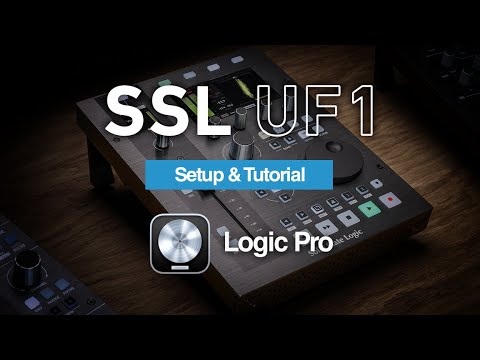
Learn how to install, set up, and use your SSL UF1 DAW Control Centre with Apple Logic Pro in this step-by-step guide.

Solid State Logic
57.3K views • May 30, 2023
About this video
Step-by-step guide to installing, setting up and using your UF1 DAW Control Centre with Apple Logic Pro software. Use the chapters below to jump to specific sections.
Find out more: https://bit.ly/SSLUF1
00:00 Introduction
01:30 Unboxing & Connections
02:19 Software Installation
04:15 Keyboard Identifier (Mac Only)
05:22 Configuring UF1 for Logic Pro
07:59 Using Logic Pro
10:52 Cursor Keys and Jog Wheel
11:39 Channel Encoder
13:04 V-Pot Assignments – Sends
15:54 V-Pot Assignments – Plug-in Control
17:30 V-Pot Assignments – Virtual Instruments
18:30 Customising Keys with Shortcuts
19:44 Saving / Loading
20:09 Modes
20:56 UF1 with UF8
21:37 SSL Meter
23:45 Analogue
25:29 RTA (Real Time Analyser)
26:33 UF1 with UC1
30:55 Closing
Find out more: https://bit.ly/SSLUF1
00:00 Introduction
01:30 Unboxing & Connections
02:19 Software Installation
04:15 Keyboard Identifier (Mac Only)
05:22 Configuring UF1 for Logic Pro
07:59 Using Logic Pro
10:52 Cursor Keys and Jog Wheel
11:39 Channel Encoder
13:04 V-Pot Assignments – Sends
15:54 V-Pot Assignments – Plug-in Control
17:30 V-Pot Assignments – Virtual Instruments
18:30 Customising Keys with Shortcuts
19:44 Saving / Loading
20:09 Modes
20:56 UF1 with UF8
21:37 SSL Meter
23:45 Analogue
25:29 RTA (Real Time Analyser)
26:33 UF1 with UC1
30:55 Closing
Tags and Topics
Browse our collection to discover more content in these categories.
Video Information
Views
57.3K
Likes
589
Duration
31:17
Published
May 30, 2023
User Reviews
4.4
(11) Related Trending Topics
LIVE TRENDSRelated trending topics. Click any trend to explore more videos.
No specific trending topics match this video yet.
Explore All Trends