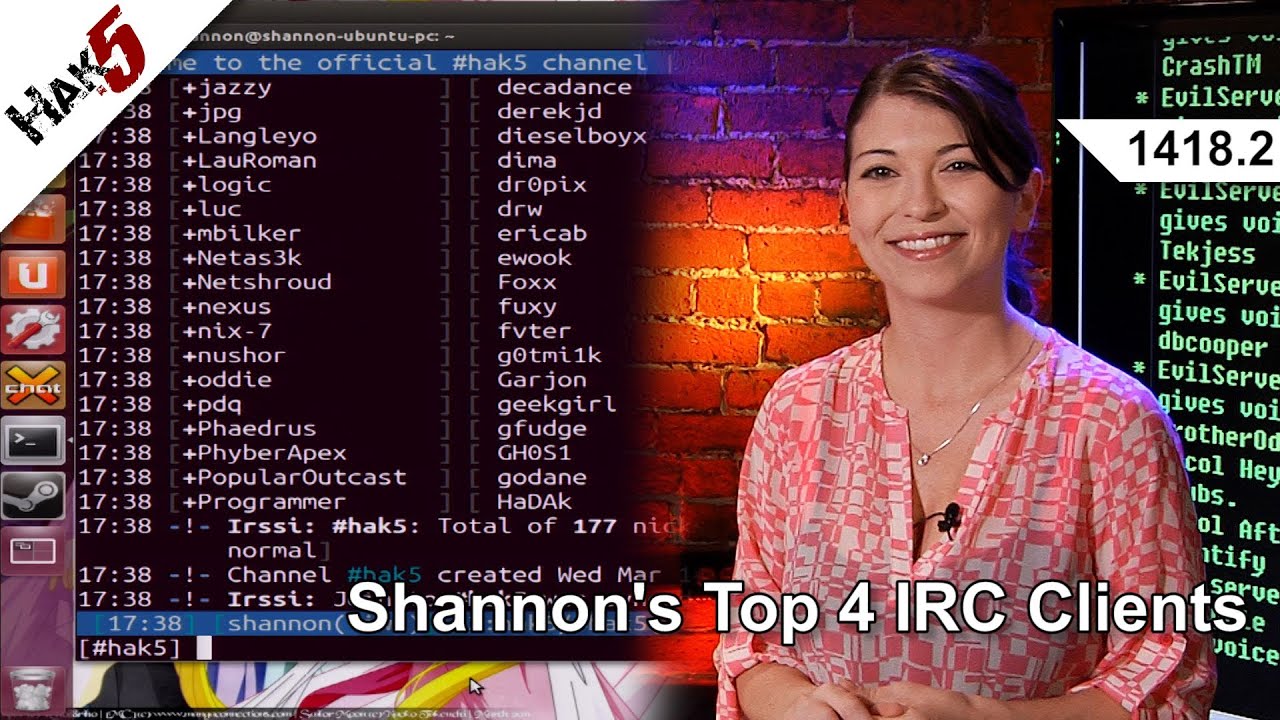
Shannon's Top 4 IRC Clients, Hak5 1418.2
Hak5 -- Cyber Security Education, Inspiration, News & Community since 2005: ____________________________________________ Hackerspaces, the Chronulator, and m...

Hak5
64.8K views • Jun 20, 2013
About this video
Hak5 -- Cyber Security Education, Inspiration, News & Community since 2005:
____________________________________________
Hackerspaces, the Chronulator, and my favorite IRC clients! All that and more, this time on Hak5!
Shannon's Top 4 IRC Clients
4. Irssi is a command line Unix program for IRC, also open source and started in 1999. One cool thing about irssi is there is a plugin available to add encryption to your chats. Irssi also includes a handy documented tutorial on their website to start using it. While I do think command line IRC clients are a little more complicated for day to day users, they're still a couple of my favorites for a quick chat. I had to install irssi with Aptitude, and connecting was a piece of cake after that. The tutorial on their website is also extremely helpful if you're unfamiliar with the irc commands. penguin-breeder.org/silc/
www.irssi.org/documentation/manual .
3. ChatZilla is a Mozilla Firefox plugin extension that works in Windows or Linux. This one serves up an easy GUI for new IRC users and is super easy to install. chatzilla.hacksrus.com .
2. mIRC is what I used to use before I discovered XChat. It's only for Windows, but also has a great interface making it easy to connect and save your favorite channels. It feels similar to XChat on the graphical side and is extremely popular, but again, this one is just for Windows. (easter egg: click on dev's nose) www.mirc.com/install.html .
1. XChat is my favorite because of it's easy to use interface, availability on all of my operating systems, although Windows version requires a 30 day trial. It's available as a command line or graphical version, and is GNU licensed. XChat has a really easy guide to get started here: xchat.org/docs/start . I set up an automatic connection to the hak5 IRC so everytime I open XChat, it logs straight into the hak5 IRC channel.Shannon's Top 4 IRC Clients
Hak5 1418.1: http://youtu.be/2Vg0D1teKRw
Hak5 1418.2: http://youtu.be/lmeGj0puPKE
Hak5 1418.3: http://youtu.be/we65m_FxlFM
-~-~~-~~~-~~-~-
Please watch: "Bash Bunny Primer - Hak5 2225"
https://www.youtube.com/watch?v=8j6hrjSrJaM
-~-~~-~~~-~~-~-
____________________________________________
Founded in 2005, Hak5's mission is to advance the InfoSec industry. We do this through our award winning educational podcasts, leading pentest gear, and inclusive community – where all hackers belong.
____________________________________________
Hackerspaces, the Chronulator, and my favorite IRC clients! All that and more, this time on Hak5!
Shannon's Top 4 IRC Clients
4. Irssi is a command line Unix program for IRC, also open source and started in 1999. One cool thing about irssi is there is a plugin available to add encryption to your chats. Irssi also includes a handy documented tutorial on their website to start using it. While I do think command line IRC clients are a little more complicated for day to day users, they're still a couple of my favorites for a quick chat. I had to install irssi with Aptitude, and connecting was a piece of cake after that. The tutorial on their website is also extremely helpful if you're unfamiliar with the irc commands. penguin-breeder.org/silc/
www.irssi.org/documentation/manual .
3. ChatZilla is a Mozilla Firefox plugin extension that works in Windows or Linux. This one serves up an easy GUI for new IRC users and is super easy to install. chatzilla.hacksrus.com .
2. mIRC is what I used to use before I discovered XChat. It's only for Windows, but also has a great interface making it easy to connect and save your favorite channels. It feels similar to XChat on the graphical side and is extremely popular, but again, this one is just for Windows. (easter egg: click on dev's nose) www.mirc.com/install.html .
1. XChat is my favorite because of it's easy to use interface, availability on all of my operating systems, although Windows version requires a 30 day trial. It's available as a command line or graphical version, and is GNU licensed. XChat has a really easy guide to get started here: xchat.org/docs/start . I set up an automatic connection to the hak5 IRC so everytime I open XChat, it logs straight into the hak5 IRC channel.Shannon's Top 4 IRC Clients
Hak5 1418.1: http://youtu.be/2Vg0D1teKRw
Hak5 1418.2: http://youtu.be/lmeGj0puPKE
Hak5 1418.3: http://youtu.be/we65m_FxlFM
-~-~~-~~~-~~-~-
Please watch: "Bash Bunny Primer - Hak5 2225"
https://www.youtube.com/watch?v=8j6hrjSrJaM
-~-~~-~~~-~~-~-
____________________________________________
Founded in 2005, Hak5's mission is to advance the InfoSec industry. We do this through our award winning educational podcasts, leading pentest gear, and inclusive community – where all hackers belong.
Tags and Topics
Browse our collection to discover more content in these categories.
Video Information
Views
64.8K
Likes
698
Duration
9:23
Published
Jun 20, 2013
User Reviews
4.4
(12) Related Trending Topics
LIVE TRENDSRelated trending topics. Click any trend to explore more videos.
No specific trending topics match this video yet.
Explore All Trends