Resources that i used to learn SwiftUI and COMBINE #Shorts
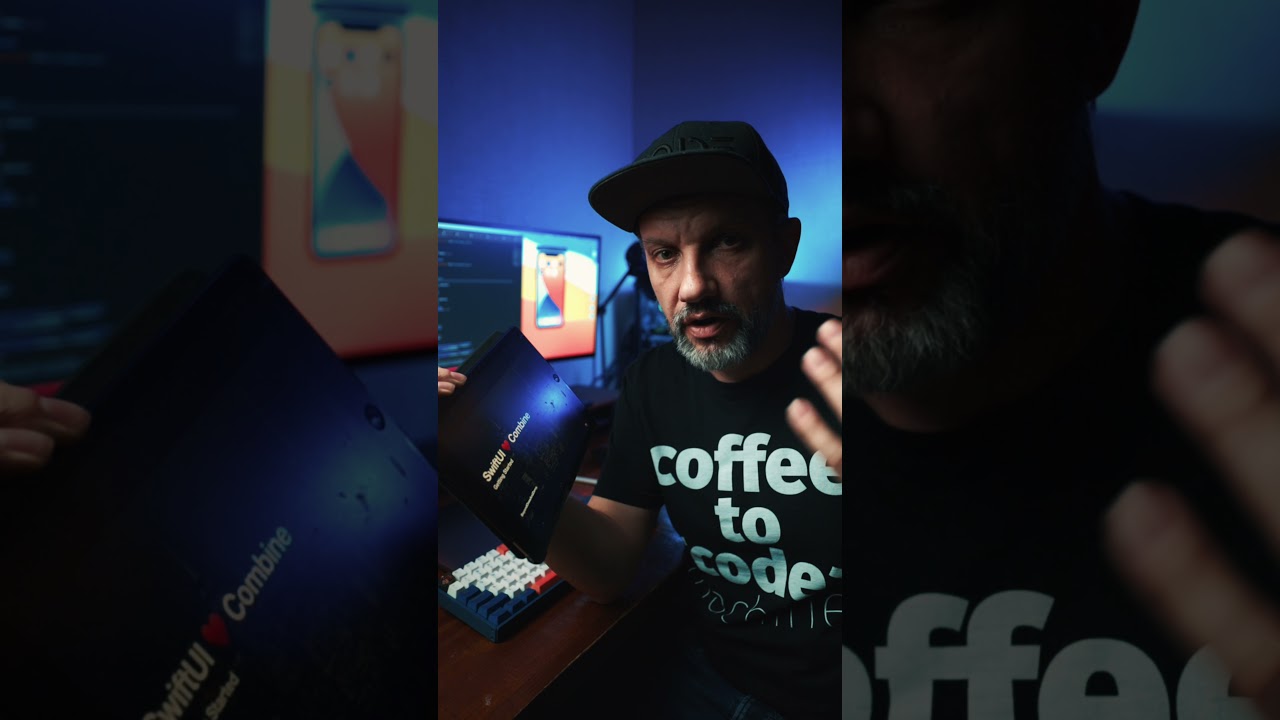
There are plenty of great resources to learn SwiftUI + Combine for free, and I used them for the last few weeks ... a lot. I decided not to waste anyone's t...

Aivars Meijers
3.6K views • Apr 14, 2021
About this video
There are plenty of great resources to learn SwiftUI + Combine for free, and I used them for the last few weeks ... a lot.
I decided not to waste anyone's time recording a full-length video and challenged myself to fit it in 30 seconds and include links in the YouTube video description. Here they are:
1. Apple SwiftUI Introducing SwiftUI Tutorial (easy): https://developer.apple.com/tutorials/swiftui/
2. Apple SwiftUI Tutorial (Scrumdinger): https://developer.apple.com/tutorials/app-dev-training/getting-started-with-scrumdinger
3. Data Essentials in SwiftUI (WWDC20): https://developer.apple.com/wwdc20/10040
4. SwiftUI 2.0 + Combine - Getting Started : https://www.youtube.com/watch?v=bRpFHqv0tRQ
5. Book "Practical Combine": https://practicalcombine.com
If you have any questions, you are welcome to ask in comments as always or feel free to DM on social networks:
🤖 Discord: https://discord.gg/3jEvJWRXMR
📸 https://www.instagram.com/aivars_meijers
🐦 https://twitter.com/Aivars_Meijers
My Programming Setup:
----------------------------------------------------------------------------------------------------
⌨️ iqunix F96 keyboard (5% discount link): https://iqunix.store/aivars
🖥 Dell 49” Monitor: https://amzn.to/2VPeXZk
Grovemade desk shelf: https://glnk.io/7yrj/aivarsmeijers
🖥 Hackintosh build: https://aivarsmeijers.com/setup
🪑 5% off for Autonomous ErgoChair 2, code AIVARS5OFF: https://www.autonomous.ai/office-chairs/ergonomic-chair?utm_source=Influencer_affiliate&utm_medium=Instagram&utm_campaign=No&utm_content=Airvars
---------------------------------------------------------------------------------------------------
💻 13” MBP M1 16GB Ram: https://amzn.to/382Ojlf
---------------------------------------------------------------------------------------------------
YouTube/Streaming video gear:
🎥
YouTube/Streaming camera: https://amzn.to/3qA0JcT
Favorite Wide lens: https://amzn.to/39KRTCS
HDMI to USB adapter for the camera: https://amzn.to/3lOB2lc
Favorite Microphone: https://amzn.to/3qFWE75
💡 Lights:
Great affordable light what I use in videos: https://amzn.to/3fiFczn
Soft-box for light: https://amzn.to/3gOj5ks
🎤 More price-friendly audio what I'm using as well:
Affordable & good Shotgun microphone: https://amzn.to/2ZRIrac
Wireless microphone: https://amzn.to/2DxCCYb
--------------------------------------------------------------------------------------------------
Some of the links above are affiliate links, and I earn a small commission if you click on the link and purchase.
You are not obligated to use them, but it does help fund my videos and hopefully bringing value to you!
I decided not to waste anyone's time recording a full-length video and challenged myself to fit it in 30 seconds and include links in the YouTube video description. Here they are:
1. Apple SwiftUI Introducing SwiftUI Tutorial (easy): https://developer.apple.com/tutorials/swiftui/
2. Apple SwiftUI Tutorial (Scrumdinger): https://developer.apple.com/tutorials/app-dev-training/getting-started-with-scrumdinger
3. Data Essentials in SwiftUI (WWDC20): https://developer.apple.com/wwdc20/10040
4. SwiftUI 2.0 + Combine - Getting Started : https://www.youtube.com/watch?v=bRpFHqv0tRQ
5. Book "Practical Combine": https://practicalcombine.com
If you have any questions, you are welcome to ask in comments as always or feel free to DM on social networks:
🤖 Discord: https://discord.gg/3jEvJWRXMR
📸 https://www.instagram.com/aivars_meijers
🐦 https://twitter.com/Aivars_Meijers
My Programming Setup:
----------------------------------------------------------------------------------------------------
⌨️ iqunix F96 keyboard (5% discount link): https://iqunix.store/aivars
🖥 Dell 49” Monitor: https://amzn.to/2VPeXZk
Grovemade desk shelf: https://glnk.io/7yrj/aivarsmeijers
🖥 Hackintosh build: https://aivarsmeijers.com/setup
🪑 5% off for Autonomous ErgoChair 2, code AIVARS5OFF: https://www.autonomous.ai/office-chairs/ergonomic-chair?utm_source=Influencer_affiliate&utm_medium=Instagram&utm_campaign=No&utm_content=Airvars
---------------------------------------------------------------------------------------------------
💻 13” MBP M1 16GB Ram: https://amzn.to/382Ojlf
---------------------------------------------------------------------------------------------------
YouTube/Streaming video gear:
🎥
YouTube/Streaming camera: https://amzn.to/3qA0JcT
Favorite Wide lens: https://amzn.to/39KRTCS
HDMI to USB adapter for the camera: https://amzn.to/3lOB2lc
Favorite Microphone: https://amzn.to/3qFWE75
💡 Lights:
Great affordable light what I use in videos: https://amzn.to/3fiFczn
Soft-box for light: https://amzn.to/3gOj5ks
🎤 More price-friendly audio what I'm using as well:
Affordable & good Shotgun microphone: https://amzn.to/2ZRIrac
Wireless microphone: https://amzn.to/2DxCCYb
--------------------------------------------------------------------------------------------------
Some of the links above are affiliate links, and I earn a small commission if you click on the link and purchase.
You are not obligated to use them, but it does help fund my videos and hopefully bringing value to you!
Tags and Topics
Browse our collection to discover more content in these categories.
Video Information
Views
3.6K
Likes
211
Duration
0:34
Published
Apr 14, 2021
User Reviews
4.6
(3) Related Trending Topics
LIVE TRENDSRelated trending topics. Click any trend to explore more videos.
No specific trending topics match this video yet.
Explore All Trends