Instant AI Rendering for SketchUp Interiors 🏡
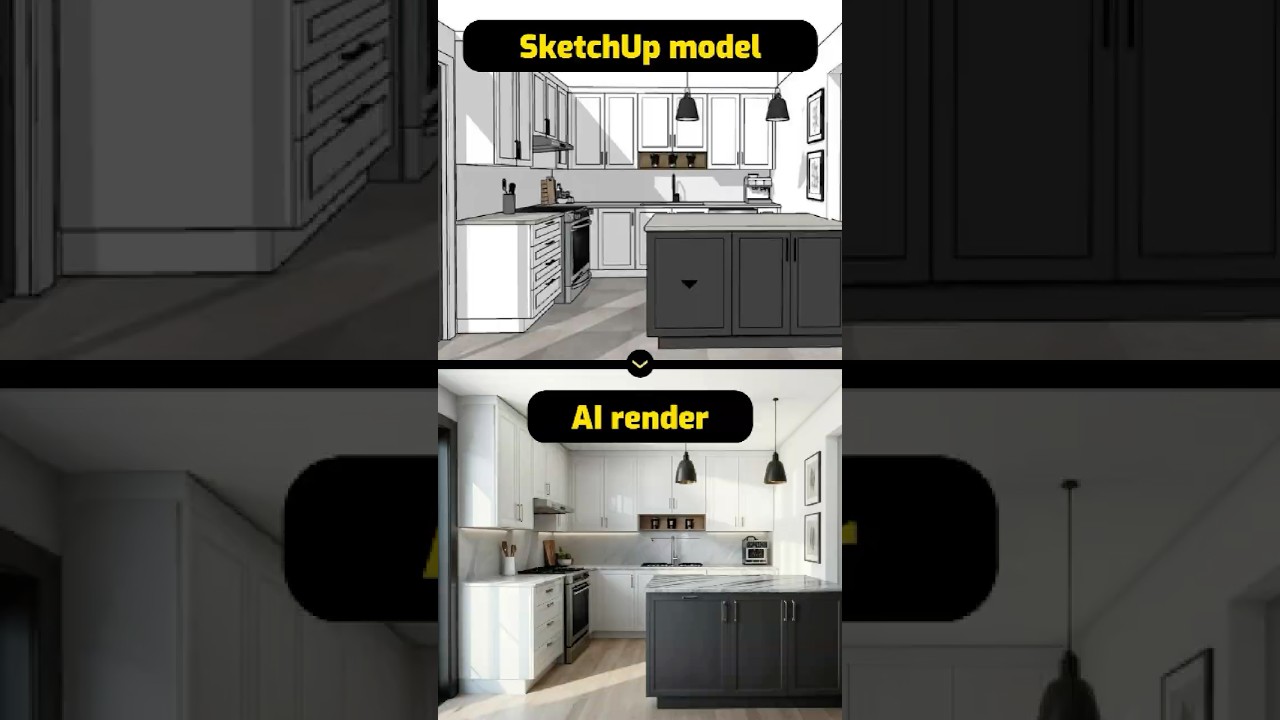
Create stunning interior visualizations in under 10 seconds with AI. Sign up at myarchitectai.com and upload your design to get started.

MyArchitectAI
127.9K views • Mar 10, 2025
About this video
Visualize any SketchUp interior design concept in under 10 seconds using AI.
Here's how:
1. Sign up for a free account at myarchitectai.com
2. Upload your exported SketchUp scene
3. Select the "accurate" rendering engine to keep the geometry and textures unchanged
4. Click "generate"
MyArchitectAI's AI-powered engine will turn your interior design into a photorealistic render in seconds!
Here's how:
1. Sign up for a free account at myarchitectai.com
2. Upload your exported SketchUp scene
3. Select the "accurate" rendering engine to keep the geometry and textures unchanged
4. Click "generate"
MyArchitectAI's AI-powered engine will turn your interior design into a photorealistic render in seconds!
Tags and Topics
Browse our collection to discover more content in these categories.
Video Information
Views
127.9K
Likes
1.6K
Duration
0:28
Published
Mar 10, 2025
User Reviews
4.5
(25) Related Trending Topics
LIVE TRENDSRelated trending topics. Click any trend to explore more videos.
No specific trending topics match this video yet.
Explore All Trends