Build a Raspberry Pi 500 Laptop with USB Monitor 🔧
Create a compact laptop using Raspberry Pi 500 and official USB monitor for a DIY cyberdeck project. Perfect for tech enthusiasts!

david83k
10.7K views • Jul 13, 2025
About this video
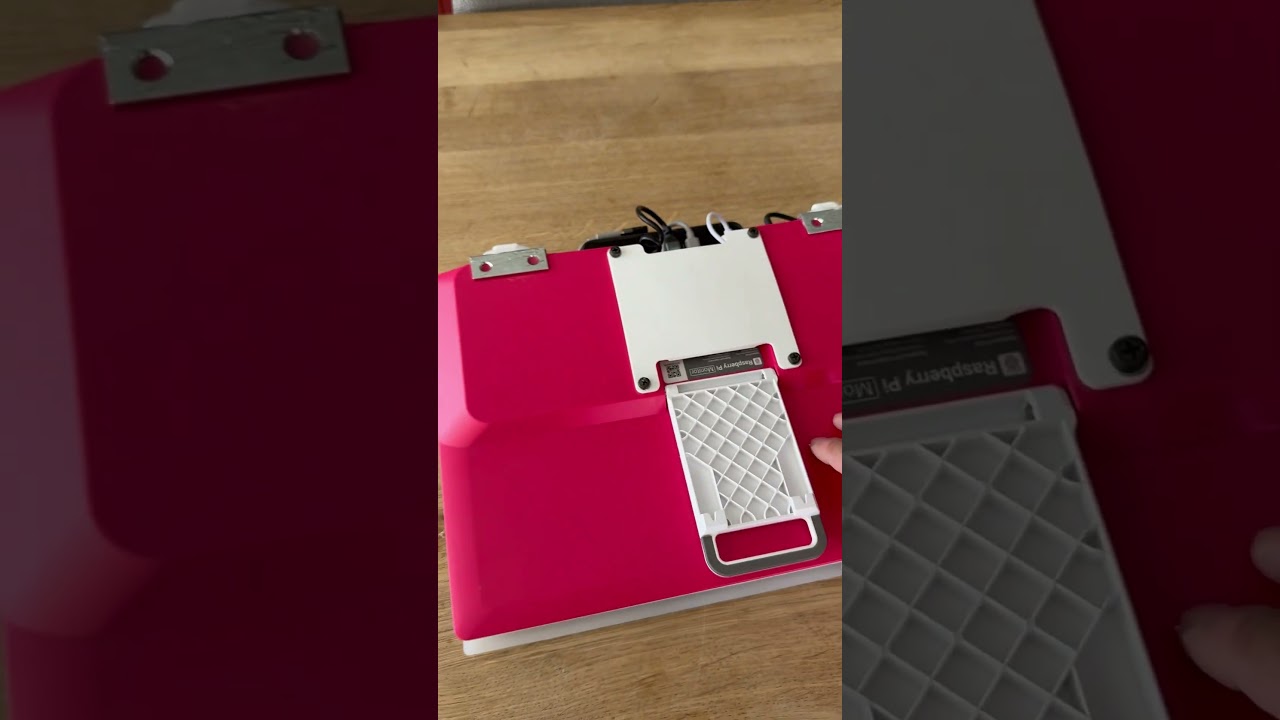
When the Raspberry Pi 500 and the official USB Monitor arrived, I couldn't help but notice they looked like the makings of a sweet little laptop. So, I grabbed a USB touchpad, a slim power bank, and fired up my 3D printer!
After a fun weekend of designing and printing a custom hinge stopper, back panel, and palm rest, I hot-glued everything onto a clear acrylic sheet. I'm pretty stoked with how it turned out!
The Pi 500 wants a 5.1V 5A supply. My power bank pushes out 5.1V at 1.5A, which works surprisingly well as long as I keep the display brightness at or below 30%. Any higher and you'll get the dreaded screen flicker. If that happens, a quick fix is to plug the display into a separate power source, lower the brightness, and then switch back to the power bank. The power bank's display showing the voltage and amperage is a super handy feature for monitoring the juice.
Let me know if you have any questions!
Specs:
2.32 kg
36 cm x 29 cm x 7.5cm
Parts:
Raspberry Pi 500
Raspberry Pi USB Monitor
seenda MOS400 USB touchpad
Baseus Blade H1 Powerbank 20000mAh
#raspberrypi #cyberdeck #diy #raspberrypiprojects #raspberry_pi
After a fun weekend of designing and printing a custom hinge stopper, back panel, and palm rest, I hot-glued everything onto a clear acrylic sheet. I'm pretty stoked with how it turned out!
The Pi 500 wants a 5.1V 5A supply. My power bank pushes out 5.1V at 1.5A, which works surprisingly well as long as I keep the display brightness at or below 30%. Any higher and you'll get the dreaded screen flicker. If that happens, a quick fix is to plug the display into a separate power source, lower the brightness, and then switch back to the power bank. The power bank's display showing the voltage and amperage is a super handy feature for monitoring the juice.
Let me know if you have any questions!
Specs:
2.32 kg
36 cm x 29 cm x 7.5cm
Parts:
Raspberry Pi 500
Raspberry Pi USB Monitor
seenda MOS400 USB touchpad
Baseus Blade H1 Powerbank 20000mAh
#raspberrypi #cyberdeck #diy #raspberrypiprojects #raspberry_pi
Video Information
Views
10.7K
Likes
192
Duration
0:37
Published
Jul 13, 2025
User Reviews
4.6
(2) Related Trending Topics
LIVE TRENDSRelated trending topics. Click any trend to explore more videos.