Proxmox Beginner’s Guide: Setup & Virtual Machines
Learn how to install Proxmox VE and create your first VM with this beginner-friendly guide for home labs. 🖥️
WunderTech
337.6K views • Jul 10, 2025
About this video
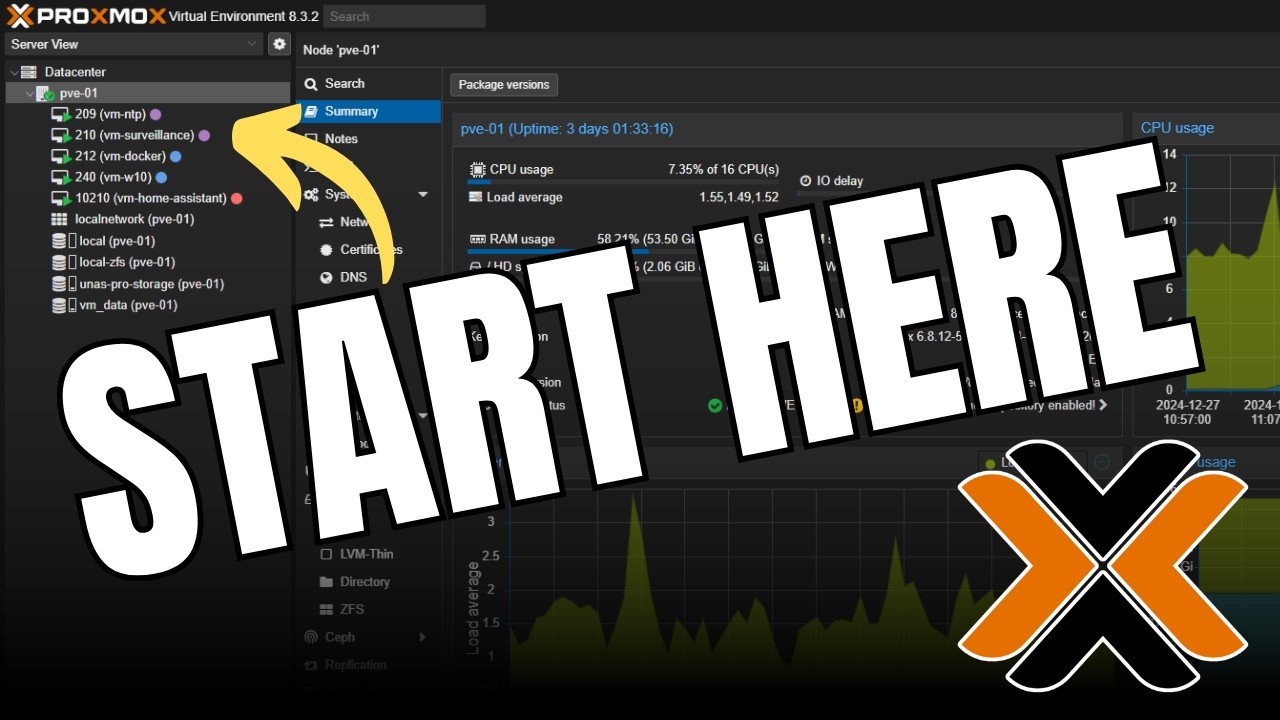
This beginner-friendly guide covers everything you need to set up Proxmox VE, from installation to creating your first virtual machine. Perfect for home labs, you’ll learn everything you need to know.
🎯 Hire me: https://www.wundertech.net/wundertech-consulting/
✅ How to Install Windows 11 on Proxmox: https://www.wundertech.net/how-to-install-windows-11-on-proxmox/
✅ How to Set up Docker on Proxmox: https://www.wundertech.net/how-to-set-up-docker-containers-in-proxmox/
✅ Proxmox Helper Scripts: https://community-scripts.github.io/ProxmoxVE/
⭐ My Proxmox Server ⭐
🎥 Video: https://youtu.be/S-BpZb57yWg
⚡ AMD Ryzen 9700x*: https://geni.us/X1Lotx
⚡ Noctua Low-Profile CPU Cooler*: https://geni.us/Ktxb
⚡ ARCTIC MX-4 (thermal paste)*: https://geni.us/GeK4
⚡ ASRock B650M Pro RS: (out of stock)
⚡ G.SKILL Flare X5 DDR5 RAM*: https://geni.us/RGdDRB
⚡ CORSAIR RM750x PSU*: https://geni.us/bbmXrxd
⚡ SilverStone RM23-502-MINI*: https://geni.us/2ya1wY6
⚡ ARCTIC P8 (case fans)*: https://geni.us/euoG1yg
⚡ Intel X520-DA2 (10Gb)*: https://geni.us/GNTLHI0
⚡ Samsung 870 EVO (boot drive)*: https://geni.us/yDtiW
⚡ Samsung 990 Pro (for VMs - update the firmware before using)*: https://geni.us/X7Bcjhm
*These are Amazon affiliate links, which means that I earn a small commission at no cost to you. Thank you for your support!
🚀 Tutorials, comparisons, reviews: https://www.wundertech.net/
⚡Best Synology NAS Devices: https://www.wundertech.net/which-synology-nas-should-i-buy/
⚡Product Recommendations: https://link.wundertech.net/rmYt
🔔 Subscribe for more tech-related tutorials and overviews: https://link.wundertech.net/ssYt
DISCLAIMER: The information in this video has been self-taught through years of technical tinkering. While we do our best to provide accurate, useful information, we make no guarantee that our viewers will achieve the same level of success. WunderTech does not assume liability nor responsibility to any person or entity with respect to damage caused directly or indirectly from its content or associated media. Use at your own risk.
WunderTech is a trade name of WunderTech, LLC.
0:00 Setting up Proxmox
0:32 Installing and Connecting to Proxmox VE
3:09 Setting up a DHCP Reservation
3:41 Logging into Proxmox & Initial Changes
7:16 Updating Proxmox
8:12 Setting up Storage + NAS NFS Setup
10:08 Configuring Backups + Image Management
11:30 Setting up a Virtual Machine (VM)
13:12 Configuring the QEMU Guest Agent for Linux / Windows
15:39 Setting up a Linux Container
18:37 Final Thoughts
#proxmox
🎯 Hire me: https://www.wundertech.net/wundertech-consulting/
✅ How to Install Windows 11 on Proxmox: https://www.wundertech.net/how-to-install-windows-11-on-proxmox/
✅ How to Set up Docker on Proxmox: https://www.wundertech.net/how-to-set-up-docker-containers-in-proxmox/
✅ Proxmox Helper Scripts: https://community-scripts.github.io/ProxmoxVE/
⭐ My Proxmox Server ⭐
🎥 Video: https://youtu.be/S-BpZb57yWg
⚡ AMD Ryzen 9700x*: https://geni.us/X1Lotx
⚡ Noctua Low-Profile CPU Cooler*: https://geni.us/Ktxb
⚡ ARCTIC MX-4 (thermal paste)*: https://geni.us/GeK4
⚡ ASRock B650M Pro RS: (out of stock)
⚡ G.SKILL Flare X5 DDR5 RAM*: https://geni.us/RGdDRB
⚡ CORSAIR RM750x PSU*: https://geni.us/bbmXrxd
⚡ SilverStone RM23-502-MINI*: https://geni.us/2ya1wY6
⚡ ARCTIC P8 (case fans)*: https://geni.us/euoG1yg
⚡ Intel X520-DA2 (10Gb)*: https://geni.us/GNTLHI0
⚡ Samsung 870 EVO (boot drive)*: https://geni.us/yDtiW
⚡ Samsung 990 Pro (for VMs - update the firmware before using)*: https://geni.us/X7Bcjhm
*These are Amazon affiliate links, which means that I earn a small commission at no cost to you. Thank you for your support!
🚀 Tutorials, comparisons, reviews: https://www.wundertech.net/
⚡Best Synology NAS Devices: https://www.wundertech.net/which-synology-nas-should-i-buy/
⚡Product Recommendations: https://link.wundertech.net/rmYt
🔔 Subscribe for more tech-related tutorials and overviews: https://link.wundertech.net/ssYt
DISCLAIMER: The information in this video has been self-taught through years of technical tinkering. While we do our best to provide accurate, useful information, we make no guarantee that our viewers will achieve the same level of success. WunderTech does not assume liability nor responsibility to any person or entity with respect to damage caused directly or indirectly from its content or associated media. Use at your own risk.
WunderTech is a trade name of WunderTech, LLC.
0:00 Setting up Proxmox
0:32 Installing and Connecting to Proxmox VE
3:09 Setting up a DHCP Reservation
3:41 Logging into Proxmox & Initial Changes
7:16 Updating Proxmox
8:12 Setting up Storage + NAS NFS Setup
10:08 Configuring Backups + Image Management
11:30 Setting up a Virtual Machine (VM)
13:12 Configuring the QEMU Guest Agent for Linux / Windows
15:39 Setting up a Linux Container
18:37 Final Thoughts
#proxmox
Tags and Topics
Browse our collection to discover more content in these categories.
Video Information
Views
337.6K
Likes
5.7K
Duration
19:39
Published
Jul 10, 2025
User Reviews
4.8
(67) Related Trending Topics
LIVE TRENDSRelated trending topics. Click any trend to explore more videos.
No specific trending topics match this video yet.
Explore All Trends