Enable/Disable Encrypted Synced Data on Galaxy S25 📱
Learn how to turn on or off Encrypt Synced Data on Galaxy S25, S25+, and S25 Ultra to protect your privacy and control your data.
ITJungles
561 views • Apr 21, 2025
About this video
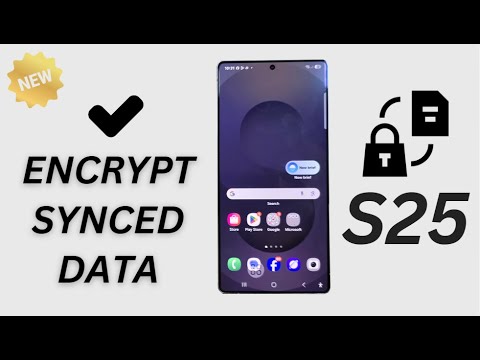
Stay fully in control of your data! 📱✨ In this video, you’ll learn how to enable or disable Encrypt Synced Data on your Samsung Galaxy S25, S25+, or S25 Ultra. 🔒 This setting ensures your synced data is protected and encrypted, giving you peace of mind whether you're backing up files or syncing important information. 🙌 Follow the simple steps to boost your security or adjust settings for faster syncing — you’re the boss of your phone! 💪
If you find this helpful, please Like, Subscribe, and Share to help others stay secure too! 💖
#GalaxyS25Ultra #DataEncryption #SamsungGalaxyS25 #SamsungPrivacy
This video also cover topics:
✅ How to encrypt your Samsung Galaxy synced data
✅ How to disable encryption for faster syncing
✅ How to control Secure Folder and cloud backups
📋 Step-by-Step Instructions:
Step 1: Open the Settings app on your Samsung Galaxy S25/S25+/Ultra.
Step 2: Scroll down and tap Security and Privacy.
Step 3: Tap More Security Settings.
Step 4: Tap Secure Folder.
Step 5: Enter your Secure Folder security credentials if prompted.
Step 6: Tap Auto Sync and Backup.
Step 7: Tap Sync Account Data.
Step 8: Tap the Encrypt Synced Data toggle to enable or disable it based on your preference.
Step 9: Exit settings — your synced data encryption is now updated!.
Gears I use:
Velbon Sherpa 200 R/F Tripod With 3 Way Panhead https://amzn.to/2IuyFGa
Rode VideoMic Pro+ Compact Directional Microphone: https://amzn.to/36w0pme
Commissions Earned
As an Amazon Associate, I earn from qualifying purchases
FOLLOW US ON TWITTER: http://bit.ly/10Glst1
LIKE US ON FACEBOOK: http://on.fb.me/ZKP4nU
http://www.itjungles.com
If you find this helpful, please Like, Subscribe, and Share to help others stay secure too! 💖
#GalaxyS25Ultra #DataEncryption #SamsungGalaxyS25 #SamsungPrivacy
This video also cover topics:
✅ How to encrypt your Samsung Galaxy synced data
✅ How to disable encryption for faster syncing
✅ How to control Secure Folder and cloud backups
📋 Step-by-Step Instructions:
Step 1: Open the Settings app on your Samsung Galaxy S25/S25+/Ultra.
Step 2: Scroll down and tap Security and Privacy.
Step 3: Tap More Security Settings.
Step 4: Tap Secure Folder.
Step 5: Enter your Secure Folder security credentials if prompted.
Step 6: Tap Auto Sync and Backup.
Step 7: Tap Sync Account Data.
Step 8: Tap the Encrypt Synced Data toggle to enable or disable it based on your preference.
Step 9: Exit settings — your synced data encryption is now updated!.
Gears I use:
Velbon Sherpa 200 R/F Tripod With 3 Way Panhead https://amzn.to/2IuyFGa
Rode VideoMic Pro+ Compact Directional Microphone: https://amzn.to/36w0pme
Commissions Earned
As an Amazon Associate, I earn from qualifying purchases
FOLLOW US ON TWITTER: http://bit.ly/10Glst1
LIKE US ON FACEBOOK: http://on.fb.me/ZKP4nU
http://www.itjungles.com
Tags and Topics
Browse our collection to discover more content in these categories.
Video Information
Views
561
Likes
3
Duration
1:41
Published
Apr 21, 2025