Guide to Play Retro Games on Raspberry Pi with RetroPie
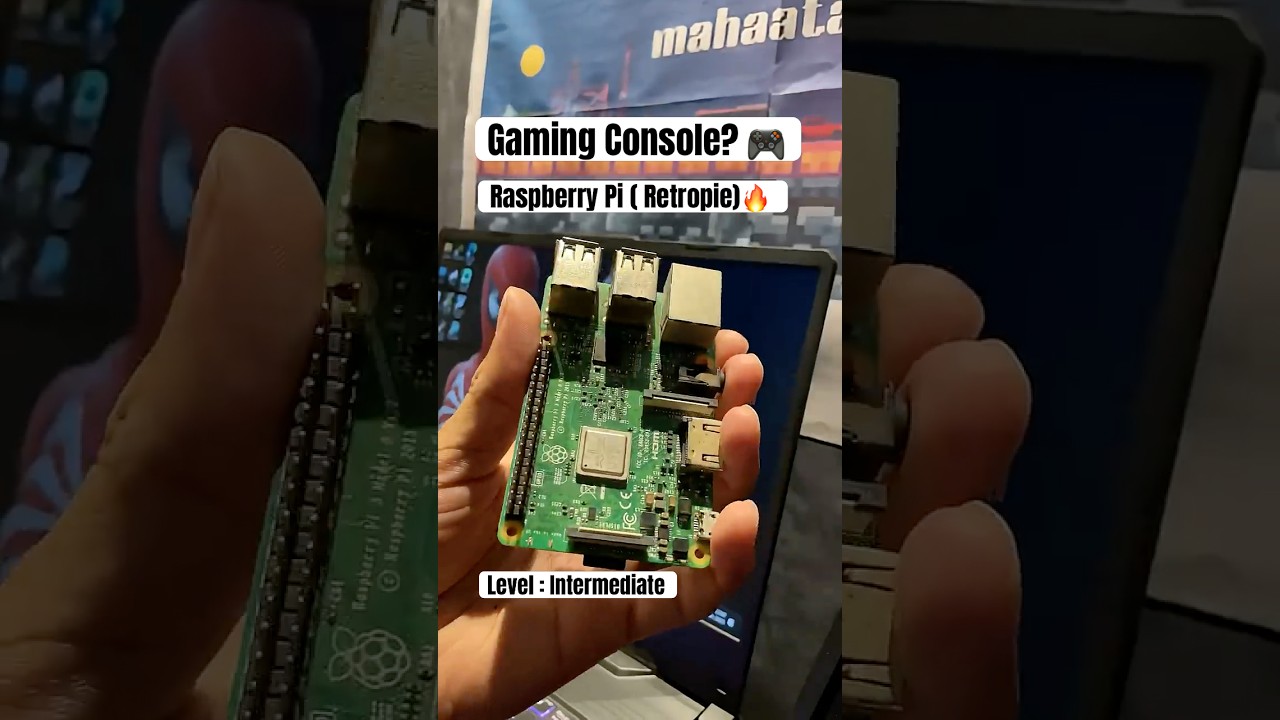
Learn how to set up RetroPie on Raspberry Pi and enjoy classics like FIFA Soccer 2005 (PS1) with this full tutorial. 🎮

mahaataab
12.2K views • Oct 1, 2025
About this video
I set up RetroPie on my Raspberry Pi using Raspberry Pi Imager and got FIFA Soccer 2005 (PS1) running smoothly! Here’s how you can do it too 👇
🔧 What You’ll Need:
Raspberry Pi 3/4 (I used Pi 3B+)
MicroSD card (16GB or larger recommended)
USB controller (Xbox/PS style works best)
HDMI cable + display
A computer with internet
PS1 BIOS files (scph1001.bin, scph5500.bin, scph5501.bin, scph5502.bin)
Your PS1 game ROMs (.bin/.cue format)
🛠️ Setup Steps:
1. Install RetroPie with Raspberry Pi Imager
Download Raspberry Pi Imager from the official Raspberry Pi website.
Insert your MicroSD card into your PC.
In Pi Imager → go to Operating System → Emulation and game OS → select RetroPie.
Choose your Pi model version.
Write it to your MicroSD card and insert it into your Raspberry Pi.
2. First Boot & Controller Setup
Boot your Raspberry Pi.
RetroPie will launch into EmulationStation.
Follow the prompts to configure your controller buttons.
3. Transfer BIOS Files
Plug in a USB drive and let RetroPie auto-create folders.
On your PC, open the USB and go to:
retropie/bios/
Copy the PS1 BIOS files (example: scph5501.bin).
Plug the USB back into your Pi—RetroPie will copy the BIOS automatically.
4. Add PS1 Games (ROMs)
Place your .bin and .cue files into:
retropie/roms/psx/
Insert the USB back into your Pi.
Restart EmulationStation → PS1 will now appear in the menu.
5. Play Your Game!
Open the PS1 section, select FIFA Soccer 2005, and start playing.
Enjoy the nostalgia! 🎉
⚡ Pro Tips:
Use PCSX-ReARMed (default emulator) for the best compatibility.
Overclocking your Pi slightly can smooth out heavy games.
Save states help when grinding long seasons in FIFA.
👉 If this helped, smash the like button and subscribe for more Raspberry Pi + Retro gaming content!
💬 Drop a comment if you want me to make a full video guide with advanced configs and troubleshooting.
🔧 What You’ll Need:
Raspberry Pi 3/4 (I used Pi 3B+)
MicroSD card (16GB or larger recommended)
USB controller (Xbox/PS style works best)
HDMI cable + display
A computer with internet
PS1 BIOS files (scph1001.bin, scph5500.bin, scph5501.bin, scph5502.bin)
Your PS1 game ROMs (.bin/.cue format)
🛠️ Setup Steps:
1. Install RetroPie with Raspberry Pi Imager
Download Raspberry Pi Imager from the official Raspberry Pi website.
Insert your MicroSD card into your PC.
In Pi Imager → go to Operating System → Emulation and game OS → select RetroPie.
Choose your Pi model version.
Write it to your MicroSD card and insert it into your Raspberry Pi.
2. First Boot & Controller Setup
Boot your Raspberry Pi.
RetroPie will launch into EmulationStation.
Follow the prompts to configure your controller buttons.
3. Transfer BIOS Files
Plug in a USB drive and let RetroPie auto-create folders.
On your PC, open the USB and go to:
retropie/bios/
Copy the PS1 BIOS files (example: scph5501.bin).
Plug the USB back into your Pi—RetroPie will copy the BIOS automatically.
4. Add PS1 Games (ROMs)
Place your .bin and .cue files into:
retropie/roms/psx/
Insert the USB back into your Pi.
Restart EmulationStation → PS1 will now appear in the menu.
5. Play Your Game!
Open the PS1 section, select FIFA Soccer 2005, and start playing.
Enjoy the nostalgia! 🎉
⚡ Pro Tips:
Use PCSX-ReARMed (default emulator) for the best compatibility.
Overclocking your Pi slightly can smooth out heavy games.
Save states help when grinding long seasons in FIFA.
👉 If this helped, smash the like button and subscribe for more Raspberry Pi + Retro gaming content!
💬 Drop a comment if you want me to make a full video guide with advanced configs and troubleshooting.
Tags and Topics
Browse our collection to discover more content in these categories.
Video Information
Views
12.2K
Likes
99
Duration
0:17
Published
Oct 1, 2025
User Reviews
4.2
(2) Related Trending Topics
LIVE TRENDSRelated trending topics. Click any trend to explore more videos.
Trending Now