Photo Privacy on Linux: How to Remove Metadata Using exiftool
Learn how to enhance your privacy by stripping sensitive metadata, such as geolocation, creator, and date information, from your images before sharing online with exiftool on Linux.

Computer Everywhere
2.2K views • Dec 21, 2024
About this video
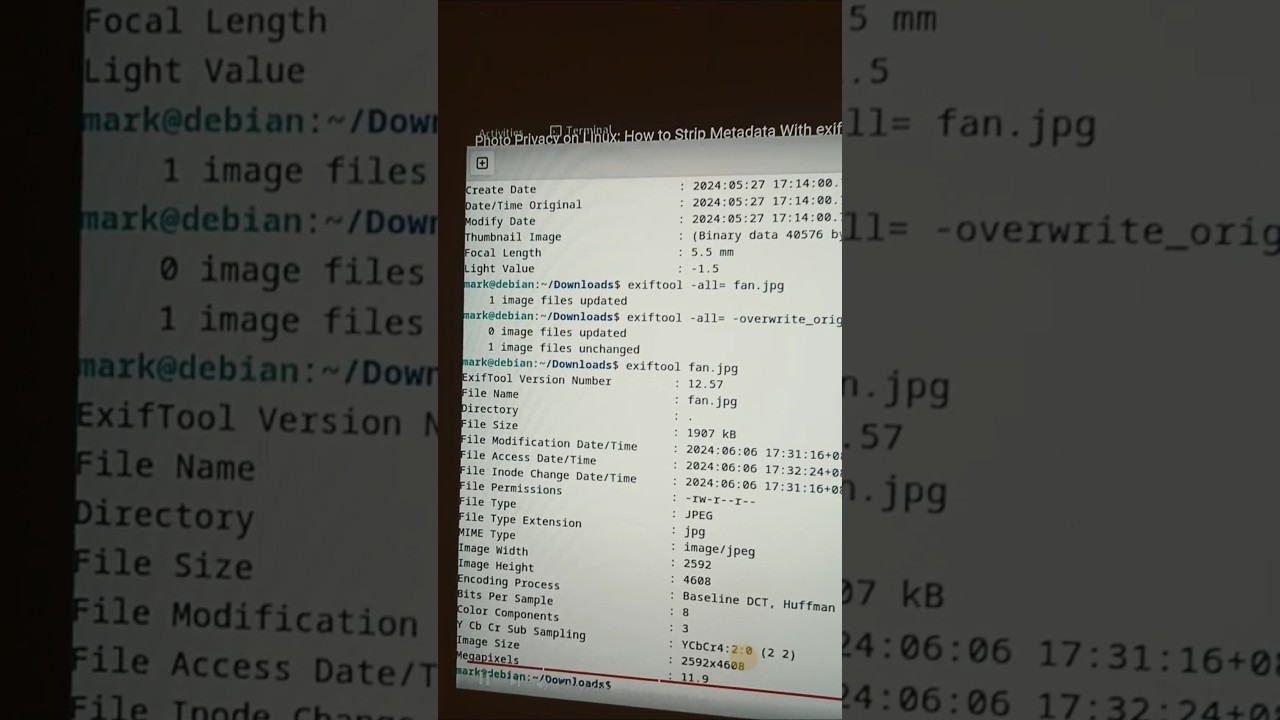
Removing sensitive information such as geolocation data, creator and date taken from your images before sharing online increases your privacy.
What you will learn:
1. How to remove extra data from
2. How to remove metadata
3. How to remove The model name of the phone/camera used to take it, Exposure time, Whether the camera's flash was used or not, A thumbnail, in binary format and GPS coordinates
4. Installing Required Packages for Debian based distributions
a. How to install the libimage-exiftool-perl package using apt
5. Installing Required Packages For Redhat distros
a. How to use dnf to install the perl-Image-ExifTool package
6. Installing Required Packages For Arch distros
a. How to install the perl-image-exiftool package with pacman
7. Viewing Metadata on an Existing Image
a. How to take a look what metadata in a picture
b. How to strip all metadata form picture
8. Stripping It All Out
a. How to remove all EXIF metadata
---
🔥 Download Opera GX (Gamer’s Browser): https://offergate-software12.com/2-ctv4r-b1eq-cv5u-e541
🌍 Try Opera One (Multigeo): https://nefabop.com/6-11g1fd-c1hm-gv5u-j5ma
💸 Every install supports COMPUTER EVERYWHERE — thank you!
---
#computereverywhere #photo #privacy #linux #howto #strip #metadata #exiftool
What you will learn:
1. How to remove extra data from
2. How to remove metadata
3. How to remove The model name of the phone/camera used to take it, Exposure time, Whether the camera's flash was used or not, A thumbnail, in binary format and GPS coordinates
4. Installing Required Packages for Debian based distributions
a. How to install the libimage-exiftool-perl package using apt
5. Installing Required Packages For Redhat distros
a. How to use dnf to install the perl-Image-ExifTool package
6. Installing Required Packages For Arch distros
a. How to install the perl-image-exiftool package with pacman
7. Viewing Metadata on an Existing Image
a. How to take a look what metadata in a picture
b. How to strip all metadata form picture
8. Stripping It All Out
a. How to remove all EXIF metadata
---
🔥 Download Opera GX (Gamer’s Browser): https://offergate-software12.com/2-ctv4r-b1eq-cv5u-e541
🌍 Try Opera One (Multigeo): https://nefabop.com/6-11g1fd-c1hm-gv5u-j5ma
💸 Every install supports COMPUTER EVERYWHERE — thank you!
---
#computereverywhere #photo #privacy #linux #howto #strip #metadata #exiftool
Video Information
Views
2.2K
Likes
13
Duration
0:16
Published
Dec 21, 2024
User Reviews
4.0
(2) Related Trending Topics
LIVE TRENDSRelated trending topics. Click any trend to explore more videos.
No specific trending topics match this video yet.
Explore All Trends