Boost SSD/HDD Performance & Boot Speed 🖥️
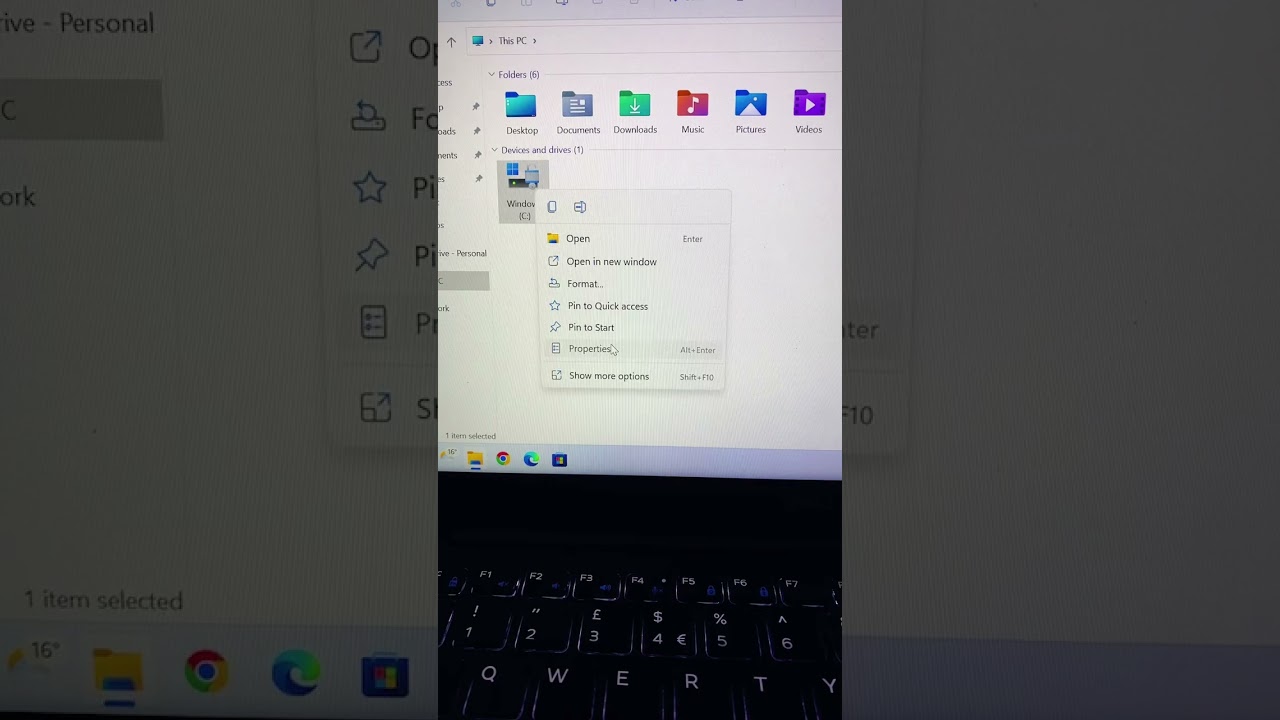
Improve your SSD/HDD speed and boot times using Windows' built-in disk checker on Windows 7, 10, and 11. Right-click C drive to start.

HowtoInsider
141.2K views • Jul 31, 2022
About this video
Optimise your SSD /HDD for better performance and boot times by using the built-in disk checker on Windows 10 11 and 7. Simply go to the C drive Right click, Properties, tools and check. These is the replacement of the chkdsk command been ran in command prompt in a user-friendly way to help fix and repair any disk errors and boost performance of your SSD or HDD.
This technique works on all makes and models of window PC.
This technique works on all makes and models of window PC.
Video Information
Views
141.2K
Likes
2.0K
Duration
0:25
Published
Jul 31, 2022
User Reviews
4.6
(28) Related Trending Topics
LIVE TRENDSRelated trending topics. Click any trend to explore more videos.
No specific trending topics match this video yet.
Explore All Trends