Ultimate Guide to Better iPhone Photos 📱
Learn how to improve your iPhone photography with tips, presets, and tools. Try Notion Agent for smarter organization!

Alex Armitage
50.0K views • Mar 1, 2026
About this video
🧠 Try Notion Agent at → https://ntn.so/alex2026
No Fusion Article + Preset Download - https://www.alexarmitage.com/blog/2026/2/14/complete-guide-iphone-no-fusion
New Travel YouTube Channel - @Beyond-a-Postcard
360 Issara - https://www.360issara.com/
No Fusion App - https://apps.apple.com/us/app/no-fusion-powerful-pro-cam/id6444706244
iPhone App Comparison Video - https://youtu.be/wHSqy34rjGk?si=CtRZO3wSE0aJUjFr
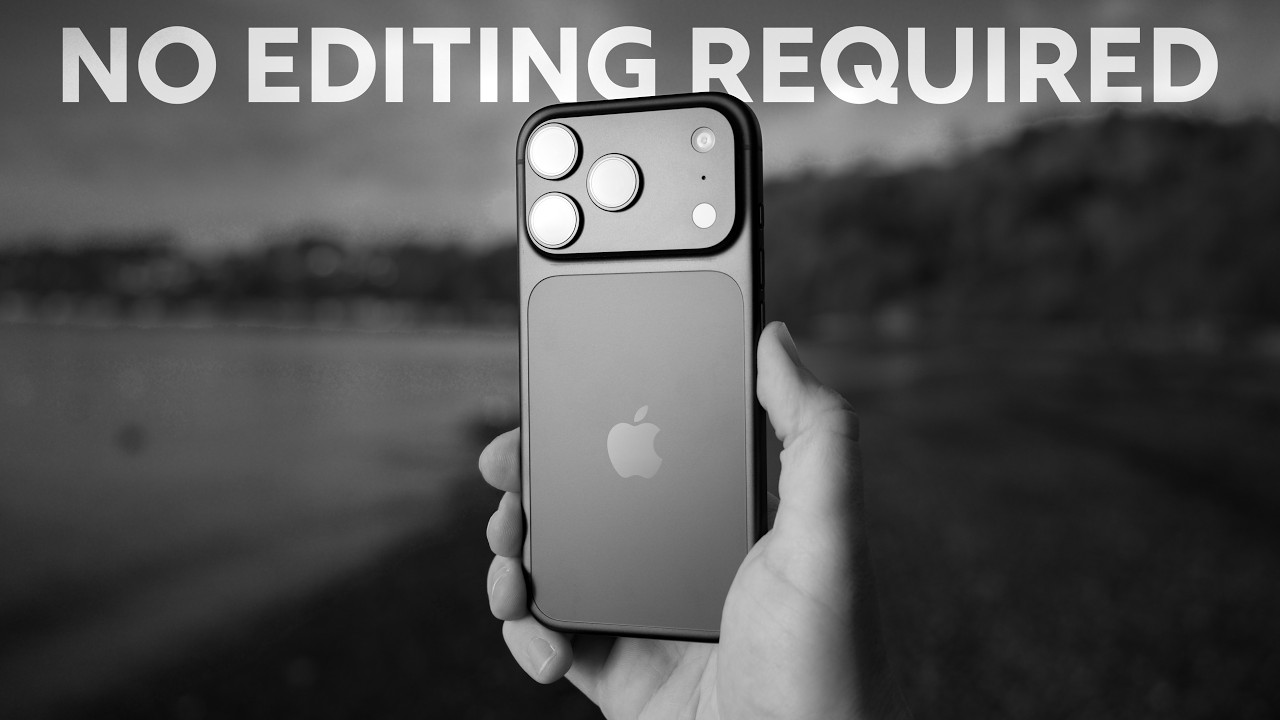
The iPhone takes great snapshot images. Good for capturing memories, fleeting moments, and best of all making it easy to share those bright beautiful moments with friends, strangers online, or loved ones. The issue for me as a photographer is that I always whip out my phone to capture a memory, but rarely to ever capture a photo. The main reason being that most of the images I take on my iPhone just have that “Phone” look. Where everything is a bit too sharp, over processed, and lacks an aesthetic that resembles anything like my photography work.
You can work around this in a way by shooting raw images on your iPhone like I do every year in my comparison video. The problem is that requires a ton of extra time behind a computer editing. There had to be a better solution and a few months ago I spent a bunch of time testing different apps on the iPhone to see if there was one out there that allowed me to remove some of that apple processing, do a bit of editing right in camera utilizing recipes or filters, and still take high quality images.
The winner for me was pretty clear, an app called No Fusion and in today’s video we are going to cover everything you could possibly want to know about No fusion including effects settings, custom recipes, and the best quality images for your photography.
Patreon + Support - https://www.patreon.com/alexarmitage
New to Photography? Start Here - https://www.alexarmitage.com/learn-photography-basics
Landscape Photography Gear Guide for 2025: https://www.alexarmitage.com/2025-landscape-photography-gear-guide
𝐒𝐨𝐜𝐢𝐚𝐥𝐬
Website: https://alexarmitage.com
Newsletter: https://alexarmitage.com/newsletter
Discord Community: https://discord.gg/NEsSB7ArKW
Instagram: https://instagram.com/alexarmitage_/
Camera/Video 𝐆𝐞𝐚𝐫 (Affiliate Links)
𝐅𝐮𝐥𝐥 𝐆𝐞𝐚𝐫 𝐋𝐢𝐬𝐭 𝐚𝐧𝐝 𝐌𝐲 𝐎𝐩𝐢𝐧𝐢𝐨𝐧𝐬 : https://www.alexarmitage.com/gear
Colored Magnetic Filters: https://mavenfilters.com/aff/12/
Photography Camera: https://geni.us/Canon-R5
Vlog Camera: https://geni.us/DJIOsmPocket3
Video Camera: https://geni.us/Canon-R7
Drone: https://geni.us/DJI-Mavic3-Pro
Music (Typically) from Musicbed:
https://fm.pxf.io/c/3300666/1347628/16252
0:00 No Fusion
1:37 Disclaimer
2:55 The Interface and Customization
8:52 Film Simulations
11:42 Effects
15:46 RAW Pipeline: ProRAW vs BayerRAW
19:03 HEIF+ and HEIF
26:47 Negative Film
30:01 Photo Size and Image Quality
31:29 Custom Recipes or Film Simulations
No Fusion Article + Preset Download - https://www.alexarmitage.com/blog/2026/2/14/complete-guide-iphone-no-fusion
New Travel YouTube Channel - @Beyond-a-Postcard
360 Issara - https://www.360issara.com/
No Fusion App - https://apps.apple.com/us/app/no-fusion-powerful-pro-cam/id6444706244
iPhone App Comparison Video - https://youtu.be/wHSqy34rjGk?si=CtRZO3wSE0aJUjFr
The iPhone takes great snapshot images. Good for capturing memories, fleeting moments, and best of all making it easy to share those bright beautiful moments with friends, strangers online, or loved ones. The issue for me as a photographer is that I always whip out my phone to capture a memory, but rarely to ever capture a photo. The main reason being that most of the images I take on my iPhone just have that “Phone” look. Where everything is a bit too sharp, over processed, and lacks an aesthetic that resembles anything like my photography work.
You can work around this in a way by shooting raw images on your iPhone like I do every year in my comparison video. The problem is that requires a ton of extra time behind a computer editing. There had to be a better solution and a few months ago I spent a bunch of time testing different apps on the iPhone to see if there was one out there that allowed me to remove some of that apple processing, do a bit of editing right in camera utilizing recipes or filters, and still take high quality images.
The winner for me was pretty clear, an app called No Fusion and in today’s video we are going to cover everything you could possibly want to know about No fusion including effects settings, custom recipes, and the best quality images for your photography.
Patreon + Support - https://www.patreon.com/alexarmitage
New to Photography? Start Here - https://www.alexarmitage.com/learn-photography-basics
Landscape Photography Gear Guide for 2025: https://www.alexarmitage.com/2025-landscape-photography-gear-guide
𝐒𝐨𝐜𝐢𝐚𝐥𝐬
Website: https://alexarmitage.com
Newsletter: https://alexarmitage.com/newsletter
Discord Community: https://discord.gg/NEsSB7ArKW
Instagram: https://instagram.com/alexarmitage_/
Camera/Video 𝐆𝐞𝐚𝐫 (Affiliate Links)
𝐅𝐮𝐥𝐥 𝐆𝐞𝐚𝐫 𝐋𝐢𝐬𝐭 𝐚𝐧𝐝 𝐌𝐲 𝐎𝐩𝐢𝐧𝐢𝐨𝐧𝐬 : https://www.alexarmitage.com/gear
Colored Magnetic Filters: https://mavenfilters.com/aff/12/
Photography Camera: https://geni.us/Canon-R5
Vlog Camera: https://geni.us/DJIOsmPocket3
Video Camera: https://geni.us/Canon-R7
Drone: https://geni.us/DJI-Mavic3-Pro
Music (Typically) from Musicbed:
https://fm.pxf.io/c/3300666/1347628/16252
0:00 No Fusion
1:37 Disclaimer
2:55 The Interface and Customization
8:52 Film Simulations
11:42 Effects
15:46 RAW Pipeline: ProRAW vs BayerRAW
19:03 HEIF+ and HEIF
26:47 Negative Film
30:01 Photo Size and Image Quality
31:29 Custom Recipes or Film Simulations
Tags and Topics
Browse our collection to discover more content in these categories.
Video Information
Views
50.0K
Likes
2.4K
Duration
37:56
Published
Mar 1, 2026
User Reviews
4.7
(10) Related Trending Topics
LIVE TRENDSRelated trending topics. Click any trend to explore more videos.
Trending Now