Mastering the Revolve Tool in Solid Edge: Creating Features from Start to End Points 🔧
Learn how to effectively use the Revolve tool in Solid Edge to create features from a start point to an end point, even without a direct option. Step-by-step tips included!
3D Solid Modelling Video
10 views • Apr 6, 2017
About this video
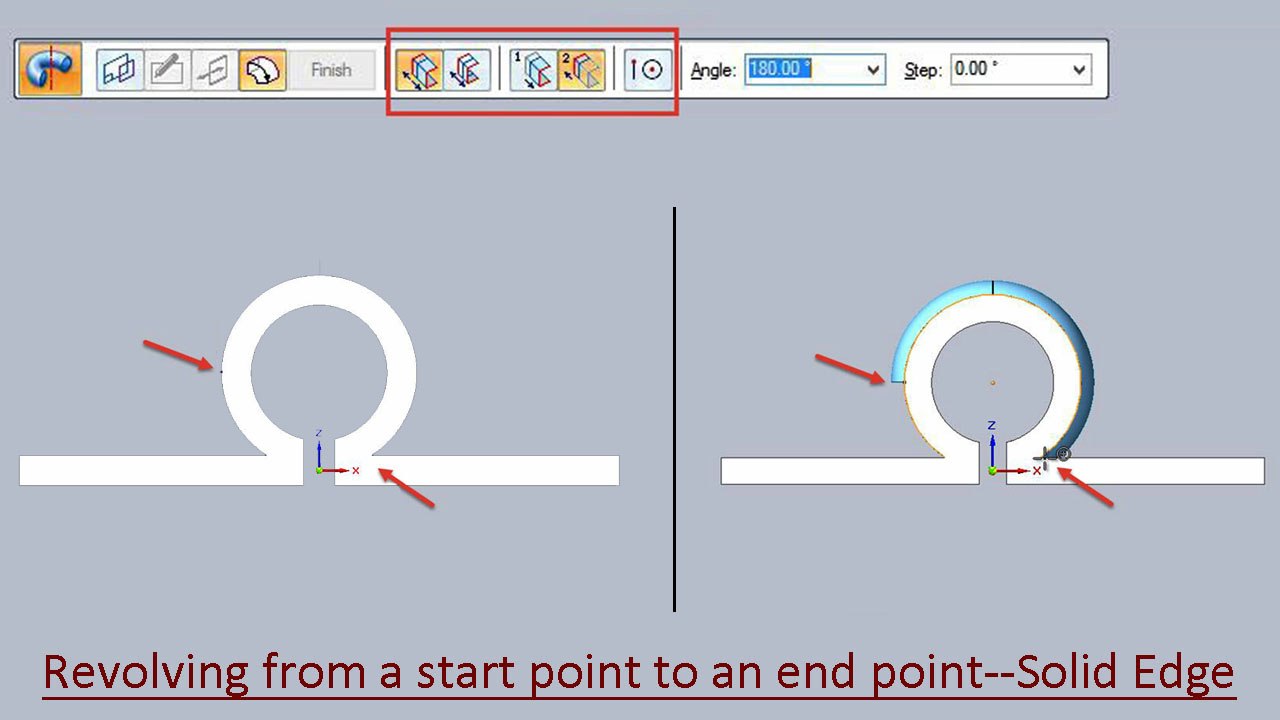
If we check out the revolve tool there is no direct option available to create a feature from a start point to an end point. To do such operation the key points snap and revolve to symmetric and non-symmetric extents option should be used. I found this way while working on a previous tutorial named Sliding Latch of Door (Solid Edge Tutorial). Check out the video to understand everything in detail. <br />Visit my blog to find more videos similar to this. <br />http://nisheeth-inventortalks.blogspot.in/
Video Information
Views
10
Duration
3:40
Published
Apr 6, 2017
Related Trending Topics
LIVE TRENDSRelated trending topics. Click any trend to explore more videos.
No specific trending topics match this video yet.
Explore All Trends