Master Steganography with Outguess: Embed and Detect Hidden Messages in Images 🔍
Learn how to use Outguess for hiding messages within images and discover effective methods to detect potential steganography. Step-by-step installation and usage tips included!

LUKE SLYTALKER
12.0K views • Dec 23, 2019
About this video
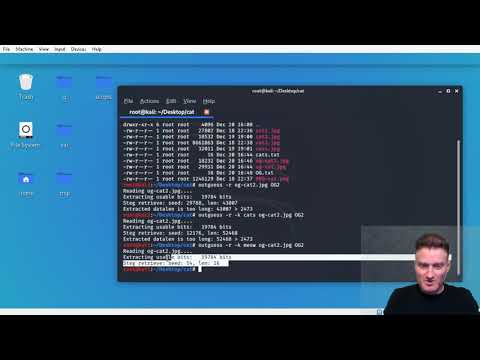
Quick run-down on how to use Outguess for embedding as well as a couple ways to determine if an image *may*possibly* be steg'ed.
Install Outguess:
sudo apt-get install outguess
Embedding:
outguess -d file2hide -k key2unlock COVER.jpg Output.jpg
Extract:
outguess -r -k key2unlock INPUT.jpg Extract-File
Install Outguess:
sudo apt-get install outguess
Embedding:
outguess -d file2hide -k key2unlock COVER.jpg Output.jpg
Extract:
outguess -r -k key2unlock INPUT.jpg Extract-File
Tags and Topics
Browse our collection to discover more content in these categories.
Video Information
Views
12.0K
Likes
170
Duration
13:36
Published
Dec 23, 2019
User Reviews
4.5
(2) Related Trending Topics
LIVE TRENDSRelated trending topics. Click any trend to explore more videos.