Master Set and Reset Index in Pandas for Better Data Management 📊
Learn how to easily set and reset DataFrame indices in Pandas with clear examples. Boost your data handling skills today! #pandas #DataScience

AtmaKumar Rai
271 views • Jan 5, 2023
About this video
#pandas
#Set_Index_and_Reset_Index_in_Pandas
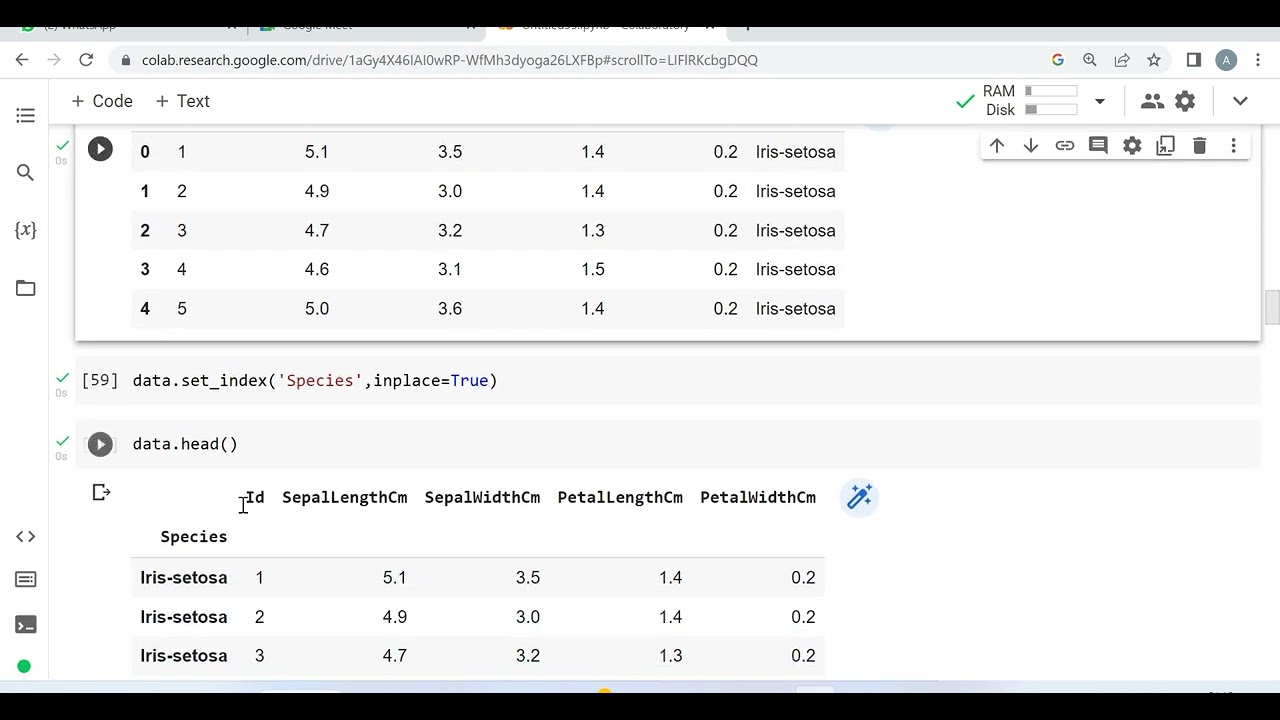
Using set index we can set any column to index and using reset we can again reset Index
#code
https://github.com/AtmaKumar/Pandas/blob/main/set_reset.ipynb
data
https://github.com/AtmaKumar/Pandas/blob/main/Iris.csv
1. data.head()
To get top 5 Rows of the given data file(by default)
2. data.tail()
To get last 5 Rows of the given data file(by default)
3. data.head(10)
To get last 10 Rows of the given data file
4. data.tail(10)
To get last 10 Rows of the given data file
5. data.drop(‘coloum name’,axis=1,inplace=True)
To delete any particular coloum from the data file
6. data.drop(index number,inplace=True)
To delete any raw(index number) from the data file
7. data.set_index(‘coloum name’,inplace=True)
To set any particular coloum as index in a data file
8. data.reset_index(inplace=True)
To reset the index in data file
9. data.loc[x:y]
To only show data of given index number from the data file
• Here x,y are the index number
• “Data.loc” always apply on index number
10. Data.iloc[x:y,a:b]
To only show data of given row and coloum from the data file
• x,y is Starting and Ending number of raw.
• a,b is Starting and Ending number of coloum.
#Set_Index_and_Reset_Index_in_Pandas
Using set index we can set any column to index and using reset we can again reset Index
#code
https://github.com/AtmaKumar/Pandas/blob/main/set_reset.ipynb
data
https://github.com/AtmaKumar/Pandas/blob/main/Iris.csv
1. data.head()
To get top 5 Rows of the given data file(by default)
2. data.tail()
To get last 5 Rows of the given data file(by default)
3. data.head(10)
To get last 10 Rows of the given data file
4. data.tail(10)
To get last 10 Rows of the given data file
5. data.drop(‘coloum name’,axis=1,inplace=True)
To delete any particular coloum from the data file
6. data.drop(index number,inplace=True)
To delete any raw(index number) from the data file
7. data.set_index(‘coloum name’,inplace=True)
To set any particular coloum as index in a data file
8. data.reset_index(inplace=True)
To reset the index in data file
9. data.loc[x:y]
To only show data of given index number from the data file
• Here x,y are the index number
• “Data.loc” always apply on index number
10. Data.iloc[x:y,a:b]
To only show data of given row and coloum from the data file
• x,y is Starting and Ending number of raw.
• a,b is Starting and Ending number of coloum.
Video Information
Views
271
Likes
4
Duration
2:07
Published
Jan 5, 2023
Related Trending Topics
LIVE TRENDSRelated trending topics. Click any trend to explore more videos.
No specific trending topics match this video yet.
Explore All Trends