Master AWS CLI: 5 Must-Know Commands to Boost Your Cloud Efficiency 🚀
Learn the top 5 essential AWS CLI commands to streamline your cloud management and enhance your AWS operations. Perfect for beginners and experts alike!

CodeVisium
152 views • Mar 27, 2025
About this video
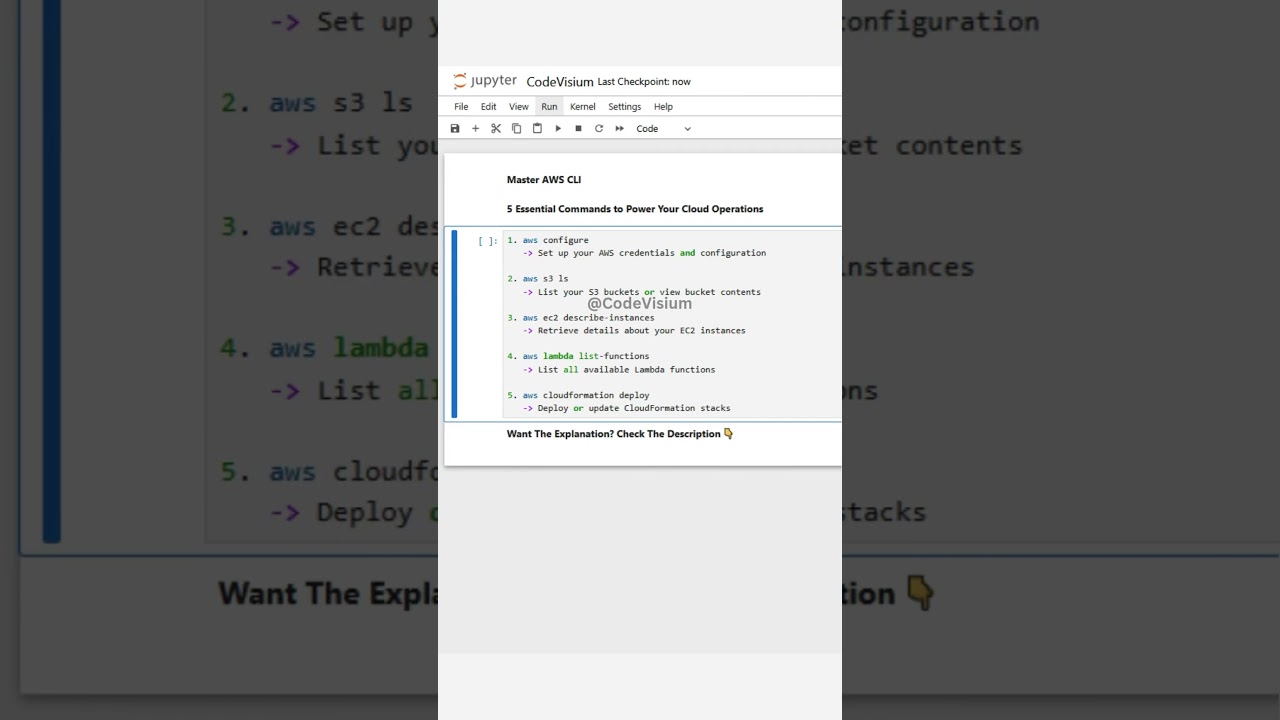
The AWS Command Line Interface (CLI) is a powerful, unified tool that allows you to manage your Amazon Web Services (AWS) resources directly from your terminal. It is widely used in cloud computing environments, especially in organizations leveraging AWS for scalable infrastructure, DevOps automation, and rapid deployment. The AWS CLI is an essential tool for cloud engineers, DevOps professionals, system administrators, and developers—making it one of the most demanded tools in the tech industry today.
Here's a detailed breakdown of each AWS CLI command:
aws configure:
This command sets up your AWS credentials and configuration by prompting you for your Access Key ID, Secret Access Key, region, and output format. It lays the foundation for all subsequent AWS CLI operations, ensuring secure and personalized access to your AWS resources.
aws s3 ls:
Use this command to list all your S3 buckets or to view the contents of a specific bucket. It's invaluable for quickly checking your storage assets, managing file inventories, and ensuring that your S3 resources are organized.
aws ec2 describe-instances:
Retrieve comprehensive details about your EC2 instances, including their state, type, and network configurations. This command is crucial for monitoring your virtual servers, diagnosing issues, and managing your compute resources effectively.
aws lambda list-functions:
This command lists all Lambda functions available in your account. It’s especially useful for developers and DevOps professionals who need to keep track of serverless functions, monitor their performance, or manage automated tasks in a microservices architecture.
aws cloudformation deploy:
Deploy or update your CloudFormation stacks using this command. It simplifies the process of managing infrastructure as code, allowing you to automate resource provisioning and ensure consistent, repeatable deployments across your environments.
Elevate your cloud operations and streamline your AWS management by mastering these essential AWS CLI commands!
#AWSCLITools #CloudOps
Here's a detailed breakdown of each AWS CLI command:
aws configure:
This command sets up your AWS credentials and configuration by prompting you for your Access Key ID, Secret Access Key, region, and output format. It lays the foundation for all subsequent AWS CLI operations, ensuring secure and personalized access to your AWS resources.
aws s3 ls:
Use this command to list all your S3 buckets or to view the contents of a specific bucket. It's invaluable for quickly checking your storage assets, managing file inventories, and ensuring that your S3 resources are organized.
aws ec2 describe-instances:
Retrieve comprehensive details about your EC2 instances, including their state, type, and network configurations. This command is crucial for monitoring your virtual servers, diagnosing issues, and managing your compute resources effectively.
aws lambda list-functions:
This command lists all Lambda functions available in your account. It’s especially useful for developers and DevOps professionals who need to keep track of serverless functions, monitor their performance, or manage automated tasks in a microservices architecture.
aws cloudformation deploy:
Deploy or update your CloudFormation stacks using this command. It simplifies the process of managing infrastructure as code, allowing you to automate resource provisioning and ensure consistent, repeatable deployments across your environments.
Elevate your cloud operations and streamline your AWS management by mastering these essential AWS CLI commands!
#AWSCLITools #CloudOps
Tags and Topics
Browse our collection to discover more content in these categories.
Video Information
Views
152
Likes
3
Duration
0:10
Published
Mar 27, 2025
Related Trending Topics
LIVE TRENDSRelated trending topics. Click any trend to explore more videos.
No specific trending topics match this video yet.
Explore All Trends