Macros Cannot Be Run Because the VBA Support Library Is Not Installed: Fixed! | Excel Tech & Tricks
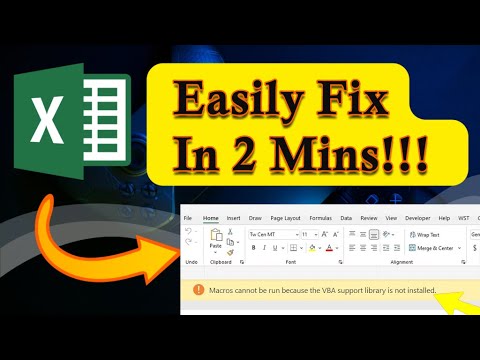
Download Excel Repair Tool Here - https://www.repairmsexcel.com/blog/free-download-now Macros cannot be run because the VBA support library is not installed...
Excel Tech & Tricks
35.6K views • Apr 21, 2025
About this video
Download Excel Repair Tool Here - https://www.repairmsexcel.com/blog/free-download-now
Macros cannot be run because the VBA support library is not installed — but don't panic! In this quick tutorial, we reveal exactly how to fix this frustrating issue fast, even if you're a beginner. Whether you're trying to automate tasks in Excel, Word, or any other Office application, understanding how to properly install or repair your VBA support library is crucial.
Key Moments in Video:
0:00 Intro
0:35 Solution 1: Add Network Drive As a Trusted Location
1:06 Solution 2: Enable Macros
1:41 Solution 3: Change the Default File Format
2:27 Solution 4: Add New Location
3:06 Solution 5: Use the Excel Repair Tool
Excel Tech & Tricks YouTube Channel
Here you will get fixes of common and advanced MS Excel errors and issue along with latest Excel Tips, Tricks and tutorials to skyrocket your productivity at work.
Follow us on social media:
Facebook: https://www.facebook.com/repairmsexcel/
Twitter: https://twitter.com/repairmsexcel
Pinterest: https://in.pinterest.com/alexwaston14/microsoft-excel-repair-tool/
Stay tuned for more Excel Awesomeness...!
Macros cannot be run because the VBA support library is not installed — but don't panic! In this quick tutorial, we reveal exactly how to fix this frustrating issue fast, even if you're a beginner. Whether you're trying to automate tasks in Excel, Word, or any other Office application, understanding how to properly install or repair your VBA support library is crucial.
Key Moments in Video:
0:00 Intro
0:35 Solution 1: Add Network Drive As a Trusted Location
1:06 Solution 2: Enable Macros
1:41 Solution 3: Change the Default File Format
2:27 Solution 4: Add New Location
3:06 Solution 5: Use the Excel Repair Tool
Excel Tech & Tricks YouTube Channel
Here you will get fixes of common and advanced MS Excel errors and issue along with latest Excel Tips, Tricks and tutorials to skyrocket your productivity at work.
Follow us on social media:
Facebook: https://www.facebook.com/repairmsexcel/
Twitter: https://twitter.com/repairmsexcel
Pinterest: https://in.pinterest.com/alexwaston14/microsoft-excel-repair-tool/
Stay tuned for more Excel Awesomeness...!
Tags and Topics
Browse our collection to discover more content in these categories.
Video Information
Views
35.6K
Likes
336
Duration
3:51
Published
Apr 21, 2025
User Reviews
4.3
(7) Related Trending Topics
LIVE TRENDSRelated trending topics. Click any trend to explore more videos.
Trending Now