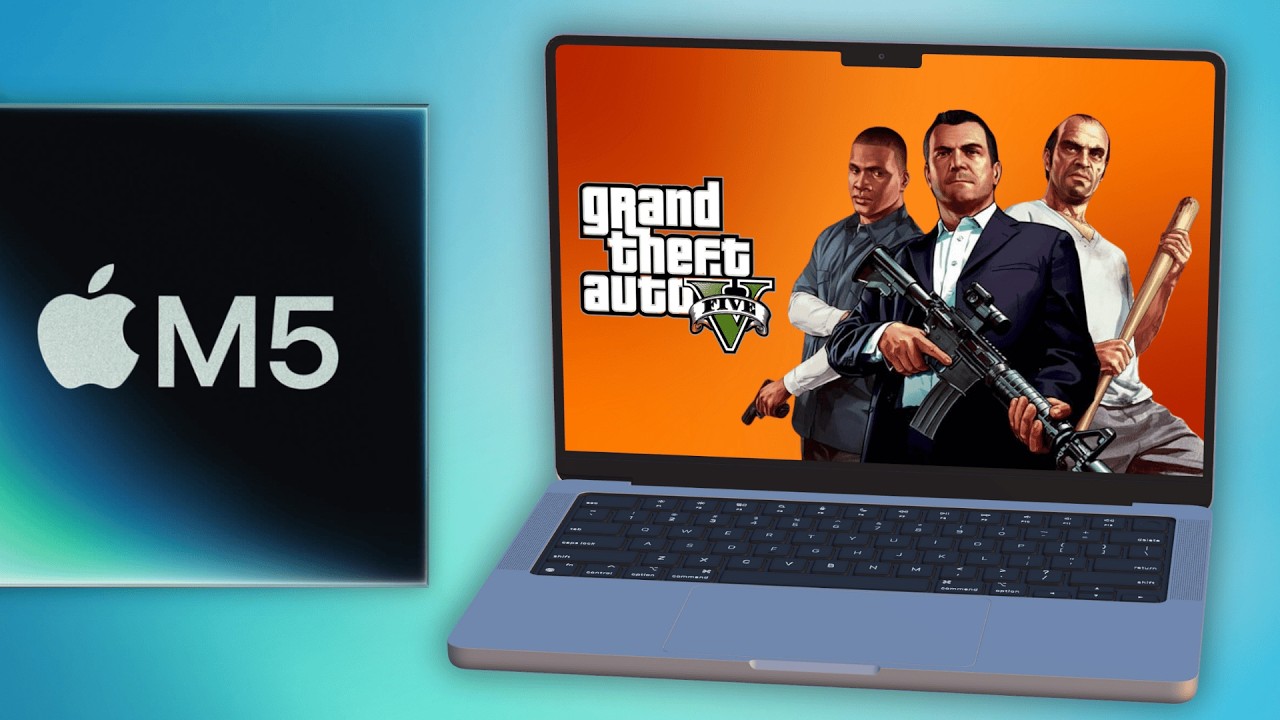
M5 MacBook Pro: 13 Games Tested 🎮
Explore gaming performance on the M5 MacBook Pro with 13 games tested. Get a 14-day free CrossOver trial with a 20% discount using code APPLEGAMINGWIKINEW.

Andrew Tsai
223.2K views • Oct 27, 2025
About this video
CrossOver FREE 14 DAY TRIAL - use coupon APPLEGAMINGWIKINEW for 20% DISCOUNT: https://www.codeweavers.com/store?ad=835;deal=applegamingwikinew
CrossOver Preview and GPTK beta tutorial:
https://www.youtube.com/watch?v=amA2nufBs7
The new M5 Mac with 16GB RAM, 10 GPU cores and 10 CPU cores is a gaming powerhouse, and in this video I test 13 native Mac and also Windows games running through translation and show thegaming power of this base Mac configuration.
GTA V Legacy Online Parallels tutorial:
https://www.youtube.com/watch?v=PMOPQ8B7xaQ
M5 MacBook Pro - 10 other games tested:
https://www.youtube.com/watch?v=jMh6GvhxYqo
Timestamps:
00:00 M5 MacBook Pro has great gaming performance!
00:43 Hades 2
01:15 RE4 Remake
01:45 Control
02:18 Dead Island 2
02:46 Escape from Duckov
03:16 Assassin's Creed Shadows
03:45 Ball x Pit
04:16 Starfield
04:46 GTA V Legacy
05:24 Borderlands 4
05:55 Clair Obscur Expedition 33
06:32 Megabonk
07:04 FF7 Rebirth
► Links:
Master M1 game compatibility list: https://www.applegamingwiki.com/wiki/M1_compatible_games_master_list
Please join me on Discord here: https://discord.gg/28CAAr6SpB
Check out AppleGamingWiki: https://applegamingwiki.com
►► Mac:
Record screen audio and gameplay (Mac): https://youtu.be/i6UewWGWfe0
Set 16:9 aspect ratio (Mac): https://youtu.be/TtKNqoCbOaI
Highlight mouse cursor (Mac): https://youtu.be/jDJECtQO97Y
Display keystrokes (Mac): https://youtu.be/1MRQ9DmxmU0
Snap windows (Rectangle, Mac): https://youtu.be/qUPSnDYJU6A
OBS setup (Mac): https://youtu.be/rpYxhzlaDj8
Temperature/fan monitor (Mac): https://youtu.be/ovnDeHiXnKU
►► General:
Microphone setup (Blue Yeti): https://youtu.be/81DsMgR2Qd4
Greenscreen setup (OBS): https://youtu.be/mO4QhV-1rKo
Note-taking (Notion, Mac): https://youtu.be/DaMPeS8Bet8
Highlight mouse cursor (Windows): https://youtu.be/kM0RgM7TDFc
DIY 2TB SSD USB-C (Mac and Windows): https://youtu.be/43X3Mk5vQK4
► Windows gaming on Mac:
►► Windows on M1 Mac Tutorial: https://www.youtube.com/watch?v=nVxzCteaWnc
►► CrossOver FREE 14 DAY TRIAL - use coupon APPLEGAMINGWIKINEW for 20% DISCOUNT: https://www.codeweavers.com/store?ad=835;deal=applegamingwikinew
►► Parallels 19 use code APPLEWIKI10 for 10% DISCOUNT: https://prf.hn/click/camref:1101lfR6V
Amazon Affiliates Disclosure: Andrew Tsai is a participant in the Amazon Services LLC Associates Program, an affiliate advertising program designed to provide a means for us to earn fees by linking to Amazon.com and affiliated sites as well as other affiliate programs.
CrossOver Preview and GPTK beta tutorial:
https://www.youtube.com/watch?v=amA2nufBs7
The new M5 Mac with 16GB RAM, 10 GPU cores and 10 CPU cores is a gaming powerhouse, and in this video I test 13 native Mac and also Windows games running through translation and show thegaming power of this base Mac configuration.
GTA V Legacy Online Parallels tutorial:
https://www.youtube.com/watch?v=PMOPQ8B7xaQ
M5 MacBook Pro - 10 other games tested:
https://www.youtube.com/watch?v=jMh6GvhxYqo
Timestamps:
00:00 M5 MacBook Pro has great gaming performance!
00:43 Hades 2
01:15 RE4 Remake
01:45 Control
02:18 Dead Island 2
02:46 Escape from Duckov
03:16 Assassin's Creed Shadows
03:45 Ball x Pit
04:16 Starfield
04:46 GTA V Legacy
05:24 Borderlands 4
05:55 Clair Obscur Expedition 33
06:32 Megabonk
07:04 FF7 Rebirth
► Links:
Master M1 game compatibility list: https://www.applegamingwiki.com/wiki/M1_compatible_games_master_list
Please join me on Discord here: https://discord.gg/28CAAr6SpB
Check out AppleGamingWiki: https://applegamingwiki.com
►► Mac:
Record screen audio and gameplay (Mac): https://youtu.be/i6UewWGWfe0
Set 16:9 aspect ratio (Mac): https://youtu.be/TtKNqoCbOaI
Highlight mouse cursor (Mac): https://youtu.be/jDJECtQO97Y
Display keystrokes (Mac): https://youtu.be/1MRQ9DmxmU0
Snap windows (Rectangle, Mac): https://youtu.be/qUPSnDYJU6A
OBS setup (Mac): https://youtu.be/rpYxhzlaDj8
Temperature/fan monitor (Mac): https://youtu.be/ovnDeHiXnKU
►► General:
Microphone setup (Blue Yeti): https://youtu.be/81DsMgR2Qd4
Greenscreen setup (OBS): https://youtu.be/mO4QhV-1rKo
Note-taking (Notion, Mac): https://youtu.be/DaMPeS8Bet8
Highlight mouse cursor (Windows): https://youtu.be/kM0RgM7TDFc
DIY 2TB SSD USB-C (Mac and Windows): https://youtu.be/43X3Mk5vQK4
► Windows gaming on Mac:
►► Windows on M1 Mac Tutorial: https://www.youtube.com/watch?v=nVxzCteaWnc
►► CrossOver FREE 14 DAY TRIAL - use coupon APPLEGAMINGWIKINEW for 20% DISCOUNT: https://www.codeweavers.com/store?ad=835;deal=applegamingwikinew
►► Parallels 19 use code APPLEWIKI10 for 10% DISCOUNT: https://prf.hn/click/camref:1101lfR6V
Amazon Affiliates Disclosure: Andrew Tsai is a participant in the Amazon Services LLC Associates Program, an affiliate advertising program designed to provide a means for us to earn fees by linking to Amazon.com and affiliated sites as well as other affiliate programs.
Video Information
Views
223.2K
Likes
2.5K
Duration
8:18
Published
Oct 27, 2025
User Reviews
4.5
(44) Related Trending Topics
LIVE TRENDSRelated trending topics. Click any trend to explore more videos.
No specific trending topics match this video yet.
Explore All Trends