Linux File System Structure Overview 🗂️
Learn the Linux file system hierarchy from / to /usr and understand how it organizes your Linux system effectively.

WhiteboardDoodles
881.3K views • Jun 15, 2025
About this video
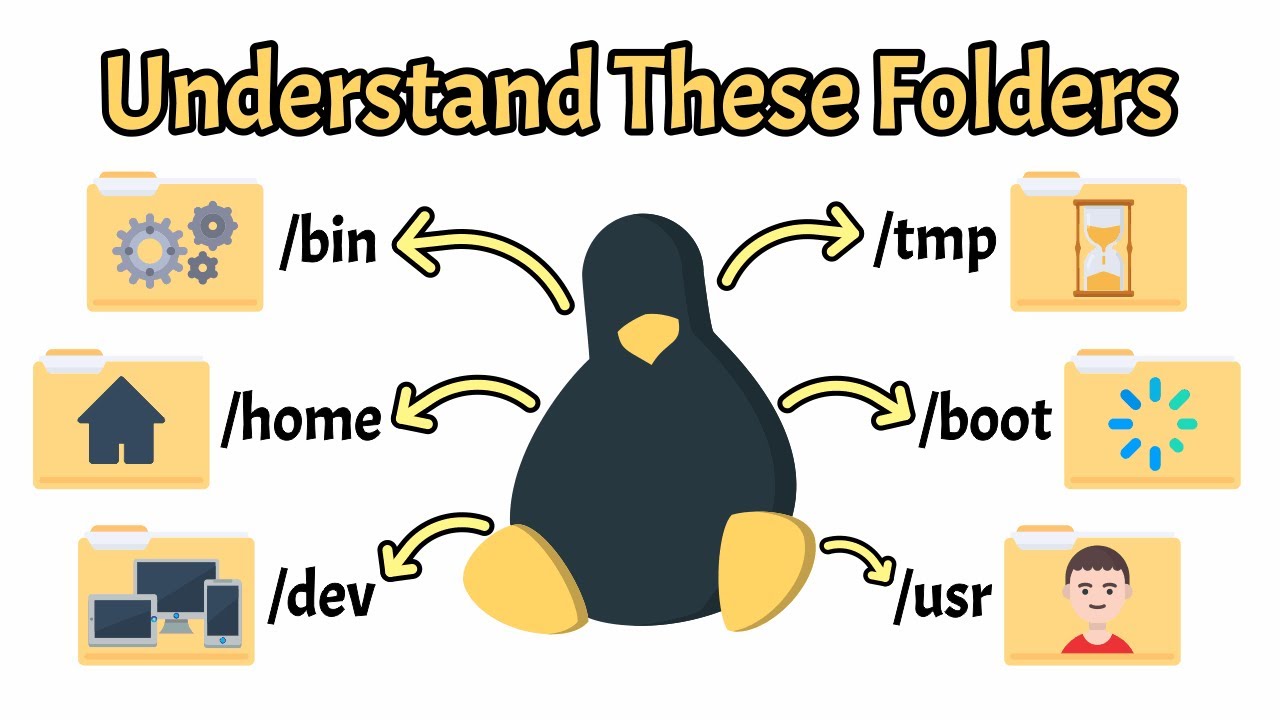
In this video, we explore the Linux file system structure — the essential framework that organizes everything on a Linux machine. You'll learn what each top-level directory does, why it exists and how it fits into the bigger picture of the operating system.
From /bin, /etc and /usr to /home, /proc and /var, we break down all the key directories with clear visuals and easy-to-understand explanations. Whether you're a beginner or brushing up on your Linux knowledge, this video helps you navigate the file system with confidence.
This layout follows the Filesystem Hierarchy Standard (FHS), a key guideline that ensures consistency across different Linux distributions.
We'll also discuss how these directories are grouped by purpose, what you should and shouldn't modify and how understanding them can improve your Linux skills — whether you're using the terminal, writing scripts or managing a server.
📌 Chapters Covered:
- Introduction to the Linux Directory Structure
- Root and User-Related Directories
- System Binary & Library Directories
- Boot, Kernel & Device Directories
- Configuration & Temporary Directories
- Mount Point & System Information Directories
- Optional Software & Service Directories
🎓 Join our growing community of tech enthusiasts and start learning today!
▶️ Subscribe now: https://www.youtube.com/@WhiteboardDoodles24
📌 Follow us for updates:
- Facebook: https://www.facebook.com/WhiteboardDoodles24/
- Instagram: https://www.instagram.com/whiteboarddoodles24/
Timestamps:
00:00 - Intro
00:22 - Overview of Directory Categories
01:20 - The Root Directory (/ & /root)
02:09 - /bin
02:55 - /sbin
03:33 - /lib
04:25 - /usr
05:15 - /boot
05:57 - /dev
06:48 - /etc
07:36 - /home
08:37 - /media
09:35 - /mnt
10:27 - /proc
11:11 - /sys
12:07 - /run
12:51 - /srv
13:44 - /var
14:41 - /tmp
15:39 - /opt
16:26 - Conclusions
17:08 - Outro
#linux #linuxbasics #whiteboarddoodles
From /bin, /etc and /usr to /home, /proc and /var, we break down all the key directories with clear visuals and easy-to-understand explanations. Whether you're a beginner or brushing up on your Linux knowledge, this video helps you navigate the file system with confidence.
This layout follows the Filesystem Hierarchy Standard (FHS), a key guideline that ensures consistency across different Linux distributions.
We'll also discuss how these directories are grouped by purpose, what you should and shouldn't modify and how understanding them can improve your Linux skills — whether you're using the terminal, writing scripts or managing a server.
📌 Chapters Covered:
- Introduction to the Linux Directory Structure
- Root and User-Related Directories
- System Binary & Library Directories
- Boot, Kernel & Device Directories
- Configuration & Temporary Directories
- Mount Point & System Information Directories
- Optional Software & Service Directories
🎓 Join our growing community of tech enthusiasts and start learning today!
▶️ Subscribe now: https://www.youtube.com/@WhiteboardDoodles24
📌 Follow us for updates:
- Facebook: https://www.facebook.com/WhiteboardDoodles24/
- Instagram: https://www.instagram.com/whiteboarddoodles24/
Timestamps:
00:00 - Intro
00:22 - Overview of Directory Categories
01:20 - The Root Directory (/ & /root)
02:09 - /bin
02:55 - /sbin
03:33 - /lib
04:25 - /usr
05:15 - /boot
05:57 - /dev
06:48 - /etc
07:36 - /home
08:37 - /media
09:35 - /mnt
10:27 - /proc
11:11 - /sys
12:07 - /run
12:51 - /srv
13:44 - /var
14:41 - /tmp
15:39 - /opt
16:26 - Conclusions
17:08 - Outro
#linux #linuxbasics #whiteboarddoodles
Tags and Topics
Browse our collection to discover more content in these categories.
Video Information
Views
881.3K
Likes
29.9K
Duration
17:31
Published
Jun 15, 2025
User Reviews
4.8
(176) Related Trending Topics
LIVE TRENDSRelated trending topics. Click any trend to explore more videos.