Linux Command Line Tutorial Series 📟
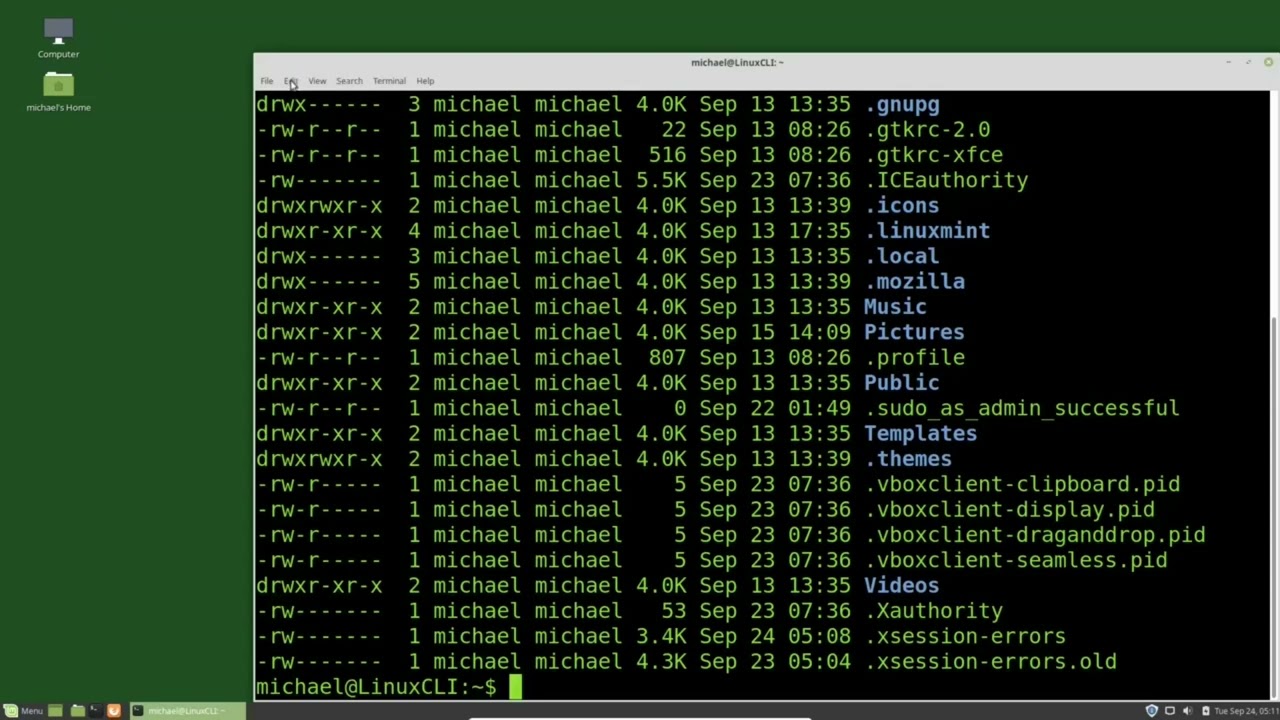
Complete Linux Command Line tutorials in one video. Watch the full playlist at: https://www.youtube.com/watch?v=JMT5CGFxa_4

MichaelsTechTutorials
202.8K views • Jan 18, 2025
About this video
The entire Linux Command Line tutorial series all in one video.
See the complete Linux Command Line playlist at: https://www.youtube.com/watch?v=JMT5CGFxa_4&list=PLy7Kah3WzqrHPrgkBgwzXyfDDCvthdUfl
Website link:
https://thefrugalcomputerguy.com/linux/seriespg.php?ser=10020
1 - What is the Command Line
00:00:00 (01) What is the Linux Command Line
00:05:52 (02) Customize the Terminal
2 - Basic Commands
00:14:55 (03) ls, command, and man pages
00:22:00 (04) CD - Change Directory
3 - Files and Directories
00:31:28 (05) Touch and mkdir
00:40:54 (06) nano and vi
00:47:07 (07) Viewing Files (cat, more, less, head, tail)
00:55:28 (08) Output Redirection
01:05:13 (09) Moving and Renaming files and directories
01:15:18 (10) Copy Files and Directories
01:24:49 (11) Delete Files and Directories
4 - Links and Symlinks
01:32:21 (12) Linking Files and Directories
5 - Root and Privileged Users
01:41:34 (13) The Root User
6 - User Accounts
01:50:07 (14) Adding New Users pt1
02:00:22 (15) Adding New Users pt2
02:07:32 (16) Editing Users pt1
02:15:11 (17) Editing Users pt2
02:21:32 (18) Editing Users pt3
02:28:38 (19) Disable/Remove UserIDs
7 - Adding Root Privileges
02:40:57 (20) Adding Root Privileges
8 - Permissions, Ownership, and Groups
02:48:38 (21) File and Directory Permissions
03:00:29 (22) File Ownership
03:07:14 (23) Groups pt1
03:16:27 (24) Groups pt2
9 - Advanced File Permissions
03:26:46 (25) setuid
03:40:35 (26) setgid and sticky bit
03:51:52 (27) ACLs pt1
04:02:59 (28) ACLs pt2
04:11:22 (29) File Attributes
10 - Time, Date, stat
04:23:48 (30) Time and Date pt1
04:32:41 (31) Time and Date pt2
04:41:55 (32) stat
11 - wc, sort, uniq
04:53:52 (33) wc, sort, uniq
12 - find, grep, regex
05:06:51 (34) find pt1
05:16:58 (35) find pt2
05:27:32 (36) grep
05:36:42 (37) Intro to RegEx pt1
05:42:57 (38) Intro to RegEx pt2
13 - Extract and Update Text
05:54:04 (39) tr
06:06:58 (40) sed pt1
06:15:27 (41) sed pt2
06:27:51 (42) cut
06:39:23 (43) awk pt1
06:53:14 (44) awk pt2
14 - xargs
07:06:11 (45) xargs
15 - backup/archive
07:18:08 (46) gzip
07:29:11 (47) tar pt1
07:38:31 (48) tar pt2
07:54:03 (49) bzip2, xz, zip tar files
08:04:34 (50) zip and 7zip
08:14:19 (51) rsync pt1
08:24:27 (52) rsync pt2
16 - Job Scheduling
08:34:18 (53) cron pt1
08:48:48 (54) cron pt2
08:59:51 (55) anacron
09:13:48 (56) at
09:28:48 (57) systemd.timer pt1
09:39:05 (58) systemd.timer pt2
17 - Processes
09:51:02 (59) ps
10:03:26 (60) top pt1
10:14:00 (61) top pt2
10:29:07 (62) nice
10:38:27 (63) kill process
10:46:38 (64) Foreground Background
10:55:25 (65) Screen pt1
11:06:17 (66) Screen pt2
11:15:33 (67) tmux pt1
11:27:14 (68) tmux pt2
11:41:50 (69) tmux pt3 .tmux.conf pt1
11:53:04 (70) tmux pt4 .tmux.conf pt2
12:07:07 (71) Share a tmux session
18 - Bash Environment
12:12:32 (72) Bash Environment Variables, Alias, Functions
12:26:04 (73) Login Shell, Non-Login Shell
12:37:12 (74) .source / PATH
12:47:45 (75) history pt1
12:59:46 (76) history pt2
13:06:50 (77) Custom Prompt
19 - Disks
13:17:52 (78) df
13:26:47 (79) du
13:39:15 (80) Linux File System pt1
13:49:06 (81) Linux File System pt2
13:57:52 (82) Mount a USB drive
14:05:54 (83) Mount a USB drive at startup
14:17:55 (84) Partition a USB drive (GUI)
14:29:40 (85) Partition a USB drive using CLI
14:41:16 (86) mklabel, mktable
14:50:25 (87) Partition Label
14:59:50 (88) fdisk
15:12:02 (89) dd pt1
15:23:03 (90) dd pt2
20 - Logical Volume Manager (LVM)
15:35:58 (91) LVM pt1
15:47:04 (92) LVM pt2 - Add a File System and Remove LVM
15:54:10 (93) LVM pt3 - LVM a Closer Look
16:06:14 (94) LVM pt4 - Expand LVM
16:18:49 (95) LVM pt5 - LVM RAID1 Mirror
16:31:28 (96) LVM pt6 - LVM RAID 0
16:37:09 (97) LVM pt7 - LVM Linear or LVM RAID
16:45:21 (98) LVM pt8 - LVM RAID 5
16:58:35 (99) LVM pt9 - LVM Ubuntu
17:08:41 (100) LVM pt10 - LVM Snapshot pt1 - create
17:18:56 (101) LVM pt11 - LVM Snapshot pt2 - restore
21 - ZFS File System
17:30:25 (102) ZFS pt1
17:38:21 (103) ZFS pt2 - mirror
17:44:46 (104) ZFS pt3 - UUID
17:53:32 (105) ZFS pt4 - RAIDZ
18:03:50 (106) ZFS pt7 - SubDirectories pt 1
18:08:28 (107) ZFS pt8 - SubDirectories pt 2
18:21:38 (108) ZFS pt7 - Snapshots
18:31:14 (109) ZFS pt8 - Clone
18:39:36 (110) ZFS pt9 - Scrub
22 - SMARTmontools
18:46:27 (111) SMARTmonTools
23 - LUKS
19:00:05 (112) LUKS pt1
19:08:24 (113) LUKS pt2 - LUKS from CLI
19:17:49 (114) LUKS pt3 - Add, Remove, Change Password
19:25:11 (115) LUKS pt4 - Secure from Single Boot
See the complete Linux Command Line playlist at: https://www.youtube.com/watch?v=JMT5CGFxa_4&list=PLy7Kah3WzqrHPrgkBgwzXyfDDCvthdUfl
Website link:
https://thefrugalcomputerguy.com/linux/seriespg.php?ser=10020
1 - What is the Command Line
00:00:00 (01) What is the Linux Command Line
00:05:52 (02) Customize the Terminal
2 - Basic Commands
00:14:55 (03) ls, command, and man pages
00:22:00 (04) CD - Change Directory
3 - Files and Directories
00:31:28 (05) Touch and mkdir
00:40:54 (06) nano and vi
00:47:07 (07) Viewing Files (cat, more, less, head, tail)
00:55:28 (08) Output Redirection
01:05:13 (09) Moving and Renaming files and directories
01:15:18 (10) Copy Files and Directories
01:24:49 (11) Delete Files and Directories
4 - Links and Symlinks
01:32:21 (12) Linking Files and Directories
5 - Root and Privileged Users
01:41:34 (13) The Root User
6 - User Accounts
01:50:07 (14) Adding New Users pt1
02:00:22 (15) Adding New Users pt2
02:07:32 (16) Editing Users pt1
02:15:11 (17) Editing Users pt2
02:21:32 (18) Editing Users pt3
02:28:38 (19) Disable/Remove UserIDs
7 - Adding Root Privileges
02:40:57 (20) Adding Root Privileges
8 - Permissions, Ownership, and Groups
02:48:38 (21) File and Directory Permissions
03:00:29 (22) File Ownership
03:07:14 (23) Groups pt1
03:16:27 (24) Groups pt2
9 - Advanced File Permissions
03:26:46 (25) setuid
03:40:35 (26) setgid and sticky bit
03:51:52 (27) ACLs pt1
04:02:59 (28) ACLs pt2
04:11:22 (29) File Attributes
10 - Time, Date, stat
04:23:48 (30) Time and Date pt1
04:32:41 (31) Time and Date pt2
04:41:55 (32) stat
11 - wc, sort, uniq
04:53:52 (33) wc, sort, uniq
12 - find, grep, regex
05:06:51 (34) find pt1
05:16:58 (35) find pt2
05:27:32 (36) grep
05:36:42 (37) Intro to RegEx pt1
05:42:57 (38) Intro to RegEx pt2
13 - Extract and Update Text
05:54:04 (39) tr
06:06:58 (40) sed pt1
06:15:27 (41) sed pt2
06:27:51 (42) cut
06:39:23 (43) awk pt1
06:53:14 (44) awk pt2
14 - xargs
07:06:11 (45) xargs
15 - backup/archive
07:18:08 (46) gzip
07:29:11 (47) tar pt1
07:38:31 (48) tar pt2
07:54:03 (49) bzip2, xz, zip tar files
08:04:34 (50) zip and 7zip
08:14:19 (51) rsync pt1
08:24:27 (52) rsync pt2
16 - Job Scheduling
08:34:18 (53) cron pt1
08:48:48 (54) cron pt2
08:59:51 (55) anacron
09:13:48 (56) at
09:28:48 (57) systemd.timer pt1
09:39:05 (58) systemd.timer pt2
17 - Processes
09:51:02 (59) ps
10:03:26 (60) top pt1
10:14:00 (61) top pt2
10:29:07 (62) nice
10:38:27 (63) kill process
10:46:38 (64) Foreground Background
10:55:25 (65) Screen pt1
11:06:17 (66) Screen pt2
11:15:33 (67) tmux pt1
11:27:14 (68) tmux pt2
11:41:50 (69) tmux pt3 .tmux.conf pt1
11:53:04 (70) tmux pt4 .tmux.conf pt2
12:07:07 (71) Share a tmux session
18 - Bash Environment
12:12:32 (72) Bash Environment Variables, Alias, Functions
12:26:04 (73) Login Shell, Non-Login Shell
12:37:12 (74) .source / PATH
12:47:45 (75) history pt1
12:59:46 (76) history pt2
13:06:50 (77) Custom Prompt
19 - Disks
13:17:52 (78) df
13:26:47 (79) du
13:39:15 (80) Linux File System pt1
13:49:06 (81) Linux File System pt2
13:57:52 (82) Mount a USB drive
14:05:54 (83) Mount a USB drive at startup
14:17:55 (84) Partition a USB drive (GUI)
14:29:40 (85) Partition a USB drive using CLI
14:41:16 (86) mklabel, mktable
14:50:25 (87) Partition Label
14:59:50 (88) fdisk
15:12:02 (89) dd pt1
15:23:03 (90) dd pt2
20 - Logical Volume Manager (LVM)
15:35:58 (91) LVM pt1
15:47:04 (92) LVM pt2 - Add a File System and Remove LVM
15:54:10 (93) LVM pt3 - LVM a Closer Look
16:06:14 (94) LVM pt4 - Expand LVM
16:18:49 (95) LVM pt5 - LVM RAID1 Mirror
16:31:28 (96) LVM pt6 - LVM RAID 0
16:37:09 (97) LVM pt7 - LVM Linear or LVM RAID
16:45:21 (98) LVM pt8 - LVM RAID 5
16:58:35 (99) LVM pt9 - LVM Ubuntu
17:08:41 (100) LVM pt10 - LVM Snapshot pt1 - create
17:18:56 (101) LVM pt11 - LVM Snapshot pt2 - restore
21 - ZFS File System
17:30:25 (102) ZFS pt1
17:38:21 (103) ZFS pt2 - mirror
17:44:46 (104) ZFS pt3 - UUID
17:53:32 (105) ZFS pt4 - RAIDZ
18:03:50 (106) ZFS pt7 - SubDirectories pt 1
18:08:28 (107) ZFS pt8 - SubDirectories pt 2
18:21:38 (108) ZFS pt7 - Snapshots
18:31:14 (109) ZFS pt8 - Clone
18:39:36 (110) ZFS pt9 - Scrub
22 - SMARTmontools
18:46:27 (111) SMARTmonTools
23 - LUKS
19:00:05 (112) LUKS pt1
19:08:24 (113) LUKS pt2 - LUKS from CLI
19:17:49 (114) LUKS pt3 - Add, Remove, Change Password
19:25:11 (115) LUKS pt4 - Secure from Single Boot
Video Information
Views
202.8K
Likes
7.7K
Duration
19:35:19
Published
Jan 18, 2025
User Reviews
4.7
(40) Related Trending Topics
LIVE TRENDSRelated trending topics. Click any trend to explore more videos.