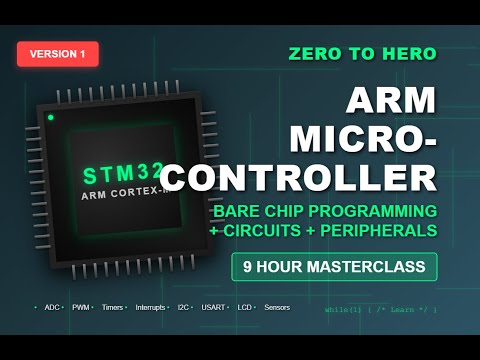
STM32 Microcontroller Programming Course for Beginners
Learn STM32 microcontroller programming with this full course for EE/CS students and beginners. Kits and book available! 🔧

BuildYourCNC
13.6K views • Nov 25, 2025
About this video
Get the kits to complete these projects here: https://buildyourcnc.com/collections/arm-stm32-microcontroller-kits
Get the companion book here: https://amzn.to/49Bv8QX
Join this channel to get access to perks:
https://www.youtube.com/channel/UCC7ifdmN7ebFo-eXBUZkeiw/join
00:00 Introduction
00:03:35 Introduction to Bare Chip Microcontroller Development
00:06:39 The Prototyping Setup
00:10:22 IDE and Monitoring Software Setup
00:16:03 Getting Familiar with the STM32CubeIDE
00:18:51 Creating a Project in the IDE
00:22:27 Transferring the program to the microcontroller
00:25:20 Monitoring Runtime Data using STMStudio or STMCubeMonitor
00:30:14 Troubleshooting 1: Chip erase using the boot pin
00:31:46 Troubleshooting 2: Chip erase using the reset pic
00:33:02 Troubleshooting 3: Power on AVCC not present
00:37:14 "4 Most Important Code Instructions - Changing and testing bits"
00:43:15 "Project 1: Turning on an LED The ""Hello World"" of MCU Projects"
01:02:17 Project 2: Receiving Input from a Button
01:18:10 Project 3: Latching an Input
01:32:09 Project 4: Interfacing an LCD Display
02:50:34 Using pointers to construct a string of characters
02:55:51 Project 5: Sending integers to the LCD
03:02:36 Project 6: Send floating point numbers to the LCD
03:07:49 Project 7: Set the location on the LCD
03:17:40 ADC (analog to digital conversion) introduction
03:27:49 "Project 8: ADC Conversion (internal temperature sensor)"
03:51:39 "Project 9: Converting the ADC value to a meaningful number, Temperature"
04:00:08 Project 10: Potentiometer as the ADC input
04:07:28 "Project 11: Timers and Counters Prescaler (Skip Oscillations)"
04:17:34 "Project 12: Timers and Counters: ARR (Auto reload register) Top Count Limit
Count Direction Center Aligned Mode (Zig Zag Counting)"
04:22:46 "Introduction to PWM (Pulse width modulation)"
04:30:23 "Project 13: PWM (Pulse width modulation)"
04:44:51 Project 14: Creating an ADC Header File
04:54:07 "Project 15: Control PWM Output with the ADC Attempted to read the PWM with ADC, but
an RC Circuit (to smooth the square wave) is required, so that attempt failed."
05:00:15 "Project 16: Control the Dimming of an LED using PWM Controlled by a Potentiometer
Through the ADC"
05:01:49 "Project 17: Control a Hobby Servo with the PWM Output"
05:19:43 "Project 18: Control a Hobby Servo with a potentiometer connected to the
ADC which controls the PWM for the Servo"
05:25:59 Introduction to Interrupts
05:32:30 Project 19: Using interrupts for ADC Conversion
05:46:23 "Project 20: Using interrupts for ADC Conversion 2 Channels"
05:56:24 Project 21: Fixing an Artifact on the LCD
06:01:42 Project 22: Push Button Interrupt
06:14:08 Project 23: External Interrupts on two pins
06:18:42 "Project 24: Switch output to the STMStudio rather than the LCD"
06:26:04 "Introduction to the I2C or IIC communication protocol"
06:38:13 "Project 25: Communicating with the ADXL 345 Accelerometer using the I2C communication protocol Writing a single byte"
07:04:19 "Project 26: Communicating with the ADXL 345 Accelerometer using the I2C communication protocol Reading a single byte"
07:13:38 "Introduction to USART and other communication protocols"
07:23:41 Project 27: Change the close speed to 48mhz
08:01:01 Project 28: Initialize the USART
Get the companion book here: https://amzn.to/49Bv8QX
Join this channel to get access to perks:
https://www.youtube.com/channel/UCC7ifdmN7ebFo-eXBUZkeiw/join
00:00 Introduction
00:03:35 Introduction to Bare Chip Microcontroller Development
00:06:39 The Prototyping Setup
00:10:22 IDE and Monitoring Software Setup
00:16:03 Getting Familiar with the STM32CubeIDE
00:18:51 Creating a Project in the IDE
00:22:27 Transferring the program to the microcontroller
00:25:20 Monitoring Runtime Data using STMStudio or STMCubeMonitor
00:30:14 Troubleshooting 1: Chip erase using the boot pin
00:31:46 Troubleshooting 2: Chip erase using the reset pic
00:33:02 Troubleshooting 3: Power on AVCC not present
00:37:14 "4 Most Important Code Instructions - Changing and testing bits"
00:43:15 "Project 1: Turning on an LED The ""Hello World"" of MCU Projects"
01:02:17 Project 2: Receiving Input from a Button
01:18:10 Project 3: Latching an Input
01:32:09 Project 4: Interfacing an LCD Display
02:50:34 Using pointers to construct a string of characters
02:55:51 Project 5: Sending integers to the LCD
03:02:36 Project 6: Send floating point numbers to the LCD
03:07:49 Project 7: Set the location on the LCD
03:17:40 ADC (analog to digital conversion) introduction
03:27:49 "Project 8: ADC Conversion (internal temperature sensor)"
03:51:39 "Project 9: Converting the ADC value to a meaningful number, Temperature"
04:00:08 Project 10: Potentiometer as the ADC input
04:07:28 "Project 11: Timers and Counters Prescaler (Skip Oscillations)"
04:17:34 "Project 12: Timers and Counters: ARR (Auto reload register) Top Count Limit
Count Direction Center Aligned Mode (Zig Zag Counting)"
04:22:46 "Introduction to PWM (Pulse width modulation)"
04:30:23 "Project 13: PWM (Pulse width modulation)"
04:44:51 Project 14: Creating an ADC Header File
04:54:07 "Project 15: Control PWM Output with the ADC Attempted to read the PWM with ADC, but
an RC Circuit (to smooth the square wave) is required, so that attempt failed."
05:00:15 "Project 16: Control the Dimming of an LED using PWM Controlled by a Potentiometer
Through the ADC"
05:01:49 "Project 17: Control a Hobby Servo with the PWM Output"
05:19:43 "Project 18: Control a Hobby Servo with a potentiometer connected to the
ADC which controls the PWM for the Servo"
05:25:59 Introduction to Interrupts
05:32:30 Project 19: Using interrupts for ADC Conversion
05:46:23 "Project 20: Using interrupts for ADC Conversion 2 Channels"
05:56:24 Project 21: Fixing an Artifact on the LCD
06:01:42 Project 22: Push Button Interrupt
06:14:08 Project 23: External Interrupts on two pins
06:18:42 "Project 24: Switch output to the STMStudio rather than the LCD"
06:26:04 "Introduction to the I2C or IIC communication protocol"
06:38:13 "Project 25: Communicating with the ADXL 345 Accelerometer using the I2C communication protocol Writing a single byte"
07:04:19 "Project 26: Communicating with the ADXL 345 Accelerometer using the I2C communication protocol Reading a single byte"
07:13:38 "Introduction to USART and other communication protocols"
07:23:41 Project 27: Change the close speed to 48mhz
08:01:01 Project 28: Initialize the USART
Video Information
Views
13.6K
Likes
1.1K
Duration
08:45:44
Published
Nov 25, 2025
User Reviews
4.6
(2) Related Trending Topics
LIVE TRENDSRelated trending topics. Click any trend to explore more videos.
No specific trending topics match this video yet.
Explore All Trends