Learn Steganography: Hide Images Using MATLAB's LSB Technique 🔒
Discover how to securely hide images with MATLAB's LSB steganography method. Perfect for beginners and enthusiasts seeking to enhance their data privacy skills!

Project Point
13.0K views • Oct 2, 2017
About this video
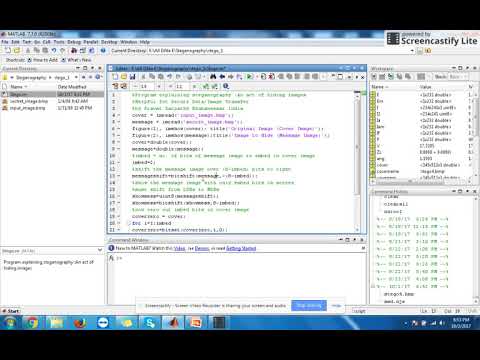
Hi All.I am Pravat Satpathy from Bhubaneswar. Here is the matlab Code for Process of Image Hiding using LSB Technique (Steganography) .It's a nice Project for begineers and matlab lovers.Pl also go through my channel https://www.youtube.com/channel/UCT7mmGA4BmM6MILdYv14THQ for hardware Projects
covername = input('Enter image file name with extension: ', 's');
messagename = input('Enter message image file name with extension: ', 's');
cover = imread(covername);
%cover = imread('Cover_image.bmp')
message = imread(messagename);
%message = imread('secret_image.bmp')
figure(1), imshow(cover); title('Original Image (Cover Image)');
figure(2), imshow(message);title('Image to Hide (Message Image)');
cover=double(cover);
message=double(message);
imbed= input('no. of bits to be made as secret bits=');
%imbed= 2 %or 4 or 8
%shift the message image over (8-imbed) bits to right
messageshift=bitshift(message,-(8-imbed));
%show the message image with only embed bits on screen
%must shift from LSBs to MSBs
showmess=uint8(messageshift);
showmess=bitshift(showmess,8-imbed);
figure(3),imshow(showmess);title('embed Image to Hide ');
%now zero out imbed bits in cover image
coverzero = cover;
for i=1:imbed
coverzero=bitset(coverzero,i,0);
end
%now add message image and cover image
coverzero1=imresize(coverzero,[250,250]);
coverzero1=double(coverzero1);
stego = uint8(cover-messageshift);
figure(4),imshow(stego);title('Stego image');
%save files if need to
%4 bit file that was embedded = same as file extracted
imwrite(showmess,'showmess4.bmp'); %use bmp to preserve lower bits
%jpg will get rid of them
%stego file
imwrite(stego,'stego_op.bmp');
covername = input('Enter image file name with extension: ', 's');
messagename = input('Enter message image file name with extension: ', 's');
cover = imread(covername);
%cover = imread('Cover_image.bmp')
message = imread(messagename);
%message = imread('secret_image.bmp')
figure(1), imshow(cover); title('Original Image (Cover Image)');
figure(2), imshow(message);title('Image to Hide (Message Image)');
cover=double(cover);
message=double(message);
imbed= input('no. of bits to be made as secret bits=');
%imbed= 2 %or 4 or 8
%shift the message image over (8-imbed) bits to right
messageshift=bitshift(message,-(8-imbed));
%show the message image with only embed bits on screen
%must shift from LSBs to MSBs
showmess=uint8(messageshift);
showmess=bitshift(showmess,8-imbed);
figure(3),imshow(showmess);title('embed Image to Hide ');
%now zero out imbed bits in cover image
coverzero = cover;
for i=1:imbed
coverzero=bitset(coverzero,i,0);
end
%now add message image and cover image
coverzero1=imresize(coverzero,[250,250]);
coverzero1=double(coverzero1);
stego = uint8(cover-messageshift);
figure(4),imshow(stego);title('Stego image');
%save files if need to
%4 bit file that was embedded = same as file extracted
imwrite(showmess,'showmess4.bmp'); %use bmp to preserve lower bits
%jpg will get rid of them
%stego file
imwrite(stego,'stego_op.bmp');
Tags and Topics
Browse our collection to discover more content in these categories.
Video Information
Views
13.0K
Likes
107
Duration
8:57
Published
Oct 2, 2017
User Reviews
4.2
(2) Related Trending Topics
LIVE TRENDSRelated trending topics. Click any trend to explore more videos.
No specific trending topics match this video yet.
Explore All Trends