JavaFX Login & Register Screen with MySQL | IntelliJ & Scene Builder
Learn to create a login and registration GUI in JavaFX using IntelliJ, Scene Builder, and MySQL with step-by-step guidance. 🔐

tookootek
144.7K views • May 26, 2020
About this video
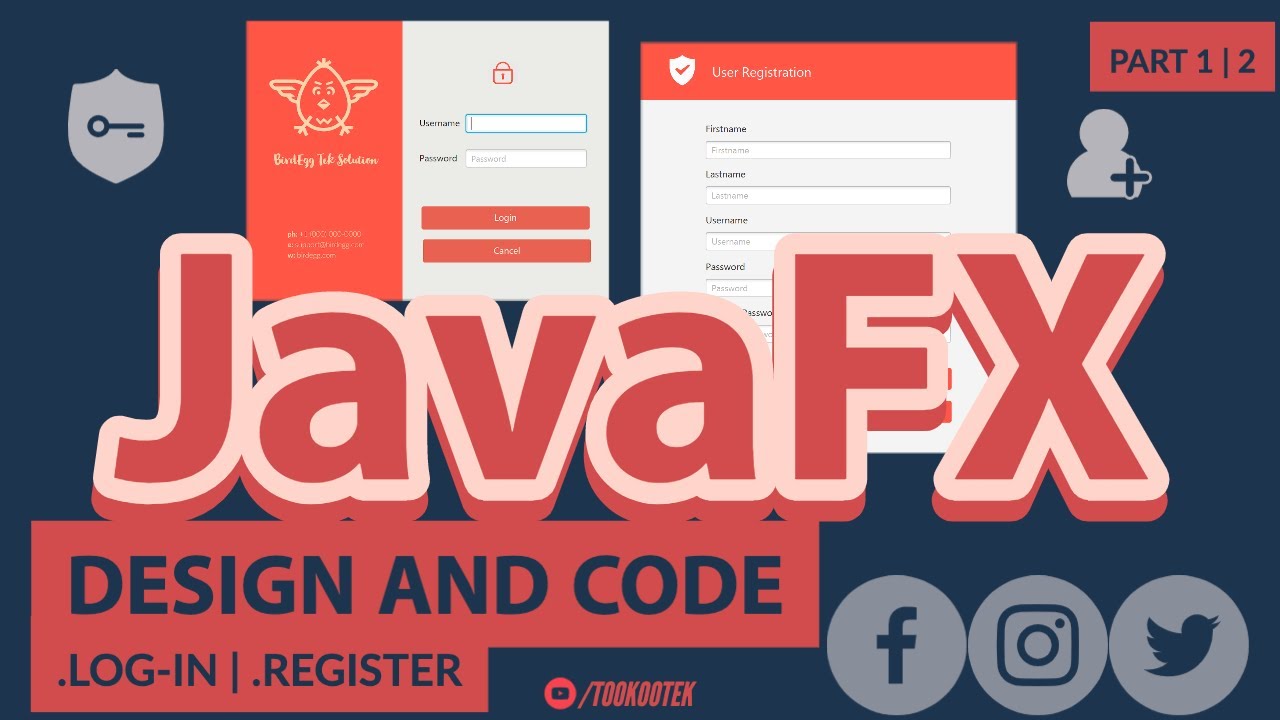
JavaFX Tutorial - A demo video of JavaFX Log-in Screen. Develop and code in IntelliJ then design in Scene Builder. It also show a step by step guided procedure on how to create the database table in MySQL which will be use using JDBC to validate the user and password.
This is part 1 of 2 videos on Log-in and Register form GUI in JavaFX coding and design.
This JavaFX tutorial for beginners or anyone interested with this project. This is your next step beyond "Hello World".
#javafx
#tookootek
#LearnWithMe
Table of Contents:
00:00 - 01:28 Introduction
01:29 - 02:25 IntelliJ - Create New Project and rename FXML
02:26 - 11:59 Scene Builder - Design Login Screen
12:00 - 31:31 IntelliJ - Coding work on main, controller and module-info
31:32 - 36:14 MySQL Workbench - Creating new table and inserting record
36:15 - 47:18 IntelliJ - Create New Class set database connection
47:19 - 48:10 IntelliJ - Run and test Log-in form.
48:11 - 48:17 Preview the part 2 video
48:18 - 48:38 Outro
Behind this Video:
"JavaFX Tutorial | User Login and Register Form GUI in IntelliJ & Scene Builder with MySQL - Part 1|2"
Softwares Used:
1. Operating System - Windows 10 | MacOS
2. Programming Language - Java / JavaFX
3. UI Designer - Scene Builder
4. IDE - IntelliJ IDEA
5. Database - MySQL 8.0 Server | MySQL Workbench
Subscribe for more content like this:
http://www.youtube.com/channel/UCxRyObtLCYm-mmIxI5hz38w?sub_confirmation=1
Playlist
https://www.youtube.com/playlist?list=PL9CzlNPNQEQ5Yxc2bYcLkWQ9PBdQkhhBV
This is part 1 of 2 videos on Log-in and Register form GUI in JavaFX coding and design.
This JavaFX tutorial for beginners or anyone interested with this project. This is your next step beyond "Hello World".
#javafx
#tookootek
#LearnWithMe
Table of Contents:
00:00 - 01:28 Introduction
01:29 - 02:25 IntelliJ - Create New Project and rename FXML
02:26 - 11:59 Scene Builder - Design Login Screen
12:00 - 31:31 IntelliJ - Coding work on main, controller and module-info
31:32 - 36:14 MySQL Workbench - Creating new table and inserting record
36:15 - 47:18 IntelliJ - Create New Class set database connection
47:19 - 48:10 IntelliJ - Run and test Log-in form.
48:11 - 48:17 Preview the part 2 video
48:18 - 48:38 Outro
Behind this Video:
"JavaFX Tutorial | User Login and Register Form GUI in IntelliJ & Scene Builder with MySQL - Part 1|2"
Softwares Used:
1. Operating System - Windows 10 | MacOS
2. Programming Language - Java / JavaFX
3. UI Designer - Scene Builder
4. IDE - IntelliJ IDEA
5. Database - MySQL 8.0 Server | MySQL Workbench
Subscribe for more content like this:
http://www.youtube.com/channel/UCxRyObtLCYm-mmIxI5hz38w?sub_confirmation=1
Playlist
https://www.youtube.com/playlist?list=PL9CzlNPNQEQ5Yxc2bYcLkWQ9PBdQkhhBV
Tags and Topics
Browse our collection to discover more content in these categories.
Video Information
Views
144.7K
Likes
1.8K
Duration
47:56
Published
May 26, 2020
User Reviews
4.5
(28) Related Trending Topics
LIVE TRENDSRelated trending topics. Click any trend to explore more videos.
No specific trending topics match this video yet.
Explore All Trends