Fix iPhone Storage Full Without Internet or PC 📱
Learn how to fix iPhone storage full issue quickly without needing internet or a computer, so you can keep capturing memories.

The Nomadic Foodie
342.6K views • Aug 28, 2022
About this video
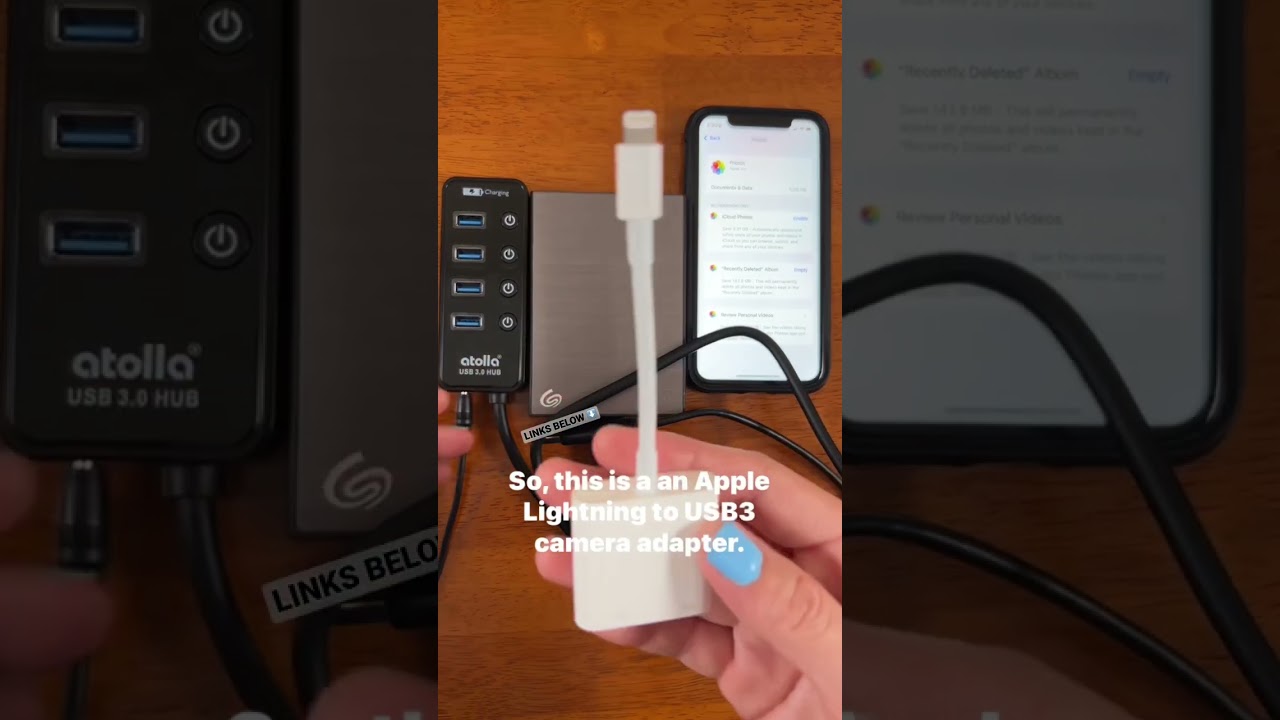
If you love taking photos and videos on vacation, don’t let a full storage problem stop you from documenting all your favorite memories. Here is a quick and easy way to fix the iPhone storage full problem. No Internet or computer needed, so even if you have bad Wi-Fi at your hotel, or you prefer to travel without a bulky laptop, this will always help you to have the storage you need to take the photos and videos you want. Links below for the items needed.
**** Powered USB hub - https://amzn.to/3K8JvOf
**** External hard drive - https://amzn.to/40GQiWk
**** Apple Lightning to USB3 Camera Adapter - https://amzn.to/3GfUYuq
**** SUBSCRIBE to my YouTube channel: @thenomadicfoodie
**** INSTAGRAM: @thenomadicfoodie
**** WEBSITE: https://tnfcc.square.site
This post contains affiliate links. If you use these links to buy something I may earn a commission - no extra cost to you. Thanks!
**** Powered USB hub - https://amzn.to/3K8JvOf
**** External hard drive - https://amzn.to/40GQiWk
**** Apple Lightning to USB3 Camera Adapter - https://amzn.to/3GfUYuq
**** SUBSCRIBE to my YouTube channel: @thenomadicfoodie
**** INSTAGRAM: @thenomadicfoodie
**** WEBSITE: https://tnfcc.square.site
This post contains affiliate links. If you use these links to buy something I may earn a commission - no extra cost to you. Thanks!
Tags and Topics
Browse our collection to discover more content in these categories.
Video Information
Views
342.6K
Likes
6.8K
Duration
0:45
Published
Aug 28, 2022
User Reviews
4.8
(68) Related Trending Topics
LIVE TRENDSRelated trending topics. Click any trend to explore more videos.
No specific trending topics match this video yet.
Explore All Trends