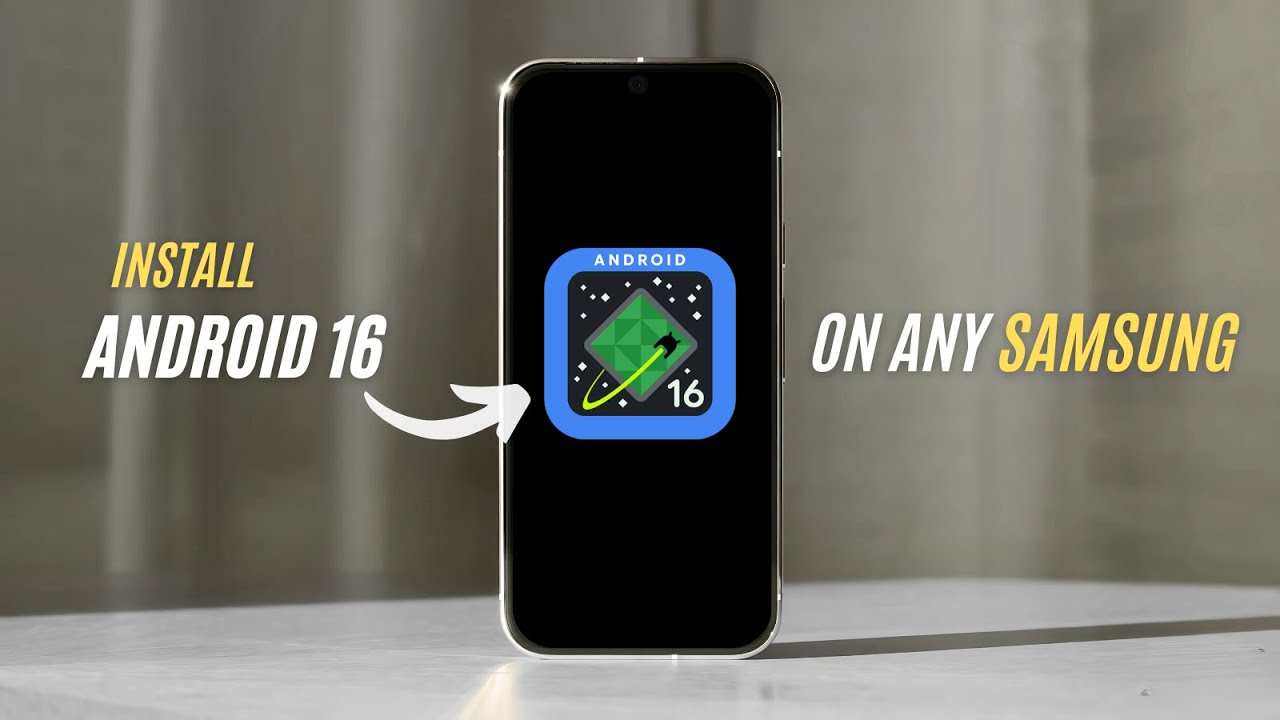
Install android 16 on ANY Samsung phone | Android 16 GSI on Samsung — No Root Needed!
In this comprehensive tutorial, I show you how to install Android 16 GSI (Generic System Image) on a Samsung smartphone, using a step-by-step approach tailor...
orailnoor
66.3K views • May 18, 2025
About this video
In this comprehensive tutorial, I show you how to install Android 16 GSI (Generic System Image) on a Samsung smartphone, using a step-by-step approach tailored for Samsung devices. This method works on any Samsung phone that supports Project Treble and allows bootloader unlocking — including popular Galaxy models!
⚠️ IMPORTANT DISCLAIMER: This process will erase your data and may void your warranty. Flashing incorrect files may brick your device. Proceed with caution and back up everything before continuing.
What You’ll Learn in This Tutorial:
How to check if your Samsung device supports Project Treble
Downloading the correct Android 16 GSI with Google Mobile Services (GMS)
Unlocking your Samsung bootloader
Using Odin and TWRP to flash custom recovery
Flashing Android 16 GSI using TWRP
Common issues and how to fix them
Post-installation steps and feature overview
Timestamps
00:00 – Introduction
01:16 – What is GSI?
01:45 – Treble Compatibility Check
02:41 – Downloading Correct GSI
03:20 – Booting in download mode
03:50 – Downloading required files
05:28 – TWRP installation
06:54 – GSI Flash in TWRP
08:26 – First Boot & Limitations
What You’ll Need
Samsung phone with Project Treble support
A USB cable and a PC
Treble Info app (linked below)
Android Platform Tools (ADB + Fastboot)
Latest Odin flashing tool
Samsung USB Drivers
Valid or blank vbmeta.img
TWRP recovery build for your device
Android 16 GSI image with GMS (ARM64)
Known Limitations with GSI on Samsung
Samsung features like DeX, Knox, Secure Folder may not work
Camera quality might drop due to lack of proprietary drivers
Battery optimization may vary
No OTA updates
Stability may vary depending on GSI build
Useful Links:
Treble Info App: https://f-droid.org/en/packages/tk.hack5.treblecheck/
Platform Tools (ADB/Fastboot): https://developer.android.com/tools/releases/platform-tools
Samsung USB Drivers: https://developer.samsung.com/android-usb-driver
Android 16 GSI Images: https://github.com/phhusson/treble_experimentations/wiki/Generic-System-Image-%28GSI%29-list
Odin Flash Tool: https://odindownload.com/
TWRP for Samsung (Search at https://twrp.me or XDA Forums)
Why Use GSI on Samsung?
Try Android 16 before official rollout
Extend device lifespan with the latest features
Clean, stock Android experience
Remove Samsung bloatware
Get the latest security patches from AOSP
If you run into problems during the process or your Samsung phone doesn’t behave as expected, drop a comment below and I’ll try to help you troubleshoot.
👉 Pro Tip: Use the right GSI variant (ARM64 with GMS) and match your device’s architecture exactly.
#Android16 #GSISamsung #SamsungGSI #OdinFlash #TWRP #SamsungRoot #AndroidTutorial
⚠️ IMPORTANT DISCLAIMER: This process will erase your data and may void your warranty. Flashing incorrect files may brick your device. Proceed with caution and back up everything before continuing.
What You’ll Learn in This Tutorial:
How to check if your Samsung device supports Project Treble
Downloading the correct Android 16 GSI with Google Mobile Services (GMS)
Unlocking your Samsung bootloader
Using Odin and TWRP to flash custom recovery
Flashing Android 16 GSI using TWRP
Common issues and how to fix them
Post-installation steps and feature overview
Timestamps
00:00 – Introduction
01:16 – What is GSI?
01:45 – Treble Compatibility Check
02:41 – Downloading Correct GSI
03:20 – Booting in download mode
03:50 – Downloading required files
05:28 – TWRP installation
06:54 – GSI Flash in TWRP
08:26 – First Boot & Limitations
What You’ll Need
Samsung phone with Project Treble support
A USB cable and a PC
Treble Info app (linked below)
Android Platform Tools (ADB + Fastboot)
Latest Odin flashing tool
Samsung USB Drivers
Valid or blank vbmeta.img
TWRP recovery build for your device
Android 16 GSI image with GMS (ARM64)
Known Limitations with GSI on Samsung
Samsung features like DeX, Knox, Secure Folder may not work
Camera quality might drop due to lack of proprietary drivers
Battery optimization may vary
No OTA updates
Stability may vary depending on GSI build
Useful Links:
Treble Info App: https://f-droid.org/en/packages/tk.hack5.treblecheck/
Platform Tools (ADB/Fastboot): https://developer.android.com/tools/releases/platform-tools
Samsung USB Drivers: https://developer.samsung.com/android-usb-driver
Android 16 GSI Images: https://github.com/phhusson/treble_experimentations/wiki/Generic-System-Image-%28GSI%29-list
Odin Flash Tool: https://odindownload.com/
TWRP for Samsung (Search at https://twrp.me or XDA Forums)
Why Use GSI on Samsung?
Try Android 16 before official rollout
Extend device lifespan with the latest features
Clean, stock Android experience
Remove Samsung bloatware
Get the latest security patches from AOSP
If you run into problems during the process or your Samsung phone doesn’t behave as expected, drop a comment below and I’ll try to help you troubleshoot.
👉 Pro Tip: Use the right GSI variant (ARM64 with GMS) and match your device’s architecture exactly.
#Android16 #GSISamsung #SamsungGSI #OdinFlash #TWRP #SamsungRoot #AndroidTutorial
Tags and Topics
Browse our collection to discover more content in these categories.
Video Information
Views
66.3K
Likes
798
Duration
8:51
Published
May 18, 2025
User Reviews
4.5
(13) Related Trending Topics
LIVE TRENDSRelated trending topics. Click any trend to explore more videos.
No specific trending topics match this video yet.
Explore All Trends