Simple iOS App Localization in 47 Secs 📱
Quickly learn how we streamline managing iOS app translations. Try our free service to prepare your code for localization effortlessly.

El Loco LLC
331 views • Dec 30, 2015
About this video
A very quick overview of how we simplify the management your iOS app translators and translations. Try us for free.
We prepare your iOS code for localization. View all strings and choose to localize them or not. We'll update your source code. Find all screens using the Xcode Simulator. Found strings are removed from the list. Select your desired languages and upload the captured data.
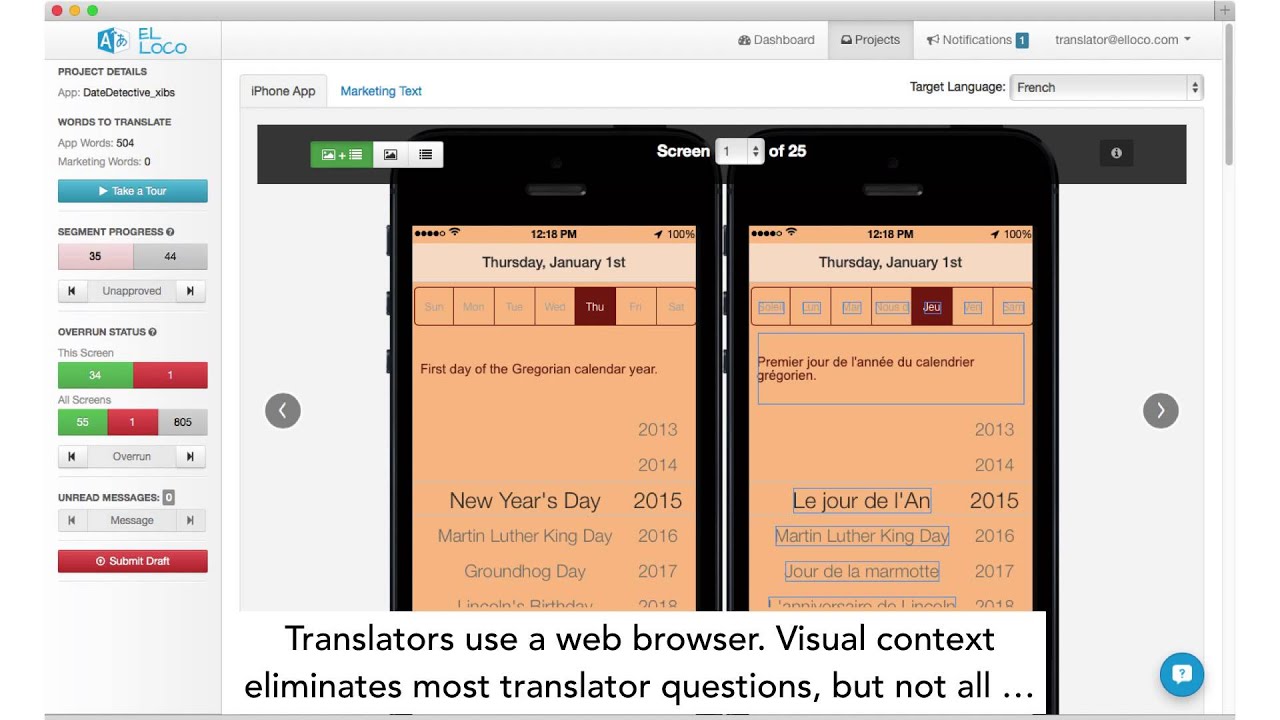
Translators use a web browser. Visual context eliminates most translator questions, but not all. Each string has ElLocoTalk messaging for questions direct to the developer. Strings that are too long are instantly obvious. You edit and see the fit.
Integrate translations back into the app. View each language in the Simulator with a single click. Accept the translation. Rinse and repeat. Spend less time localizing and more time coding.
Video Information
Views
331
Duration
0:48
Published
Dec 30, 2015
Related Trending Topics
LIVE TRENDSRelated trending topics. Click any trend to explore more videos.
No specific trending topics match this video yet.
Explore All Trends