How to Use SUBSTITUTE function to Replace Text in Excel - Office 365
You can use SUBSTITUTE function to replace text based on it's content but not by position. It allows you to replace all occurrences of the text or a specific...
Find Easy Solution
31.4K views • Jan 25, 2021
About this video
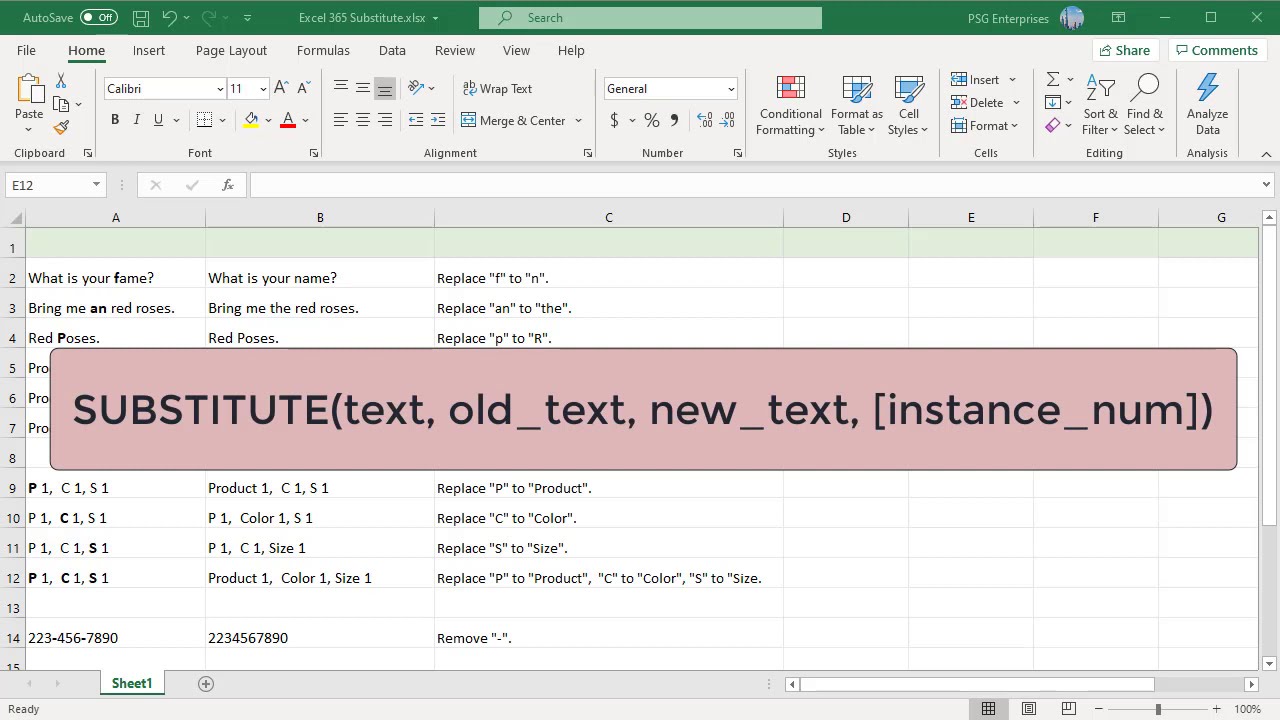
You can use SUBSTITUTE function to replace text based on it's content but not by position. It allows you to replace all occurrences of the text or a specific occurrence of the text using this function. This function is case sensitive hence you should give the correct case of text to be replaced in the formula. You can remove unwanted characters from a string by providing empty string as replacing text.
Tags and Topics
Browse our collection to discover more content in these categories.
Video Information
Views
31.4K
Likes
64
Duration
3:26
Published
Jan 25, 2021
User Reviews
4.0
(6) Related Trending Topics
LIVE TRENDSRelated trending topics. Click any trend to explore more videos.
No specific trending topics match this video yet.
Explore All Trends