How to use Smash to send large files for free?
Looking for an easy way to send files without size limits online and for free? Smash is your best option. In this video, we let you know how to use Smash to ...

Smash
4.7K views • Oct 27, 2023
About this video
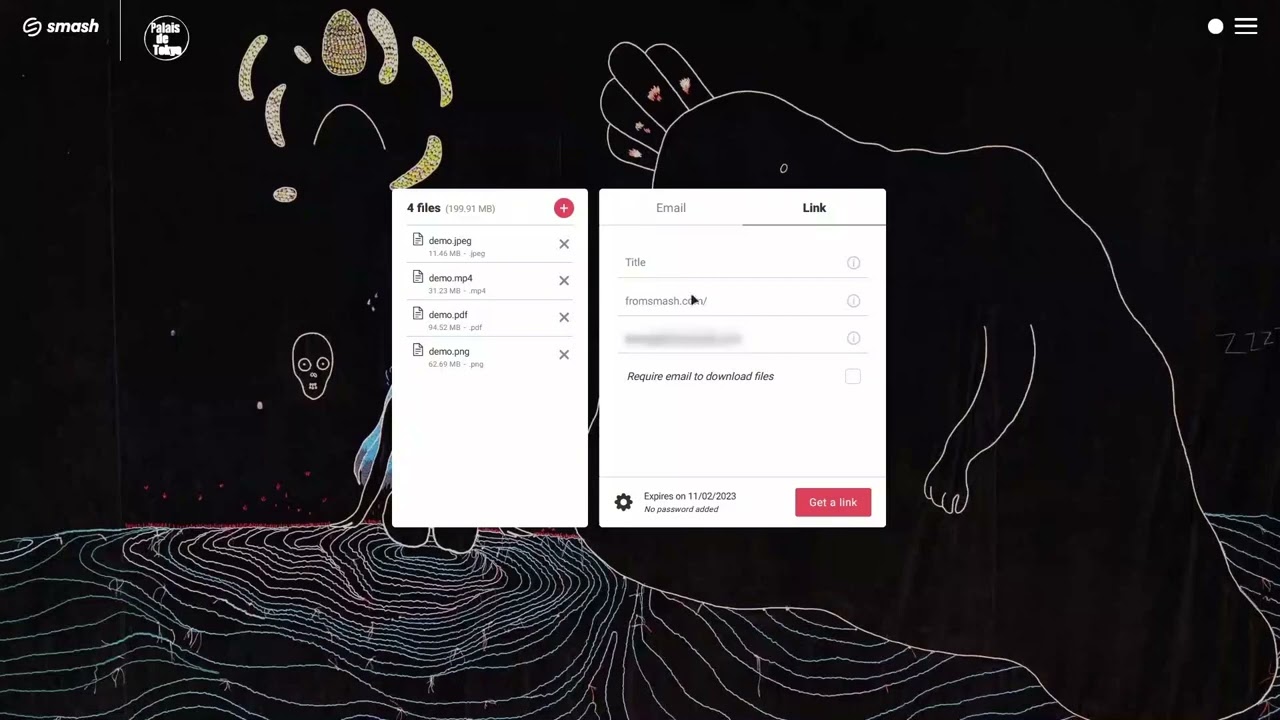
Looking for an easy way to send files without size limits online and for free? Smash is your best option. In this video, we let you know how to use Smash to send files of any size. It just takes a few minutes.
💥 Start sending large files with Smash now : https://fromsmash.com/
***
Smash is the best way to send large files for free. You can send files of any size and of any tipe through our file transfer service. Just select your files or folders, or drag and drop them on our website and that’s it. In a few seconds or minutes (depending the file size), your files are sent and ready to be downloaded by your recipients.
Even on the free version, you can manage many settings : availability period of your files (up to 7 days), password protection, file preview, download notification, etc.
On Smash, files are always stored next to the user (in Ile-de-France if you’re in France, in London if you’re in the UK, in Frankfurt if you’re in Germany, on the East Coast of the United States if you’re in N.Y, etc). Proximity between servers and users helps us to have very good performances in upload and download speeds.
Smash is free, without registration required, without needing to verify your email address before uploading your files.
***
About Smash
Smash is the best way to send large files with no size limit. Smash is the best alternative to WeTransfer: files are stored closest to the user, no registration required. With Smash, you can send files via the web version, mobile or Mac applications, an API and an Outlook plugin.
***
#bigfiles #largefiles #filetransfer #free
💥 Start sending large files with Smash now : https://fromsmash.com/
***
Smash is the best way to send large files for free. You can send files of any size and of any tipe through our file transfer service. Just select your files or folders, or drag and drop them on our website and that’s it. In a few seconds or minutes (depending the file size), your files are sent and ready to be downloaded by your recipients.
Even on the free version, you can manage many settings : availability period of your files (up to 7 days), password protection, file preview, download notification, etc.
On Smash, files are always stored next to the user (in Ile-de-France if you’re in France, in London if you’re in the UK, in Frankfurt if you’re in Germany, on the East Coast of the United States if you’re in N.Y, etc). Proximity between servers and users helps us to have very good performances in upload and download speeds.
Smash is free, without registration required, without needing to verify your email address before uploading your files.
***
About Smash
Smash is the best way to send large files with no size limit. Smash is the best alternative to WeTransfer: files are stored closest to the user, no registration required. With Smash, you can send files via the web version, mobile or Mac applications, an API and an Outlook plugin.
***
#bigfiles #largefiles #filetransfer #free
Video Information
Views
4.7K
Likes
19
Duration
2:22
Published
Oct 27, 2023
User Reviews
4.0
(4) Related Trending Topics
LIVE TRENDSRelated trending topics. Click any trend to explore more videos.
No specific trending topics match this video yet.
Explore All Trends