How to Use QUARTILE function in Google Sheet
How to Use the QUARTILE Function in Google Sheets | Data Distribution Made Easy! In this tutorial, you'll learn how to use the QUARTILE function in Google S...
Google Sheet Pro
2.6K views • May 28, 2025
About this video
How to Use the QUARTILE Function in Google Sheets | Data Distribution Made Easy!
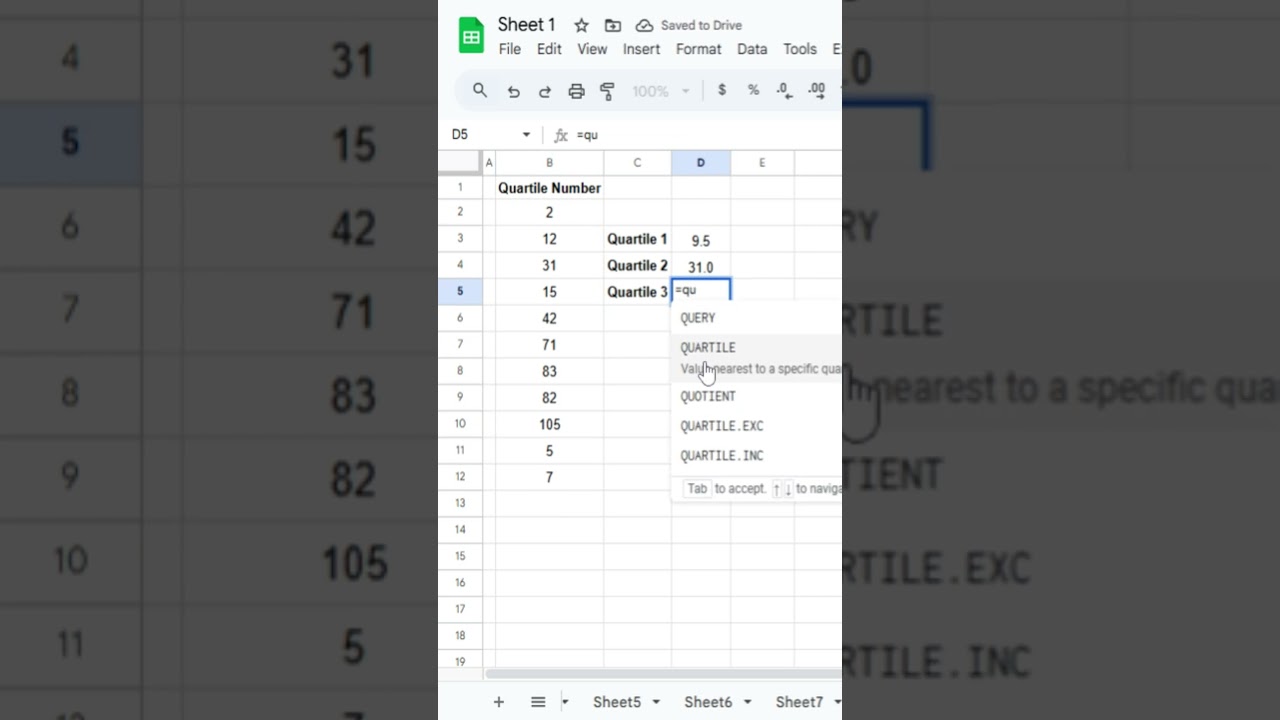
In this tutorial, you'll learn how to use the QUARTILE function in Google Sheets to understand how your data is distributed. Whether you're analyzing sales, test scores, or survey results — this function helps you break it into meaningful parts!
What You'll Learn:
What quartiles are and why they matter
How to use the QUARTILE function step-by-step
Difference between 1st, 2nd, and 3rd quartiles
Practical examples for better data analysis
Formula Syntax:
=QUARTILE(data_range, quartile_number)
Where:
data_range is the range of numbers
quartile_number can be:
0 → Minimum value
1 → First quartile (Q1 - 25%)
2 → Median (Q2 - 50%)
3 → Third quartile (Q3 - 75%)
4 → Maximum value
Example:
=QUARTILE(A2:A10, 1)
Returns the first quartile (25%) of the data in range A2:A10.
Pro Tip:
Use QUARTILE to detect outliers, track performance trends, or summarize big data sets easily.
👍 Like | 💬 Comment | 🔔 Subscribe for more powerful Google Sheets tutorials!
#GoogleSheets #QUARTILEFunction #DataAnalysis #SpreadsheetTips #ExcelFormulas #GoogleSheetsTutorial
In this tutorial, you'll learn how to use the QUARTILE function in Google Sheets to understand how your data is distributed. Whether you're analyzing sales, test scores, or survey results — this function helps you break it into meaningful parts!
What You'll Learn:
What quartiles are and why they matter
How to use the QUARTILE function step-by-step
Difference between 1st, 2nd, and 3rd quartiles
Practical examples for better data analysis
Formula Syntax:
=QUARTILE(data_range, quartile_number)
Where:
data_range is the range of numbers
quartile_number can be:
0 → Minimum value
1 → First quartile (Q1 - 25%)
2 → Median (Q2 - 50%)
3 → Third quartile (Q3 - 75%)
4 → Maximum value
Example:
=QUARTILE(A2:A10, 1)
Returns the first quartile (25%) of the data in range A2:A10.
Pro Tip:
Use QUARTILE to detect outliers, track performance trends, or summarize big data sets easily.
👍 Like | 💬 Comment | 🔔 Subscribe for more powerful Google Sheets tutorials!
#GoogleSheets #QUARTILEFunction #DataAnalysis #SpreadsheetTips #ExcelFormulas #GoogleSheetsTutorial
Tags and Topics
Browse our collection to discover more content in these categories.
Video Information
Views
2.6K
Likes
23
Duration
0:20
Published
May 28, 2025
User Reviews
4.2
(2) Related Trending Topics
LIVE TRENDSRelated trending topics. Click any trend to explore more videos.
No specific trending topics match this video yet.
Explore All Trends