Update Windows 10 & Drivers on HP Laptop 🚀
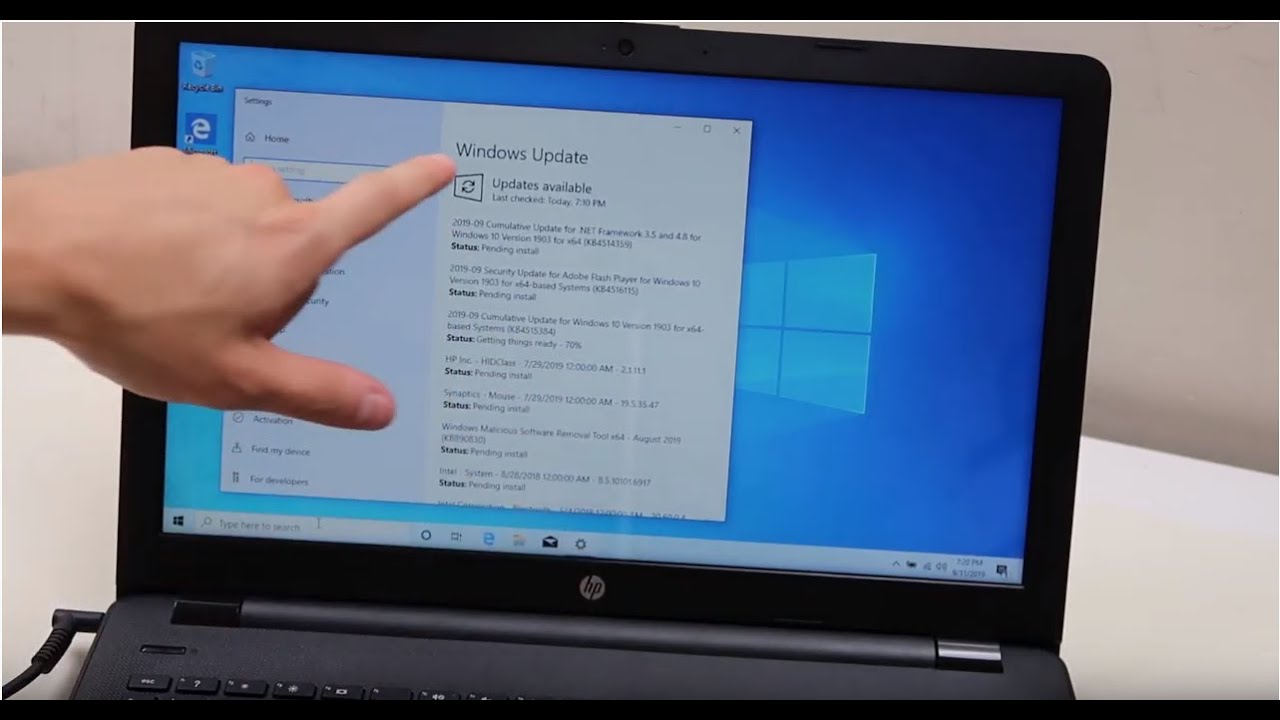
Learn how to easily update Windows 10 and drivers on your HP laptop to improve performance. Watch the updated tutorial here: https://youtu.be/EDyjxUXBkZM

PC Monkey
2.8M views • Sep 17, 2019
About this video
THIS VIDEO HAS BEEN UPDATED HERE: https://youtu.be/EDyjxUXBkZM
Learn how to easily update your Windows 10 computer. This can help make your computer run smooth and fast, and is often the first step in troubleshooting a variety of issues.
Check out the FAQ's and the Related Links below for more helpful info !!
Please remember to Like, Share and Subscribe if this was helpful !!
Please subscribe to https://www.youtube.com/@JamTechs where I give you 5 minute or less videos about cool tech!
Related Links:
Repair Tools & Supplies: https://amzn.to/3XpHdlw
HDD & SSD Replacement / Upgrades: https://amzn.to/430vkEz
Hard Drives vs Different Kinds of Solid State Drives Explained: https://youtu.be/KgDucEw7drA
FAQ's:
Q: What if my updates are stuck on 'Pending Install' and wont progress?
A: Try restarting the computer. If that does not help, then you can try running the Update Troubleshooter as seen here in this updated video; https://youtu.be/DDv2gJDjfOM. If that does not help, leave it alone, and it may very well install itself in time :)
Q: How long do these updates take / They are taking too long.
A: Depending on the size of the updates and the speed of your computer, it could take a while. If you feel its stuck, try restarting the computer and then restarting the updates or, run the Update Troubleshooter as seen in this updated video; https://youtu.be/EDyjxUXBkZM
(updated 7/25)
Learn how to easily update your Windows 10 computer. This can help make your computer run smooth and fast, and is often the first step in troubleshooting a variety of issues.
Check out the FAQ's and the Related Links below for more helpful info !!
Please remember to Like, Share and Subscribe if this was helpful !!
Please subscribe to https://www.youtube.com/@JamTechs where I give you 5 minute or less videos about cool tech!
Related Links:
Repair Tools & Supplies: https://amzn.to/3XpHdlw
HDD & SSD Replacement / Upgrades: https://amzn.to/430vkEz
Hard Drives vs Different Kinds of Solid State Drives Explained: https://youtu.be/KgDucEw7drA
FAQ's:
Q: What if my updates are stuck on 'Pending Install' and wont progress?
A: Try restarting the computer. If that does not help, then you can try running the Update Troubleshooter as seen here in this updated video; https://youtu.be/DDv2gJDjfOM. If that does not help, leave it alone, and it may very well install itself in time :)
Q: How long do these updates take / They are taking too long.
A: Depending on the size of the updates and the speed of your computer, it could take a while. If you feel its stuck, try restarting the computer and then restarting the updates or, run the Update Troubleshooter as seen in this updated video; https://youtu.be/EDyjxUXBkZM
(updated 7/25)
Video Information
Views
2.8M
Likes
22.8K
Duration
3:19
Published
Sep 17, 2019
User Reviews
4.4
(569) Related Trending Topics
LIVE TRENDSRelated trending topics. Click any trend to explore more videos.
No specific trending topics match this video yet.
Explore All Trends