Sign PDFs with Digital Certificate in Adobe Acrobat ✍️
Learn how to sign PDFs using a Digital Signature Certificate in Adobe Acrobat Reader with easy steps.
Cool IT Help
19.8K views • Jan 4, 2025
About this video
How to Sign an Adobe PDF with a Digital Signature Certificate?
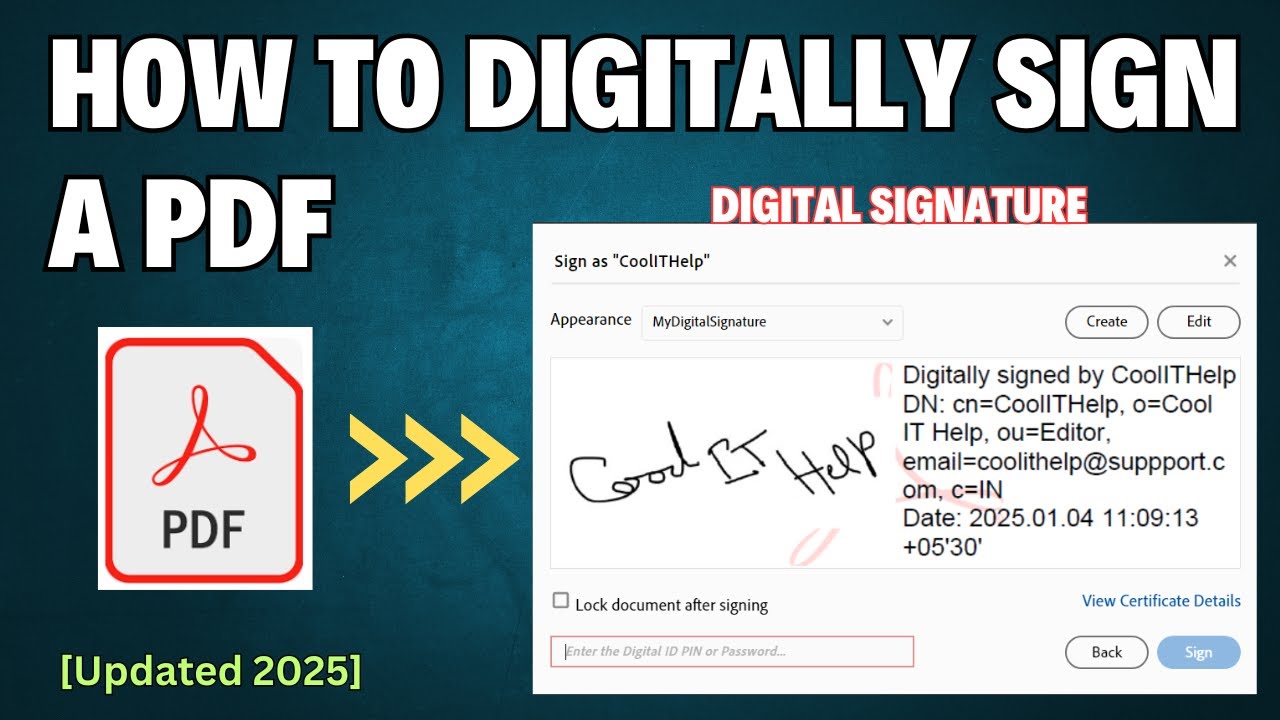
To sign a PDF document with a certificate-based signature, you need to add a digital ID or create a self-signed digital ID in Adobe Acrobat. This video demonstrates how to create a Digital ID and sign a PDF using a digital signature certificate in Adobe Reader.
Step 1: Download and install acrobat DC/Adobe Acrobat Reader other version if you don't have on your system.
Step 2: To sign a document with certificate based digital signature you must have digital ID.
A digital ID contains following information:
1) Your Name
2) email address
3) Name of Organization
4) Serial Number
5) and Expiration date.
In adobe acrobat digital ids are used to certify documents or add digital signature to documents.
Let's create Self Signed Digital ID because we need one to digitally sign a PDF document.
Step 3: Customize appearance of your digital signature.
Step 4: Insert Digital Signature in target pdf. (using a test pdf to digitally sign)
Note: Once signed digitally PDF doc will become read only, then no further changes allowed. Please save a copy of original document before signing with certificate.
Download Adobe Acrobat DC: https://get.adobe.com/reader
#coolithelp #adobeacrobatreader #adobeacrobatDC #digitalsignpdf
To sign a PDF document with a certificate-based signature, you need to add a digital ID or create a self-signed digital ID in Adobe Acrobat. This video demonstrates how to create a Digital ID and sign a PDF using a digital signature certificate in Adobe Reader.
Step 1: Download and install acrobat DC/Adobe Acrobat Reader other version if you don't have on your system.
Step 2: To sign a document with certificate based digital signature you must have digital ID.
A digital ID contains following information:
1) Your Name
2) email address
3) Name of Organization
4) Serial Number
5) and Expiration date.
In adobe acrobat digital ids are used to certify documents or add digital signature to documents.
Let's create Self Signed Digital ID because we need one to digitally sign a PDF document.
Step 3: Customize appearance of your digital signature.
Step 4: Insert Digital Signature in target pdf. (using a test pdf to digitally sign)
Note: Once signed digitally PDF doc will become read only, then no further changes allowed. Please save a copy of original document before signing with certificate.
Download Adobe Acrobat DC: https://get.adobe.com/reader
#coolithelp #adobeacrobatreader #adobeacrobatDC #digitalsignpdf
Tags and Topics
Browse our collection to discover more content in these categories.
Video Information
Views
19.8K
Likes
117
Duration
11:22
Published
Jan 4, 2025
User Reviews
4.1
(3) Related Trending Topics
LIVE TRENDSRelated trending topics. Click any trend to explore more videos.
No specific trending topics match this video yet.
Explore All Trends