Secure Your Yahoo Account 🔒
Learn simple steps to enhance the security of your Yahoo Mail and protect your account from online threats.

How-to Videos
1.7K views • Jan 19, 2025
About this video
How to add security to your Yahoo Mail account?
Are you worried about the security of your Yahoo account? With the increasing number of online threats, it’s more important than ever to secure your accounts. But don’t worry, securing your Yahoo account is simpler than you might think.
In this video, we’ll walk you through easy steps to ensure your account is as safe as possible. Let’s dive right in and take control of your account's security.
1. Open your web browser and go to the Yahoo login page. Enter your credentials to sign in.
2. Once logged in, click on your profile icon in the upper right corner of the screen. From the dropdown menu, select “Account Info.”
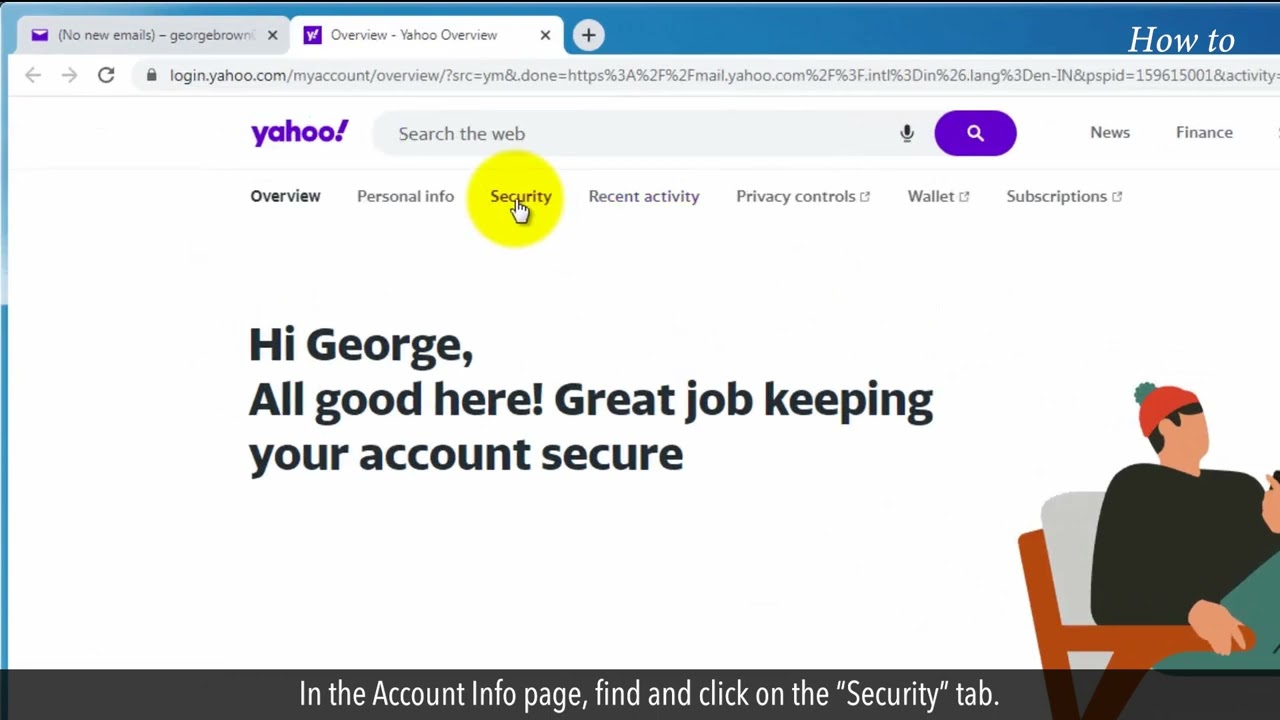
3. In the Account Info page, find and click on the “Security” tab.
4. The first thing to do here is to update your password. Click on “Change password,” then enter a strong, unique password. Click “Continue” to save.
5. Next, enable two-step verification. Scroll down and click on “Two-step verification.” Follow the prompts to add your phone number and verify it by entering the code sent to your device.
6. Review your account recovery options. Under the same “Security” tab, check your recovery email and recovery phone number.
7. Click on the “Recent activity” tab. Review any sign-ins from unknown devices or locations. If you see anything suspicious, click “Sign out of all other sessions.”
8. Now, check the connected apps. Go back to the “Recent activity” tab. Review and remove any apps you no longer use or recognize.
9. Finally, always log out from public devices. Click on your profile icon again and select “Sign out” when you’re finished.
Following these steps on your screen will help you secure your Yahoo account in just a few minutes.
Please do not forget to like this video.
Make sure to subscribe to this channel,
Press the bell icon to get updates on new tech-support videos.
Thank you for watching this video.
Are you worried about the security of your Yahoo account? With the increasing number of online threats, it’s more important than ever to secure your accounts. But don’t worry, securing your Yahoo account is simpler than you might think.
In this video, we’ll walk you through easy steps to ensure your account is as safe as possible. Let’s dive right in and take control of your account's security.
1. Open your web browser and go to the Yahoo login page. Enter your credentials to sign in.
2. Once logged in, click on your profile icon in the upper right corner of the screen. From the dropdown menu, select “Account Info.”
3. In the Account Info page, find and click on the “Security” tab.
4. The first thing to do here is to update your password. Click on “Change password,” then enter a strong, unique password. Click “Continue” to save.
5. Next, enable two-step verification. Scroll down and click on “Two-step verification.” Follow the prompts to add your phone number and verify it by entering the code sent to your device.
6. Review your account recovery options. Under the same “Security” tab, check your recovery email and recovery phone number.
7. Click on the “Recent activity” tab. Review any sign-ins from unknown devices or locations. If you see anything suspicious, click “Sign out of all other sessions.”
8. Now, check the connected apps. Go back to the “Recent activity” tab. Review and remove any apps you no longer use or recognize.
9. Finally, always log out from public devices. Click on your profile icon again and select “Sign out” when you’re finished.
Following these steps on your screen will help you secure your Yahoo account in just a few minutes.
Please do not forget to like this video.
Make sure to subscribe to this channel,
Press the bell icon to get updates on new tech-support videos.
Thank you for watching this video.
Tags and Topics
Browse our collection to discover more content in these categories.
Video Information
Views
1.7K
Likes
9
Duration
2:17
Published
Jan 19, 2025
User Reviews
4.0
(1) Related Trending Topics
LIVE TRENDSRelated trending topics. Click any trend to explore more videos.
No specific trending topics match this video yet.
Explore All Trends