Run Ansys CFX Simulations on Compute Canada Clusters
Learn how to run Ansys CFX simulations on Compute Canada's Béluga, Narval, Cedar, and Graham clusters in this step-by-step guide. 🚀

Turbo Tutorial
755 views • Apr 8, 2022
About this video
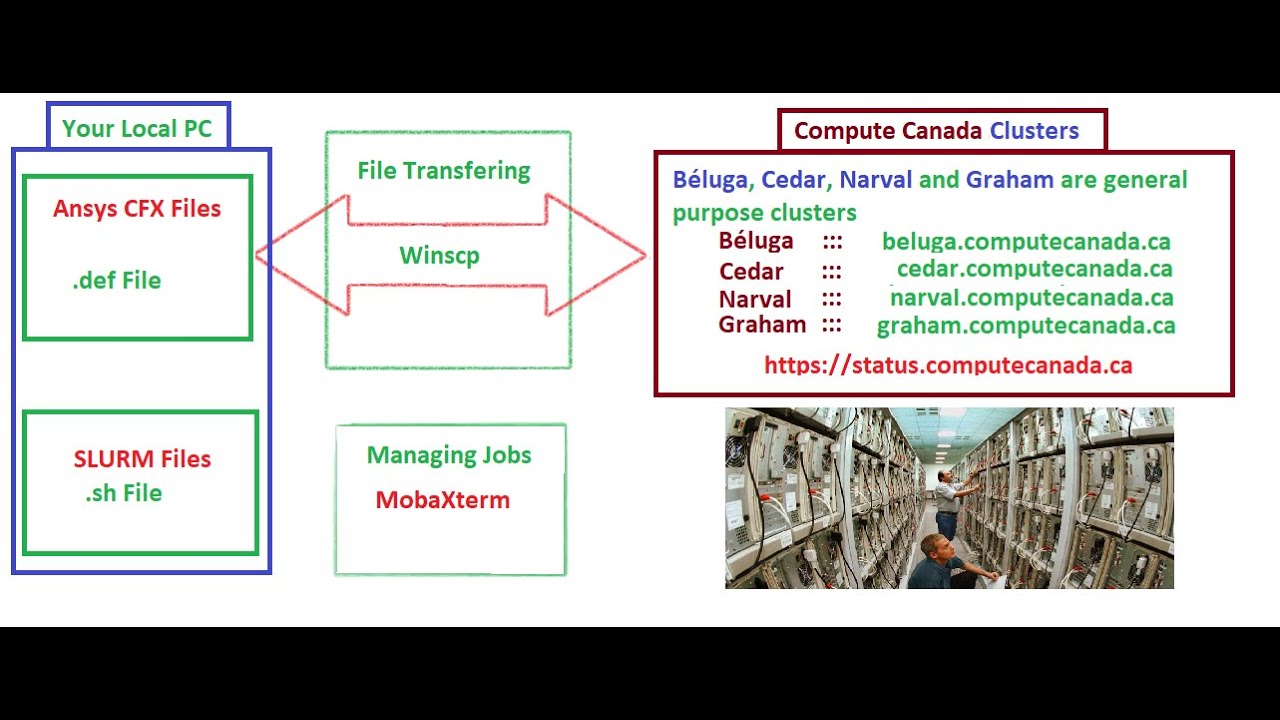
#Compute #Canada has 4 general purpose cluster which are #Béluga, #Narval, #Cedar, and #Graham. How to run #Ansys #CFX #simulations on them?
In the 1st video we talked about them. The link is as follow:
https://youtu.be/KqanszJwqqg
-----------------------------------------------
In the second video I talked about transferring files and folder between your local PC and compute Canada clusters using WinSCP software. The link for this video is:
File transfer between your PC and Compute Canada clusters.
https://youtu.be/5TuXD9XyJw0
-----------------------------------------------
In the last video I talked about how to prepare a SLURM file and submit the jobs on Compute canada using MobaXterm software
The link for 3rd video is:
https://youtu.be/VvwzNbmjLas
-----------------------------------------------
#Ansys #CFX #Simulation #Cluster #High_Performance_Computing #HPC
In the 1st video we talked about them. The link is as follow:
https://youtu.be/KqanszJwqqg
-----------------------------------------------
In the second video I talked about transferring files and folder between your local PC and compute Canada clusters using WinSCP software. The link for this video is:
File transfer between your PC and Compute Canada clusters.
https://youtu.be/5TuXD9XyJw0
-----------------------------------------------
In the last video I talked about how to prepare a SLURM file and submit the jobs on Compute canada using MobaXterm software
The link for 3rd video is:
https://youtu.be/VvwzNbmjLas
-----------------------------------------------
#Ansys #CFX #Simulation #Cluster #High_Performance_Computing #HPC
Video Information
Views
755
Likes
8
Duration
4:35
Published
Apr 8, 2022
Related Trending Topics
LIVE TRENDSRelated trending topics. Click any trend to explore more videos.
No specific trending topics match this video yet.
Explore All Trends