Master Stunning Render Effects in Cinema 4D with After Effects 🎬
Learn how to seamlessly combine Cinema 4D and After Effects to elevate your 3D animations and create eye-catching visual effects. Step-by-step tips for mastering render effects!

Design School ME
2.4K views • Jul 17, 2023
About this video
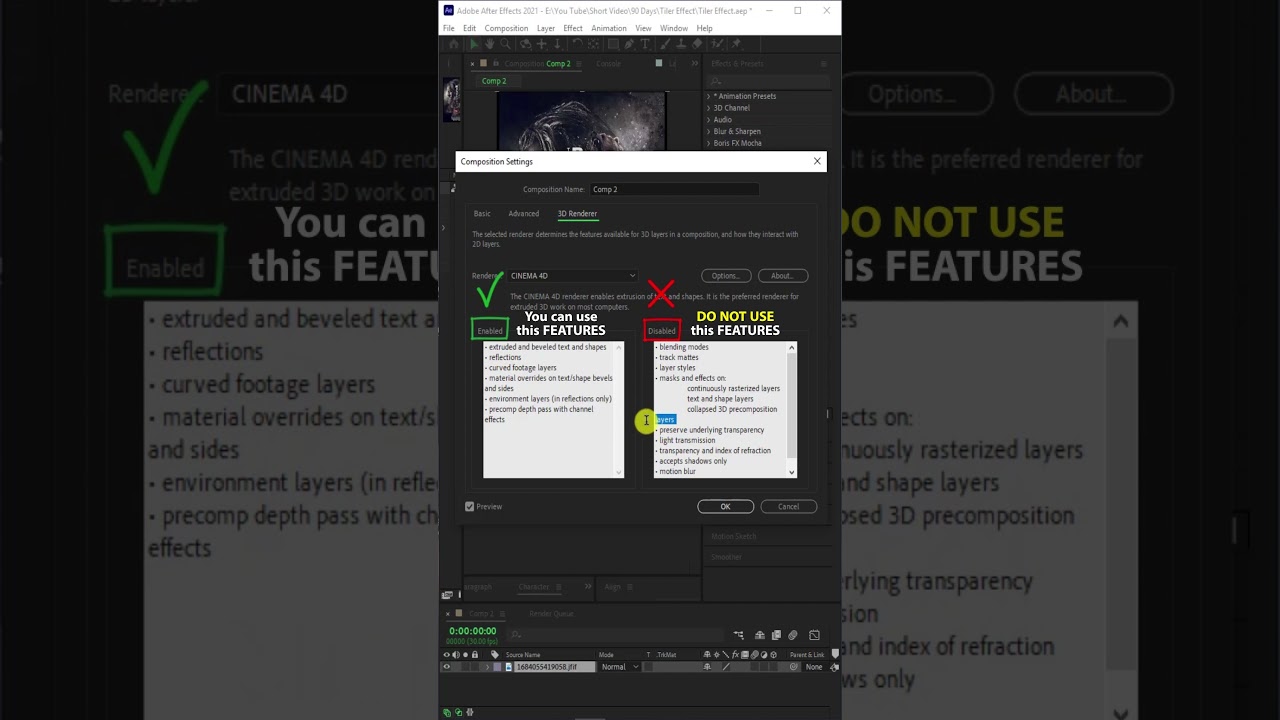
Cinema 4D and After Effects are two separate software applications, but they can be used together to create 3D animations and composites. To use Cinema 4D's rendering features in After Effects, you will need to have the Cinema 4D software installed on your computer.
Once you have created your 3D animation or model in Cinema 4D, you can export it as a C4D file and import it into After Effects. From there, you can use the Cineware plugin, which is included with After Effects, to access the rendering features of Cinema 4D.
Here are some of the rendering features you can access in After Effects using Cineware:
1. Physical Renderer: You can use the Physical Renderer to produce highly realistic renders of your 3D models and animations.
2. Global Illumination: This feature can be used to create realistic lighting and shadows in your 3D scenes.
3. Ambient Occlusion: Ambient occlusion can be used to add depth and realism to your 3D renders.
4. Multi-pass rendering: You can use multi-pass rendering to create separate passes for different elements of your scene, which can then be composited together in After Effects.
5. Team Render: If you have multiple computers on a network, you can use Team Render to distribute the rendering workload and speed up your renders.
Overall, using Cineware in After Effects allows you to access many of the powerful rendering features of Cinema 4D, giving you greater control over the final look and feel of your 3D animations and composites.
================================================
Subscribe my channel :
https://www.youtube.com/@designschoolme/videos
=================================================
Social Media :
Behance : https://www.behance.net/ebrahimimojtaba/
Instagram : https://www.instagram.com/mojjtaba.ebrahimi/
Linkedin : https://www.linkedin.com/in/mojtaba-ebrahimi1986/
Twitter : https://twitter.com/mojtaba76191909
===================================================
#cinema4d
#aftereffets
Once you have created your 3D animation or model in Cinema 4D, you can export it as a C4D file and import it into After Effects. From there, you can use the Cineware plugin, which is included with After Effects, to access the rendering features of Cinema 4D.
Here are some of the rendering features you can access in After Effects using Cineware:
1. Physical Renderer: You can use the Physical Renderer to produce highly realistic renders of your 3D models and animations.
2. Global Illumination: This feature can be used to create realistic lighting and shadows in your 3D scenes.
3. Ambient Occlusion: Ambient occlusion can be used to add depth and realism to your 3D renders.
4. Multi-pass rendering: You can use multi-pass rendering to create separate passes for different elements of your scene, which can then be composited together in After Effects.
5. Team Render: If you have multiple computers on a network, you can use Team Render to distribute the rendering workload and speed up your renders.
Overall, using Cineware in After Effects allows you to access many of the powerful rendering features of Cinema 4D, giving you greater control over the final look and feel of your 3D animations and composites.
================================================
Subscribe my channel :
https://www.youtube.com/@designschoolme/videos
=================================================
Social Media :
Behance : https://www.behance.net/ebrahimimojtaba/
Instagram : https://www.instagram.com/mojjtaba.ebrahimi/
Linkedin : https://www.linkedin.com/in/mojtaba-ebrahimi1986/
Twitter : https://twitter.com/mojtaba76191909
===================================================
#cinema4d
#aftereffets
Tags and Topics
Browse our collection to discover more content in these categories.
Video Information
Views
2.4K
Likes
42
Duration
0:49
Published
Jul 17, 2023
User Reviews
4.5
(2) Related Trending Topics
LIVE TRENDSRelated trending topics. Click any trend to explore more videos.
Trending Now