Create Stunning 3D Wallpapers on Your iPhone with iOS 26 🎨
Learn how to transform your iPhone wallpaper into a eye-catching 3D design on iOS 26. Follow this simple trick to make your device truly stand out!

Byte Boss
188.6K views • Jul 4, 2025
About this video
For Business: ByteBossForBusiness@gmail.com
🎨 How to Make Your iPhone Wallpaper 3D on iOS 26 – Super Cool Trick! 🌀
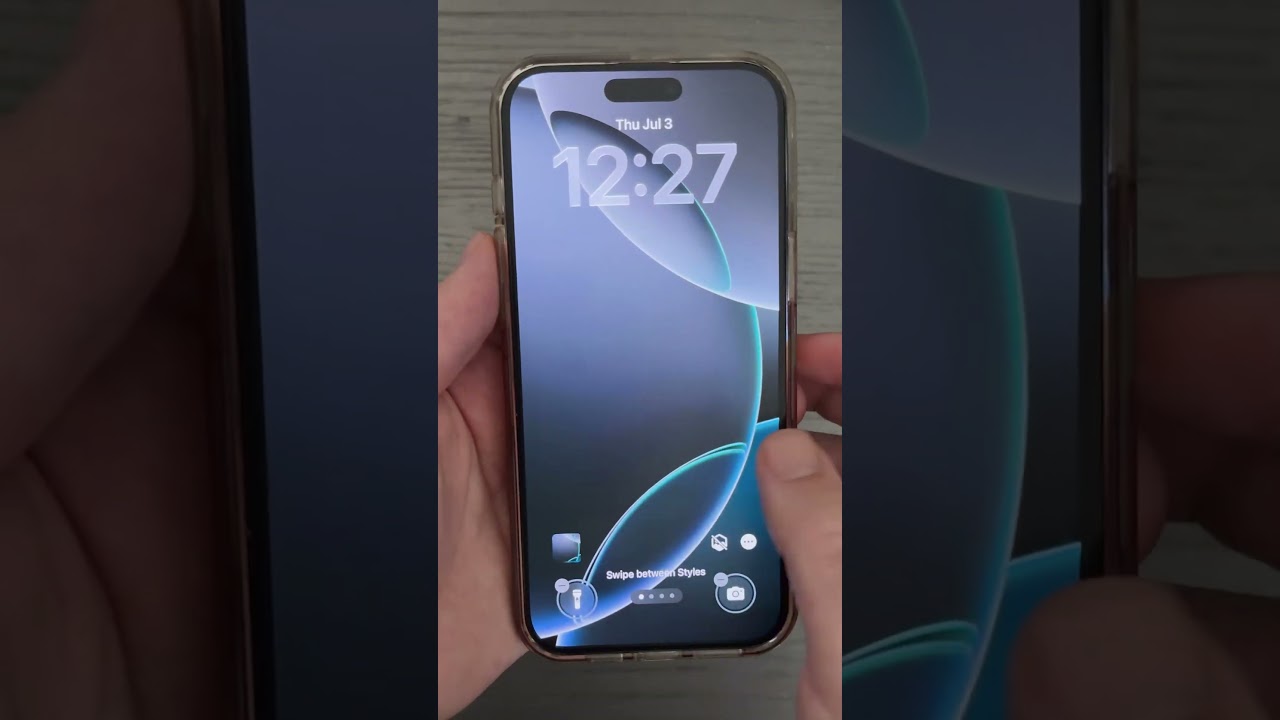
Want to make your iPhone stand out with a stunning 3D wallpaper effect? In this video, I’ll show you exactly how to turn any iPhone wallpaper into a 3D masterpiece using a hidden feature in iOS 26. This cool iPhone tip will blow your mind and give your lock screen and home screen a whole new level of depth and motion.
👣 Step-by-step tutorial:
Download a vibrant, high-quality wallpaper that works well with depth effects.
Long press on your iPhone’s wallpaper to enter the customization screen.
Tap the small icon that activates the 3D depth effect – available only on iOS 26.
Wait a few seconds... and boom! Enjoy your dynamic, moving, and visually stunning 3D wallpaper setup.
💡 This 3D wallpaper trick only works with iPhones running iOS 26, so make sure your software is up to date! Perfect for anyone looking to spice up their device with a unique and eye-catching look.
✨ Whether you're a fan of iPhone customization, tech tips, or the latest iOS 26 features, this tutorial is for you. Don’t forget to save this video, share it with your friends, and subscribe for more amazing iPhone tricks, iOS 26 hacks, and mobile customization ideas.
🔍 Keywords:
#iOS26 #iPhoneTips #iPhoneWallpaper #3DWallpaper #iOS26Features #iPhoneCustomization #TechTips #iPhoneTricks #iOSUpdates #WallpaperIdeas #iPhoneDepthEffect #3DLockscreen #iPhoneHack #iPhoneHomeScreen #CustomizeiPhone
📌 Hit the like button if you found this helpful and drop a comment below if you tried it!
🎨 How to Make Your iPhone Wallpaper 3D on iOS 26 – Super Cool Trick! 🌀
Want to make your iPhone stand out with a stunning 3D wallpaper effect? In this video, I’ll show you exactly how to turn any iPhone wallpaper into a 3D masterpiece using a hidden feature in iOS 26. This cool iPhone tip will blow your mind and give your lock screen and home screen a whole new level of depth and motion.
👣 Step-by-step tutorial:
Download a vibrant, high-quality wallpaper that works well with depth effects.
Long press on your iPhone’s wallpaper to enter the customization screen.
Tap the small icon that activates the 3D depth effect – available only on iOS 26.
Wait a few seconds... and boom! Enjoy your dynamic, moving, and visually stunning 3D wallpaper setup.
💡 This 3D wallpaper trick only works with iPhones running iOS 26, so make sure your software is up to date! Perfect for anyone looking to spice up their device with a unique and eye-catching look.
✨ Whether you're a fan of iPhone customization, tech tips, or the latest iOS 26 features, this tutorial is for you. Don’t forget to save this video, share it with your friends, and subscribe for more amazing iPhone tricks, iOS 26 hacks, and mobile customization ideas.
🔍 Keywords:
#iOS26 #iPhoneTips #iPhoneWallpaper #3DWallpaper #iOS26Features #iPhoneCustomization #TechTips #iPhoneTricks #iOSUpdates #WallpaperIdeas #iPhoneDepthEffect #3DLockscreen #iPhoneHack #iPhoneHomeScreen #CustomizeiPhone
📌 Hit the like button if you found this helpful and drop a comment below if you tried it!
Tags and Topics
Browse our collection to discover more content in these categories.
Video Information
Views
188.6K
Likes
1.6K
Duration
0:21
Published
Jul 4, 2025
User Reviews
4.3
(37) Related Trending Topics
LIVE TRENDSRelated trending topics. Click any trend to explore more videos.
Trending Now