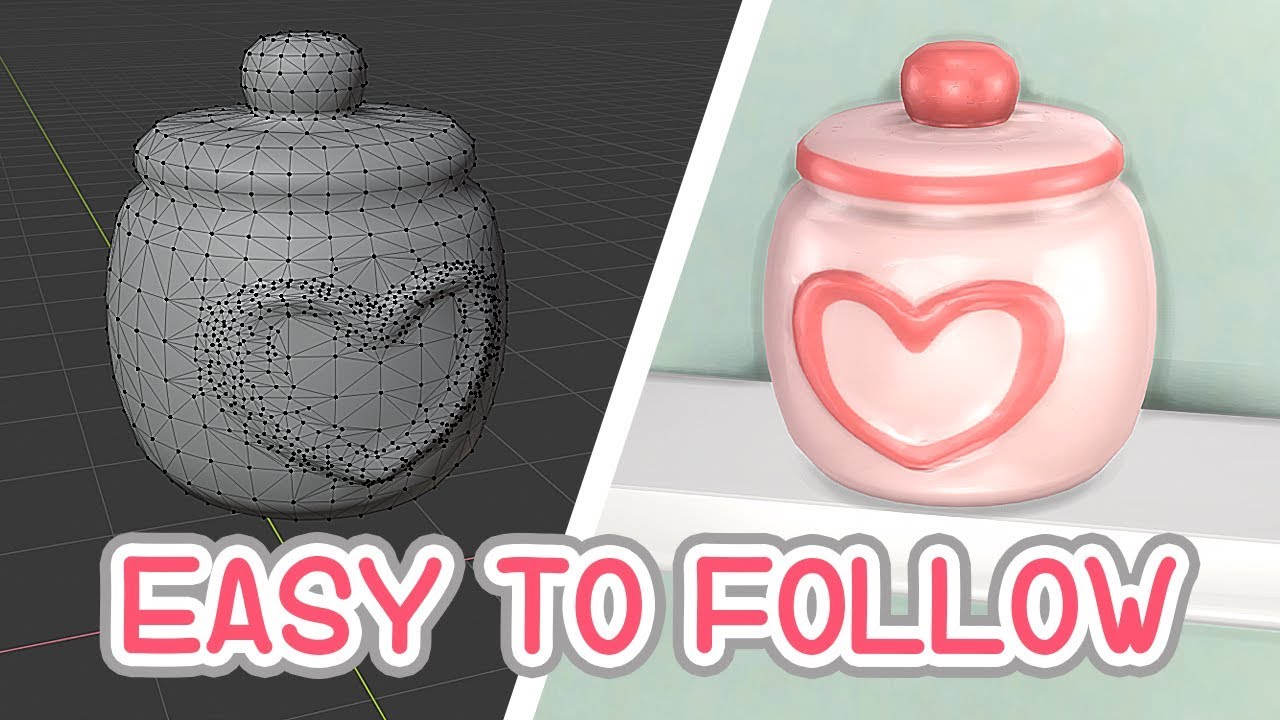
Create Custom CC Objects in Sims 4: Easy Step-by-Step Guide 🛠️
Learn how to make your own custom content objects in Sims 4 with this simple tutorial. Perfect for customizing your game and adding unique items!

Sieory
240.7K views • Aug 20, 2019
About this video
Hi! I finally put together an object tutorial c:
I hope this helps guide you in creating custom content of your own.
Would you like a full video on how I model objects? Let me know!
I'd love to see any objects you created! Feel free to show me on Twitter c: Good luuucckk ~
🔵What you need:
Blender 2.80 - The newest blender version is the best and easiest
way to create models - https://www.blender.org/download/
Blender 2.70 - You'll need this to work with Sims 4 Studio - https://www.blender.org/download/releases/2-70/
Sims 4 Studio - You'll need this to put CC in the game - http://sims4studio.com/board/31/downloading-installing-sims-4-studio
Photo editing software - I used Photoshop. Use whatever software
you may have.
DST Blanks - The image files to replace the original object ones - https://simfileshare.net/folder/75455/
⏰Time Stamps⏰
Intro, Disclaimer, Following tip - 0:00
Demonstration of modeling the object - 1:23
Saving the object and texture - 3:24
Picking and exporting a Sims object - 3:40
Importing objects to Blender 2.70 - 4:37
Joining objects and deleting the Sims mesh, Saving - 5:20
Making the shadow mesh thingy, Saving - 6:31
Baking the mesh, Saving baked texture - 6:58
Creating final texture - 8:04
Importing into Sims 4 Studio - 8:21
Replacing DST images - 9:15
Saving and putting it into game, Done! - 10:02
Final results - 10:17
Outro - 11:04
Thank you so much for watching! ❤️
📂 Tumblr: https://sieory.tumblr.com
💭 Twitter: https://twitter.com/Sieory
📷 Instagram: https://www.instagram.com/sieory
I hope this helps guide you in creating custom content of your own.
Would you like a full video on how I model objects? Let me know!
I'd love to see any objects you created! Feel free to show me on Twitter c: Good luuucckk ~
🔵What you need:
Blender 2.80 - The newest blender version is the best and easiest
way to create models - https://www.blender.org/download/
Blender 2.70 - You'll need this to work with Sims 4 Studio - https://www.blender.org/download/releases/2-70/
Sims 4 Studio - You'll need this to put CC in the game - http://sims4studio.com/board/31/downloading-installing-sims-4-studio
Photo editing software - I used Photoshop. Use whatever software
you may have.
DST Blanks - The image files to replace the original object ones - https://simfileshare.net/folder/75455/
⏰Time Stamps⏰
Intro, Disclaimer, Following tip - 0:00
Demonstration of modeling the object - 1:23
Saving the object and texture - 3:24
Picking and exporting a Sims object - 3:40
Importing objects to Blender 2.70 - 4:37
Joining objects and deleting the Sims mesh, Saving - 5:20
Making the shadow mesh thingy, Saving - 6:31
Baking the mesh, Saving baked texture - 6:58
Creating final texture - 8:04
Importing into Sims 4 Studio - 8:21
Replacing DST images - 9:15
Saving and putting it into game, Done! - 10:02
Final results - 10:17
Outro - 11:04
Thank you so much for watching! ❤️
📂 Tumblr: https://sieory.tumblr.com
💭 Twitter: https://twitter.com/Sieory
📷 Instagram: https://www.instagram.com/sieory
Tags and Topics
Browse our collection to discover more content in these categories.
Video Information
Views
240.7K
Likes
9.2K
Duration
12:22
Published
Aug 20, 2019
User Reviews
4.7
(48) Related Trending Topics
LIVE TRENDSRelated trending topics. Click any trend to explore more videos.
No specific trending topics match this video yet.
Explore All Trends