How to Lock Files and Folders with Password Using WinRAR
Learn the effective methods to secure your files and folders by setting a password with WinRAR, ensuring your data remains private and protected.
JimiETech
84.9K views • Feb 8, 2023
About this video
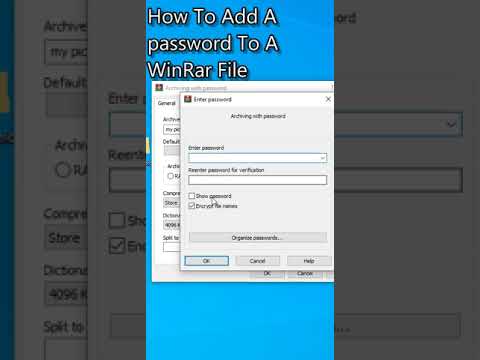
There are several ways you can try to set a RAR file private, protecting it with a password, but the optimal choice should be within the compression program itself. Both WinRAR and 7-ZIP allow you to password protect a RAR file, so you just use your own program to do the encryption. Here, we use WinRAR as an example.
Step 1. Select all files you want to add to an archive and choose to Add to archive.
Step 2. This will open the WinRAR window, under the Compression method section, choose RAR. This will help you create a RAR file. Continue with the Set password option.
Step 3. Enter a prepared password and repeat once. Done. Your RAR file will be saved as a locked
Step 1. Select all files you want to add to an archive and choose to Add to archive.
Step 2. This will open the WinRAR window, under the Compression method section, choose RAR. This will help you create a RAR file. Continue with the Set password option.
Step 3. Enter a prepared password and repeat once. Done. Your RAR file will be saved as a locked
Video Information
Views
84.9K
Likes
1.1K
Duration
0:52
Published
Feb 8, 2023
User Reviews
4.5
(16) Related Trending Topics
LIVE TRENDSRelated trending topics. Click any trend to explore more videos.
No specific trending topics match this video yet.
Explore All Trends