Lock Your Facebook Profile in 2026 🔒
Learn how to lock your Facebook profile with this step-by-step guide to enhance your account security in 2026.

HADAF SKILLS
139.0K views • Mar 22, 2025
About this video
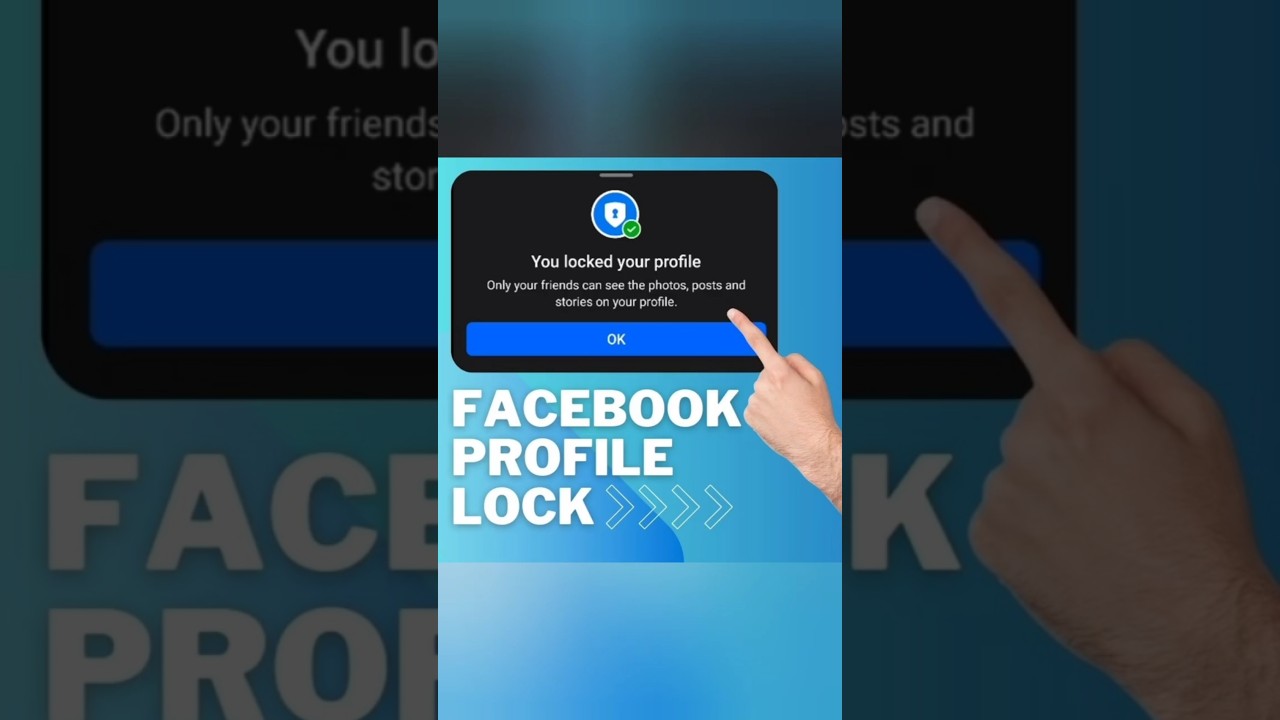
How to Lock Facebook Profile 2026 | Step-by-Step Guide to Facebook Profile Lock Update 🔒
Are you looking for a way to secure your Facebook account and protect your personal information? This video provides a step-by-step guide on how to lock Facebook profile using the latest Facebook profile lock update. Whether you are using an iPhone, Samsung, or PC, this tutorial will cover every method to ensure facebook lock profile is enabled on your account.
With the increasing concerns over online privacy, knowing how to facebook profile lock is essential. Many users often ask, "how to i lock my facebook profile?" or "how to i lock my profile on facebook?" In this tutorial, we will answer these questions and show you how to lock facebook profile officially in just a few minutes.
🔹 Why You Should Use Facebook Profile Lock
Enabling facebook profile lock ensures that:
✔️ Strangers cannot see your posts.
✔️ Only friends can view your profile details.
✔️ Your posts remain private and safe.
✔️ It prevents unauthorized users from misusing your photos.
If you’ve ever wondered, "how to lock my facebook profile from my pc?" or "how to lock profile of facebook?" – this guide is for you!
📌 How to Lock Facebook Profile: A Complete Step-by-Step Guide
🔷 Step 1: Open Facebook Settings
To begin the facebook lock profile process, open the Facebook app on your phone or log into your account from your desktop. The steps vary slightly for mobile and PC users.
🔷 Step 2: Navigate to Privacy Settings
Tap on the three horizontal lines (☰) at the top right corner of your screen. Scroll down and select Settings & Privacy, then tap on Settings.
🔷 Step 3: Enable Facebook Profile Lock
1️⃣ Scroll down to "Audience and Visibility" and tap on Followers and Public Content.
2️⃣ Change "Public Profile Info" from Public to Friends Only.
3️⃣ Go back and select Public Post Notifications and change it to "Friends of Friends".
4️⃣ Tap on Profile and Tagging, then select:
Who can post on your profile? → Set to "Only Me".
Enable "Review tags people add to your posts before they appear on Facebook".
5️⃣ Finally, go to Profile Locking and tap "Lock Your Profile".
Once you complete these steps, your profile is successfully locked! This is the most secure method for how to lock facebook profile officially.
🔑 How to Lock Facebook Profile on Different Devices
🔹 How to Lock Facebook Profile in iPhone
1️⃣ Open the Facebook app.
2️⃣ Navigate to Settings & Privacy .. Settings.
3️⃣ Adjust privacy settings under Audience and Visibility.
4️⃣ Tap Profile Locking and enable facebook profile lock update.
🔹 How to Lock Your Facebook Profile Samsung
If you use a Samsung device, follow the same steps as for iPhone. The process for how to lock your facebook profile samsung remains the same.
🔹 How to Lock My Facebook Profile Desktop
For desktop users wondering how to lock my facebook profile desktop, here’s how:
1️⃣ Open Facebook on your web browser.
2️⃣ Click on your profile picture and select Settings & Privacy.
3️⃣ Navigate to Privacy Settings and enable facebook lock profile.
🔓 How to Unlock Profile | Profile Locking in Facebook
If you want to reverse the process and how to unlock profile, go to Profile Locking in Settings and select "Unlock Profile." However, keep in mind that once unlocked, all previous privacy settings will be removed.
For those asking how to lock my facebook profile from my pc, you can follow the same method through Facebook's web settings.
🔥 FAQs: Everything You Need to Know
Q1: How can I lock my Facebook profile permanently?
A: Follow the step-by-step guide above for how to lock facebook profile new update, and your profile will remain locked unless manually changed.
Q2: Can I lock my profile using Facebook Lite?
A: Yes! The method for how to facebook profile lock works for Facebook Lite users as well.
Q3: Is profile locking available worldwide?
A: Facebook is rolling out this feature globally. If you don’t see the option, check for updates to access facebook profile lock update.
🚀 Final Thoughts
Now that you know how to lock profile on facebook, take action and secure your account today! This guide ensures you understand how to lock my facebook profile desktop and on mobile.
If you found this tutorial helpful, don’t forget to like, subscribe, and hit the notification bell 🔔 so you don’t miss future updates on facebook profile lock update.
how to lock facebook profile
how to lock profile on facebook
#HADAF_SKILLS #FaceBook #shorts
📢 Let us know in the comments if you successfully locked your Facebook profile.
Are you looking for a way to secure your Facebook account and protect your personal information? This video provides a step-by-step guide on how to lock Facebook profile using the latest Facebook profile lock update. Whether you are using an iPhone, Samsung, or PC, this tutorial will cover every method to ensure facebook lock profile is enabled on your account.
With the increasing concerns over online privacy, knowing how to facebook profile lock is essential. Many users often ask, "how to i lock my facebook profile?" or "how to i lock my profile on facebook?" In this tutorial, we will answer these questions and show you how to lock facebook profile officially in just a few minutes.
🔹 Why You Should Use Facebook Profile Lock
Enabling facebook profile lock ensures that:
✔️ Strangers cannot see your posts.
✔️ Only friends can view your profile details.
✔️ Your posts remain private and safe.
✔️ It prevents unauthorized users from misusing your photos.
If you’ve ever wondered, "how to lock my facebook profile from my pc?" or "how to lock profile of facebook?" – this guide is for you!
📌 How to Lock Facebook Profile: A Complete Step-by-Step Guide
🔷 Step 1: Open Facebook Settings
To begin the facebook lock profile process, open the Facebook app on your phone or log into your account from your desktop. The steps vary slightly for mobile and PC users.
🔷 Step 2: Navigate to Privacy Settings
Tap on the three horizontal lines (☰) at the top right corner of your screen. Scroll down and select Settings & Privacy, then tap on Settings.
🔷 Step 3: Enable Facebook Profile Lock
1️⃣ Scroll down to "Audience and Visibility" and tap on Followers and Public Content.
2️⃣ Change "Public Profile Info" from Public to Friends Only.
3️⃣ Go back and select Public Post Notifications and change it to "Friends of Friends".
4️⃣ Tap on Profile and Tagging, then select:
Who can post on your profile? → Set to "Only Me".
Enable "Review tags people add to your posts before they appear on Facebook".
5️⃣ Finally, go to Profile Locking and tap "Lock Your Profile".
Once you complete these steps, your profile is successfully locked! This is the most secure method for how to lock facebook profile officially.
🔑 How to Lock Facebook Profile on Different Devices
🔹 How to Lock Facebook Profile in iPhone
1️⃣ Open the Facebook app.
2️⃣ Navigate to Settings & Privacy .. Settings.
3️⃣ Adjust privacy settings under Audience and Visibility.
4️⃣ Tap Profile Locking and enable facebook profile lock update.
🔹 How to Lock Your Facebook Profile Samsung
If you use a Samsung device, follow the same steps as for iPhone. The process for how to lock your facebook profile samsung remains the same.
🔹 How to Lock My Facebook Profile Desktop
For desktop users wondering how to lock my facebook profile desktop, here’s how:
1️⃣ Open Facebook on your web browser.
2️⃣ Click on your profile picture and select Settings & Privacy.
3️⃣ Navigate to Privacy Settings and enable facebook lock profile.
🔓 How to Unlock Profile | Profile Locking in Facebook
If you want to reverse the process and how to unlock profile, go to Profile Locking in Settings and select "Unlock Profile." However, keep in mind that once unlocked, all previous privacy settings will be removed.
For those asking how to lock my facebook profile from my pc, you can follow the same method through Facebook's web settings.
🔥 FAQs: Everything You Need to Know
Q1: How can I lock my Facebook profile permanently?
A: Follow the step-by-step guide above for how to lock facebook profile new update, and your profile will remain locked unless manually changed.
Q2: Can I lock my profile using Facebook Lite?
A: Yes! The method for how to facebook profile lock works for Facebook Lite users as well.
Q3: Is profile locking available worldwide?
A: Facebook is rolling out this feature globally. If you don’t see the option, check for updates to access facebook profile lock update.
🚀 Final Thoughts
Now that you know how to lock profile on facebook, take action and secure your account today! This guide ensures you understand how to lock my facebook profile desktop and on mobile.
If you found this tutorial helpful, don’t forget to like, subscribe, and hit the notification bell 🔔 so you don’t miss future updates on facebook profile lock update.
how to lock facebook profile
how to lock profile on facebook
#HADAF_SKILLS #FaceBook #shorts
📢 Let us know in the comments if you successfully locked your Facebook profile.
Tags and Topics
Browse our collection to discover more content in these categories.
Video Information
Views
139.0K
Likes
1.4K
Duration
0:48
Published
Mar 22, 2025
User Reviews
4.4
(27) Related Trending Topics
LIVE TRENDSRelated trending topics. Click any trend to explore more videos.
No specific trending topics match this video yet.
Explore All Trends