Install & Use Windows Movie Maker on Windows 11
Learn how to install and use Windows Movie Maker on Windows 11 with our step-by-step guide. 🎬

OnlineComputerTips
15.8K views • Jun 13, 2025
About this video
Check out our full writeup on installing Windows Movie Maker here:
👉 https://onlinecomputertips.com/support-categories/windows/install-windows-movie-maker-windows-11/
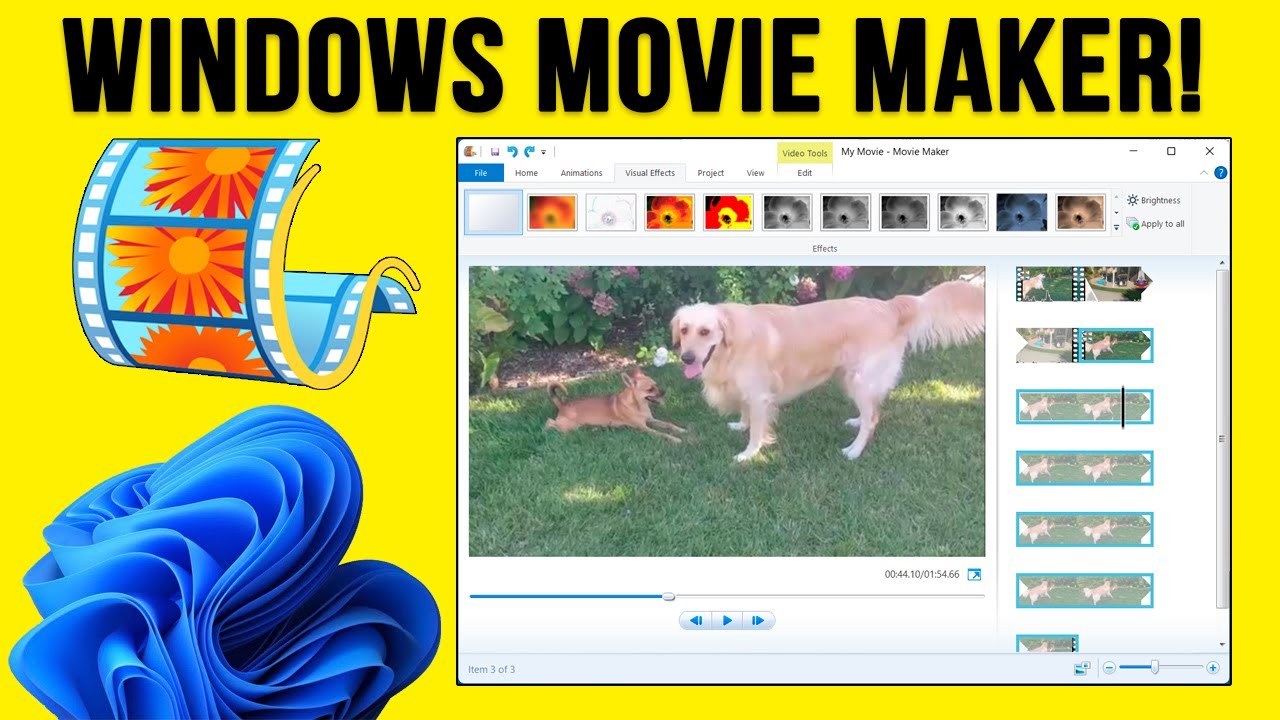
Do you miss the simplicity of the original Windows Movie Maker? If you aren't a fan of modern editors like Clipchamp, you can still run the classic Movie Maker on Windows 11.
In this tutorial, we show you how to safely download the legacy software from Archive.org, how to extract the installation files using 7-Zip, and how to get everything up and running on your modern PC. We even cover the specific password you'll need to unlock the installation files.
0:00 Introduction to Windows Movie Maker on Windows 11
0:25 Where to download the software (Archive.org)
0:40 Selecting the ISO image for download
1:00 How to open and mount the ISO file
1:35 Extracting the installer using 7-Zip or WinRAR
1:55 Entering the file password (123)
2:10 Running the setup and launching the app
2:45 Quick look at the classic interface and features
3:30 Recap of the download and extraction steps
Step-by-Step Instructions:
1 - Visit the Windows Movie Maker page on Archive.org (link below).
2 - Look for the "Download Options" on the right side and click on ISO IMAGE.
3 - Once the 77MB file is downloaded, you'll need a tool like 7-Zip or WinRAR to extract the installer.
4 - Open the ISO file with 7-Zip and double-click the internal RAR file.
5 - Drag the .exe installer file out to your desktop.
6 - When prompted for a password, enter 123.
7 - Double-click the installer and follow the on-screen prompts to complete the installation.
8 - Launch Windows Movie Maker from your desktop shortcut or Start menu.
9 - Note: While this is legacy software, it remains fully functional for basic cuts, transitions, and visual effects on Windows 11.
Windows Movie Maker Archive. The password is 123.
https://archive.org/details/windows-movie-maker-2012_202505
**UPDATE**
If the archive.org link below is no longer valid, you can download Windows Movie Maker from Major Geeks here. This is just an exe file so it's actually easier to install.
https://www.majorgeeks.com/mg/getmirror/windows_movie_maker,1.html
Here is a link to the 7-Zip website.
https://www.7-zip.org/download.html
🎓 Step up your skills with our online training courses:
http://madeeasytraining.com
📘 Get our book "Windows 11 Made Easy" on Amazon:
https://www.amazon.com/dp/B09HFXWXRY
📚 Explore our full library of tech and computer books:
https://www.madeeasybookseries.com/home
#Windows11 #WindowsMovieMaker #VideoEditing #TechTutorial #RetroTech #WindowsTips #MovieMaker #SimpleVideoEditor #Windows10 #OnlineComputerTips
Here is a link to the Windows Movie Maker download. The password is 123.
https://archive.org/details/windows-movie-maker-2012_202505
👉 https://onlinecomputertips.com/support-categories/windows/install-windows-movie-maker-windows-11/
Do you miss the simplicity of the original Windows Movie Maker? If you aren't a fan of modern editors like Clipchamp, you can still run the classic Movie Maker on Windows 11.
In this tutorial, we show you how to safely download the legacy software from Archive.org, how to extract the installation files using 7-Zip, and how to get everything up and running on your modern PC. We even cover the specific password you'll need to unlock the installation files.
0:00 Introduction to Windows Movie Maker on Windows 11
0:25 Where to download the software (Archive.org)
0:40 Selecting the ISO image for download
1:00 How to open and mount the ISO file
1:35 Extracting the installer using 7-Zip or WinRAR
1:55 Entering the file password (123)
2:10 Running the setup and launching the app
2:45 Quick look at the classic interface and features
3:30 Recap of the download and extraction steps
Step-by-Step Instructions:
1 - Visit the Windows Movie Maker page on Archive.org (link below).
2 - Look for the "Download Options" on the right side and click on ISO IMAGE.
3 - Once the 77MB file is downloaded, you'll need a tool like 7-Zip or WinRAR to extract the installer.
4 - Open the ISO file with 7-Zip and double-click the internal RAR file.
5 - Drag the .exe installer file out to your desktop.
6 - When prompted for a password, enter 123.
7 - Double-click the installer and follow the on-screen prompts to complete the installation.
8 - Launch Windows Movie Maker from your desktop shortcut or Start menu.
9 - Note: While this is legacy software, it remains fully functional for basic cuts, transitions, and visual effects on Windows 11.
Windows Movie Maker Archive. The password is 123.
https://archive.org/details/windows-movie-maker-2012_202505
**UPDATE**
If the archive.org link below is no longer valid, you can download Windows Movie Maker from Major Geeks here. This is just an exe file so it's actually easier to install.
https://www.majorgeeks.com/mg/getmirror/windows_movie_maker,1.html
Here is a link to the 7-Zip website.
https://www.7-zip.org/download.html
🎓 Step up your skills with our online training courses:
http://madeeasytraining.com
📘 Get our book "Windows 11 Made Easy" on Amazon:
https://www.amazon.com/dp/B09HFXWXRY
📚 Explore our full library of tech and computer books:
https://www.madeeasybookseries.com/home
#Windows11 #WindowsMovieMaker #VideoEditing #TechTutorial #RetroTech #WindowsTips #MovieMaker #SimpleVideoEditor #Windows10 #OnlineComputerTips
Here is a link to the Windows Movie Maker download. The password is 123.
https://archive.org/details/windows-movie-maker-2012_202505
Tags and Topics
Browse our collection to discover more content in these categories.
Video Information
Views
15.8K
Likes
228
Duration
4:01
Published
Jun 13, 2025
User Reviews
4.5
(3) Related Trending Topics
LIVE TRENDSRelated trending topics. Click any trend to explore more videos.
No specific trending topics match this video yet.
Explore All Trends