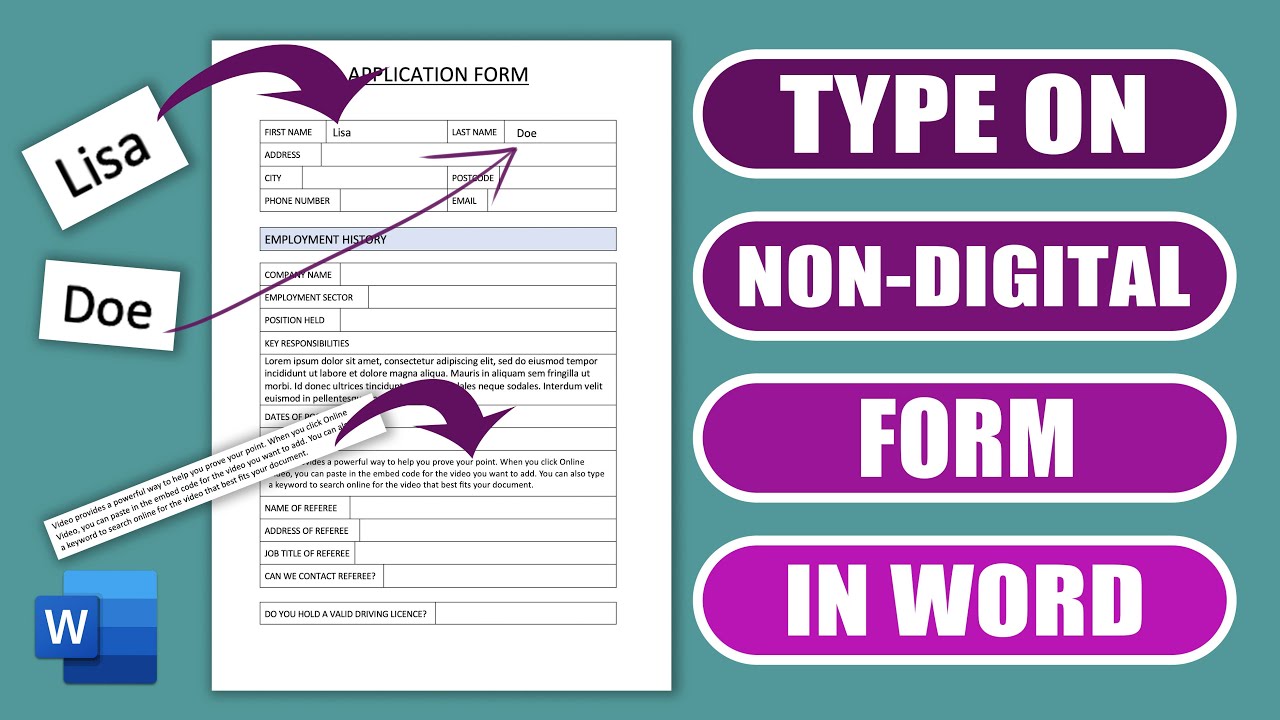
How to Fill Out a Non-Digital Form in Word ✍️
Learn simple steps to insert text into a physical form using Word, even if you can't type directly on it.

Lisa Doe
26.8K views • Apr 20, 2023
About this video
You've been emailed a form to fill out but you can't type on it!!! This tutorial will show you a very simple way you can type the text on any form in word. If your form is in a different software - simply take a screenshot and insert it as an image.
MY RECORDING GEAR
UK 🇬🇧
🎤 Microphone Stand/Holder - https://amzn.to/345Q8zw
🎤 Microphone - https://amzn.to/3nVe3sz
🖱 Mouse - Wacom Pen - https://amzn.to/3o2z9VM
🖥 Computer - https://amzn.to/3G9UdjG
US 🇺🇸
🎤Microphone Stand/Holder - https://amzn.to/3M0XbKS
🎤Microphone - https://amzn.to/3M4gbby
🖱Mouse - Wacom Pen - https://amzn.to/3L5YiaK
🖥Computer - https://amzn.to/3L5WLBw
PS: Some of the links in this description are affiliate links that I get a kickback from 😍
Microsoft Word Tutorials
Within all my tutorials I aim to help you develop your skills working within Word, Excel and Powerpoint as well as further your knowledge about the tools which are available within the Microsoft Office Software.
Throughout this channel I aim to cover simple subjects such as page numbers, margins, headers and footers, image, pictures and fonts as well as more advanced themes such as tables, mail merge, table of contents and electronic signatures.
Sharing tips and tricks which I discover along my journey is also an important aspect of this channel. I love the idea of giving people the solution to a problem they’ve been struggling with in Microsoft Word, Excel or Powerpoint.
The channel began all because of a problem I had when I had to insert images into a Word Document. I couldn’t find a way to drag and drop multiple images into a table without them expanding across the page, being cropped or interfering with the rest of the text. It wasn’t until I finally sat down one day, determined to find the solution and developed a way to solve the problem. Having found the problem quite difficult to solve without knowing how to do it I decided to make a You Tube video about it. Never once believing that many people would watch it, let alone be so grateful.
After discovering how helpful a simple tutorial could be I decided to make further videos with the aim of once again helping as many people as possible.
DOCUMENT EXAMPLES
Marketing literature, dissertation, thesis, college paper, reports, assignments, essays, articles, letters, invoices, presentations, school work, posters, flyers, cards, greeting cards, artwork, invitations, certificates, legal papers, etc.
MY RECORDING GEAR
UK 🇬🇧
🎤 Microphone Stand/Holder - https://amzn.to/345Q8zw
🎤 Microphone - https://amzn.to/3nVe3sz
🖱 Mouse - Wacom Pen - https://amzn.to/3o2z9VM
🖥 Computer - https://amzn.to/3G9UdjG
US 🇺🇸
🎤Microphone Stand/Holder - https://amzn.to/3M0XbKS
🎤Microphone - https://amzn.to/3M4gbby
🖱Mouse - Wacom Pen - https://amzn.to/3L5YiaK
🖥Computer - https://amzn.to/3L5WLBw
PS: Some of the links in this description are affiliate links that I get a kickback from 😍
Microsoft Word Tutorials
Within all my tutorials I aim to help you develop your skills working within Word, Excel and Powerpoint as well as further your knowledge about the tools which are available within the Microsoft Office Software.
Throughout this channel I aim to cover simple subjects such as page numbers, margins, headers and footers, image, pictures and fonts as well as more advanced themes such as tables, mail merge, table of contents and electronic signatures.
Sharing tips and tricks which I discover along my journey is also an important aspect of this channel. I love the idea of giving people the solution to a problem they’ve been struggling with in Microsoft Word, Excel or Powerpoint.
The channel began all because of a problem I had when I had to insert images into a Word Document. I couldn’t find a way to drag and drop multiple images into a table without them expanding across the page, being cropped or interfering with the rest of the text. It wasn’t until I finally sat down one day, determined to find the solution and developed a way to solve the problem. Having found the problem quite difficult to solve without knowing how to do it I decided to make a You Tube video about it. Never once believing that many people would watch it, let alone be so grateful.
After discovering how helpful a simple tutorial could be I decided to make further videos with the aim of once again helping as many people as possible.
DOCUMENT EXAMPLES
Marketing literature, dissertation, thesis, college paper, reports, assignments, essays, articles, letters, invoices, presentations, school work, posters, flyers, cards, greeting cards, artwork, invitations, certificates, legal papers, etc.
Tags and Topics
Browse our collection to discover more content in these categories.
Video Information
Views
26.8K
Likes
179
Duration
5:19
Published
Apr 20, 2023
User Reviews
4.2
(5)