Master Your Brand Illustrations with My Proven Process 🎨 | Xencelabs Drawing Tablet Tips
Learn step-by-step how to create compelling brand illustrations using my personal process and the Xencelabs drawing tablet. Perfect for designers looking to elevate their branding projects!

Michael Lubrin (dayswithmike)
67.5K views • Nov 25, 2022
About this video
Join Adobe Creative Cloud: https://adobe.prf.hn/click/camref:1100lA4Zx/creativeref:1011l90048
Support this channel: https://paypal.me/michaellubrin?country.x=PH&locale.x=en_US
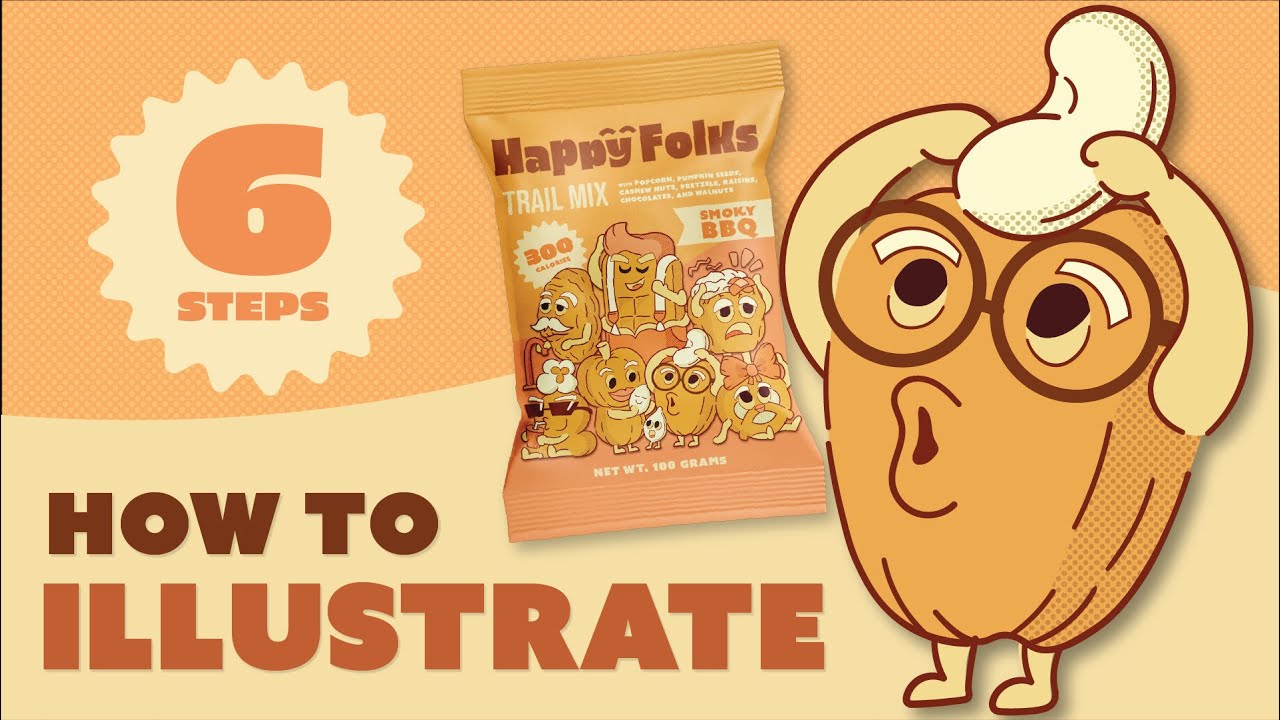
In this video, I will share with you my 6-step approach in doing illustrations. As a brand designer, I deal with different creative directions that require different illustration styles. These steps help me approach illustration in an effective manner - by creating a system that I can apply in any illustration project.
I was recently sent a new Pen Tablet Medium Bundle from Xencelabs to try out. In this video, I used this to bring the illustration to life and i also went through the different features of this amazing tablet. It is a real game changer.
Instagram: https://www.instagram.com/michael.lubrin/
XENCELAB DISCOUNT:
Amazon UK:
https://www.amazon.co.uk/dp/B09QGNYRHG
CODE: dayswithmike
Instagram: https://www.instagram.com/michael.lubrin/
Content:
0:28 - Why Are Illustrations Important
1:37 - Xencelabs Pen Tablet Intro
2:10 - Step 1: Review the Creative Brief
2:51 - Step 2: Find Inspiration
3:23 - Pen Tablet Initial Impressions
3:58 - Step 3: Analyze the Composition
5:30 - Step 4: Make a Rough Composition
8:22 - Step 5: Do your Sketch
9:11 - Pen Features + Customizability (Driver)
10:40 - Step 6: Start the Illustration
XENCELAB LINKS
------------------------------------------------------------
Official Website:
https://www.xencelabs.com/store
Amazon UK:
https://www.amazon.co.uk/dp/B09QGNYRHG
Code for All tablets, code: dayswithmike (expiration date: 04/12/2022)
Social Media:
https://www.instagram.com/xencelabs/
https://www.youtube.com/c/Xencelabs
https://twitter.com/Xencelabs
Support this channel: https://paypal.me/michaellubrin?country.x=PH&locale.x=en_US
In this video, I will share with you my 6-step approach in doing illustrations. As a brand designer, I deal with different creative directions that require different illustration styles. These steps help me approach illustration in an effective manner - by creating a system that I can apply in any illustration project.
I was recently sent a new Pen Tablet Medium Bundle from Xencelabs to try out. In this video, I used this to bring the illustration to life and i also went through the different features of this amazing tablet. It is a real game changer.
Instagram: https://www.instagram.com/michael.lubrin/
XENCELAB DISCOUNT:
Amazon UK:
https://www.amazon.co.uk/dp/B09QGNYRHG
CODE: dayswithmike
Instagram: https://www.instagram.com/michael.lubrin/
Content:
0:28 - Why Are Illustrations Important
1:37 - Xencelabs Pen Tablet Intro
2:10 - Step 1: Review the Creative Brief
2:51 - Step 2: Find Inspiration
3:23 - Pen Tablet Initial Impressions
3:58 - Step 3: Analyze the Composition
5:30 - Step 4: Make a Rough Composition
8:22 - Step 5: Do your Sketch
9:11 - Pen Features + Customizability (Driver)
10:40 - Step 6: Start the Illustration
XENCELAB LINKS
------------------------------------------------------------
Official Website:
https://www.xencelabs.com/store
Amazon UK:
https://www.amazon.co.uk/dp/B09QGNYRHG
Code for All tablets, code: dayswithmike (expiration date: 04/12/2022)
Social Media:
https://www.instagram.com/xencelabs/
https://www.youtube.com/c/Xencelabs
https://twitter.com/Xencelabs
Tags and Topics
Browse our collection to discover more content in these categories.
Video Information
Views
67.5K
Likes
4.8K
Duration
14:19
Published
Nov 25, 2022
User Reviews
4.7
(13) Related Trending Topics
LIVE TRENDSRelated trending topics. Click any trend to explore more videos.
No specific trending topics match this video yet.
Explore All Trends