Create Org Chart in Google Sheets 📊
Learn how to make an organization chart in Google Sheets by listing employees and their managers in columns.

Tiger Tips
153.2K views • Feb 20, 2020
About this video
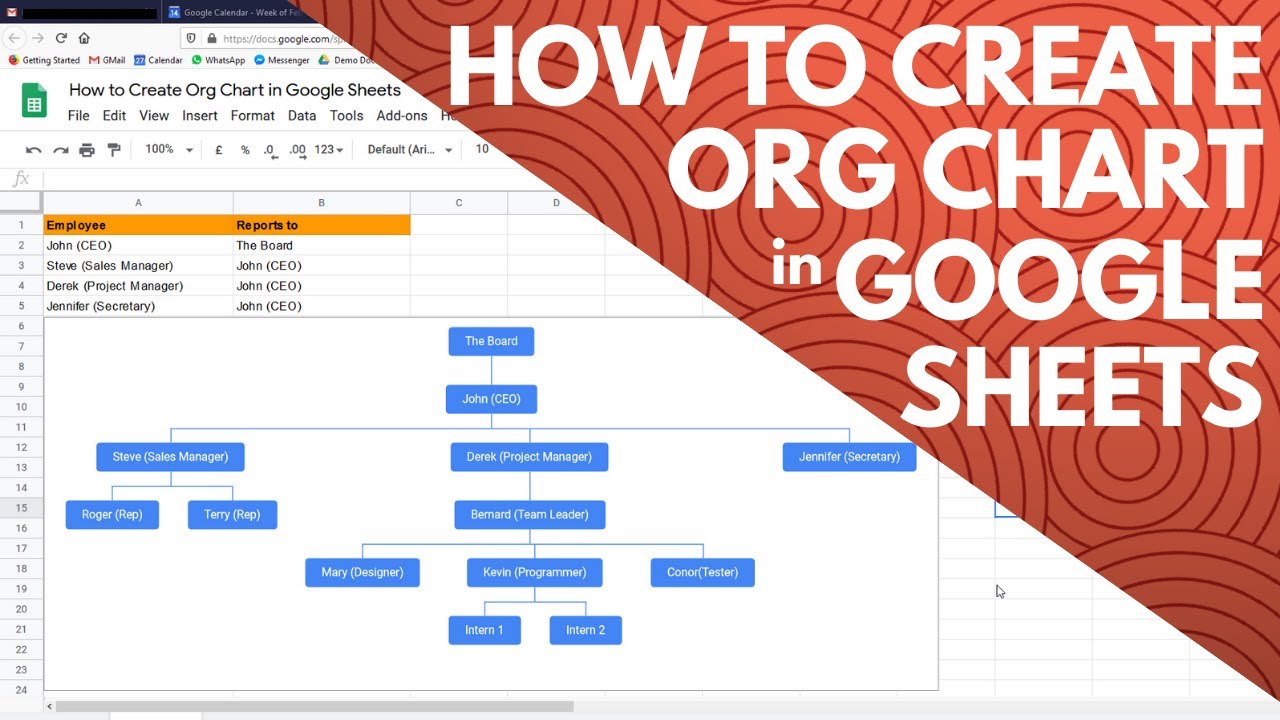
To create an organisation chart in Google Sheets, place the employees in Column A and beside them in column B place who they report to. Once your data entry in complete, select all the 'Employees' cells in Column A and all the 'Reports to' cells in Column B, then click the Insert menu and select the 'Chart' option. You are then given the option to choose a type of chart on the right hand side of the screen. Under the heading 'Other' you will see an option to choose an organisational chart. Select this option and an org chart will be generated and populated with the data you entered in columns A and B. You can edit the data in columns A and B and the org chart changes in real time.
Tags and Topics
Browse our collection to discover more content in these categories.
Video Information
Views
153.2K
Likes
1.8K
Duration
1:23
Published
Feb 20, 2020
User Reviews
4.5
(30) Related Trending Topics
LIVE TRENDSRelated trending topics. Click any trend to explore more videos.
No specific trending topics match this video yet.
Explore All Trends