Create Website Shortcuts on PC/Laptop with Chrome
Quickly access your favorite sites by learning how to create website shortcuts on your PC or laptop using Google Chrome. 🚀

Discover You
6.6K views • Mar 14, 2024
About this video
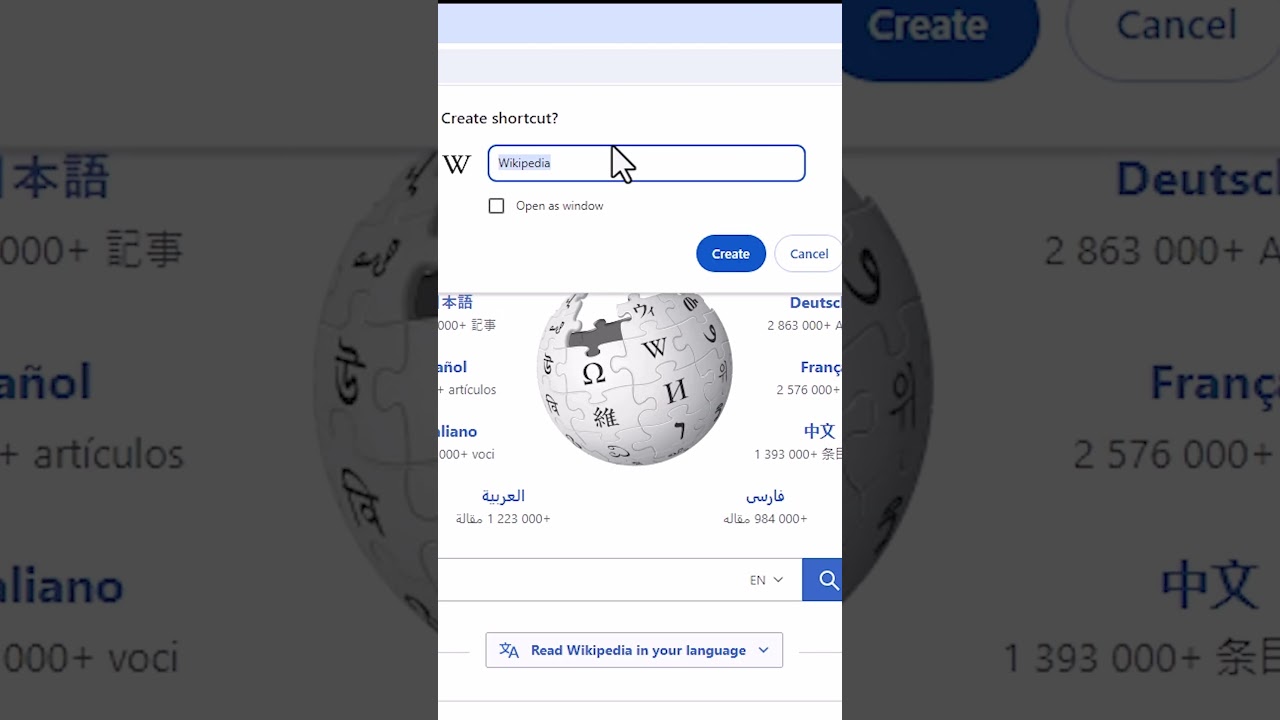
🚀 Want quick access to your favorite websites? Learn how to create website shortcuts on your PC or laptop using Google Chrome in this short tutorial! Whether it's your go-to news site, social media platform, or productivity tool, creating shortcuts ensures convenient and speedy access to your desired web destinations.
📌 Quick steps:
1️⃣ Open Google Chrome on your PC or laptop.
2️⃣ Navigate to the website you want to create a shortcut for.
3️⃣ Click on the three-dot menu in the top-right corner of Chrome.
4️⃣ Hover over "More tools" and select "Create shortcut."
5️⃣ Name your shortcut and choose where to save it (desktop or Start menu).
6️⃣ Click "Create" to generate the website shortcut.
7️⃣ Find the shortcut on your desktop or Start menu and click to open the website directly in Chrome.
🌐 This short tutorial provides a quick and convenient method to create website shortcuts for easy access on your PC or laptop.
🤔 Questions or need further assistance? Drop a comment below, and our community or our team will assist you. If you found this tutorial helpful, don't forget to like, share, and subscribe for more tech tips and tutorials.
💻 Simplify your browsing experience with website shortcuts in Google Chrome. Let's get started!
#WebsiteShortcuts #GoogleChrome #TechTutorial #ShortTutorial #QuickTip #WebBrowsing #Productivity"
📌 Quick steps:
1️⃣ Open Google Chrome on your PC or laptop.
2️⃣ Navigate to the website you want to create a shortcut for.
3️⃣ Click on the three-dot menu in the top-right corner of Chrome.
4️⃣ Hover over "More tools" and select "Create shortcut."
5️⃣ Name your shortcut and choose where to save it (desktop or Start menu).
6️⃣ Click "Create" to generate the website shortcut.
7️⃣ Find the shortcut on your desktop or Start menu and click to open the website directly in Chrome.
🌐 This short tutorial provides a quick and convenient method to create website shortcuts for easy access on your PC or laptop.
🤔 Questions or need further assistance? Drop a comment below, and our community or our team will assist you. If you found this tutorial helpful, don't forget to like, share, and subscribe for more tech tips and tutorials.
💻 Simplify your browsing experience with website shortcuts in Google Chrome. Let's get started!
#WebsiteShortcuts #GoogleChrome #TechTutorial #ShortTutorial #QuickTip #WebBrowsing #Productivity"
Tags and Topics
Browse our collection to discover more content in these categories.
Video Information
Views
6.6K
Likes
133
Duration
0:35
Published
Mar 14, 2024
User Reviews
4.6
(1) Related Trending Topics
LIVE TRENDSRelated trending topics. Click any trend to explore more videos.
No specific trending topics match this video yet.
Explore All Trends